
Housemates watching together from the sofa
You want the film to be easy to see from several seats. The distance from the screen and the viewing angle both matter; the Consumers’ Association offers advice on viewing distances and buying a TV.


Start by measuring the distance from the seating area and deciding how you’ll watch the film. Then choose a screen that suits the viewing angles and the light in the room. The Consumers’ Association says LCD screens can often be bright, while OLED usually offers wider viewing angles and deeper blacks. Before buying, check the connections, required apps and energy label for the exact model.
You want the film to be easy to see from several seats. The distance from the screen and the viewing angle both matter; the Consumers’ Association offers advice on viewing distances and buying a TV.
You’re looking for a suitable screen size and want to factor energy use into your shared expenses. The Consumers’ Association points out that larger screens generally use more energy.
You want to know in advance whether your laptop, film file or chosen streaming method will work with the TV. The Consumers’ Association recommends considering the connections and support for apps and playback methods when choosing a TV.
Start with the viewing distance and film source. Then compare how the screen suits the seating, the light in the room and your shared budget.
| What to consider | What should you check? | Who does this matter to? |
|---|---|---|
| Visibility from every seat | Measure the viewing distance and check the picture from seats at an angle. The Consumers’ Association suggests dividing the distance in centimetres by 6 as a starting estimate for the screen diagonal in inches. | If I want to follow the film from the furthest seat or one at an angle, I’ll consider both the size and viewing angle. Around 33% of consumers prioritise visibility from their seats. |
| Shared costs and energy use | Compare the EU energy label and model information, including power consumption in SDR and HDR. The Consumers’ Association notes that larger screens generally use more energy. | If we’re paying together, I don’t want to choose a screen that’s larger than the room and viewing distance call for. Around 27% of consumers put shared costs and energy use first. |
| Playing the film | Check the source, file and support offered by the exact TV model. Also see whether it has a suitable HDMI port, USB or wireless playback option, or the app you need. The Consumers’ Association warns that locally stored videos won’t necessarily play through every wireless method. | If I want to play the film from a laptop, USB stick or app, I want to know in advance which method will actually work. Around 20% of consumers prioritise playback compatibility. |
| Picture quality in the available light | Consider windows, lamps and reflections in the room. The Consumers’ Association describes LCD screens as often bright, while OLED usually performs better for wide viewing angles and deep blacks. Compare the exact model and where you’ll be sitting. | If we usually watch during the day, I’ll take the light and reflections into account; for seats at an angle, viewing angle matters too. Around 20% of consumers prioritise the amount of light in the room. |
Those labels alone don’t tell you what the picture looks like from the side, or how the screen handles daylight and reflections in your room.
Measure the viewing distance first, then assess the viewing angle and light in the room for the exact model.
The range of apps varies between platforms and can change. A locally stored file also won’t automatically work with every wireless playback method.
Check the file source and compatibility in advance. If needed, keep an HDMI connection free for a laptop or separate media player.
Auteursrecht.nl describes an exception for screenings within a strictly domestic circle, such as close friends. A screening for a student society, for example, doesn’t automatically fall under this exception.
Decide who will be there and who holds the rights to the film before announcing the screening. Whether this particular group qualifies for the exception depends on the circumstances.
According to the Dutch product description, the 55Q6C is a 55-inch 4K QLED model with mini-LED backlighting and Google TV.
Philips describes the 55PUS8500/12 as a 55-inch QLED TV with Ambilight and Titan OS.
Samsung lists the QE55Q7F3AUXXN as a 55-inch 4K QLED screen.
The OLED55B56LA is an example of a 55-inch 4K OLED model; LG lists features including Dolby Vision and HDMI connectivity.
These Joybuy products are LCD and QLED models with screen sizes from 50 to 98 inches. Measure the viewing distance and check that your chosen size and playback options will suit your shared living room.
 Image unavailable
A 55-inch option to compare if, after measuring, this size suits your viewing distance and room.
LED LCD with 4K resolution and HDR10, HDR10+ and HLG. The listed features include 3 HDMI ports, 2 USB ports and 3-sided Ambilight.
 Image unavailable
Consider this size only if it suits the distance from your seats and the space available.
The description lists a 65-inch 4K UHD QLED screen, Tizen TV and a LAN connection.
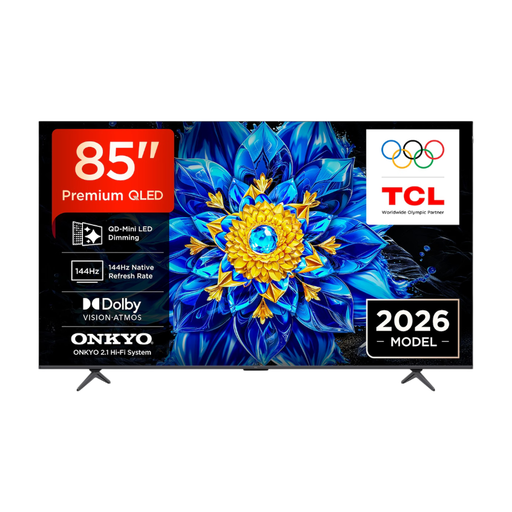 Image unavailable
Consider this 85-inch model only after checking that it suits your viewing distance and the space available.
The product information lists 4K QD-Mini LED, Dolby Vision and HDR10+. Google Cast, Miracast and AirPlay 2 are also listed.
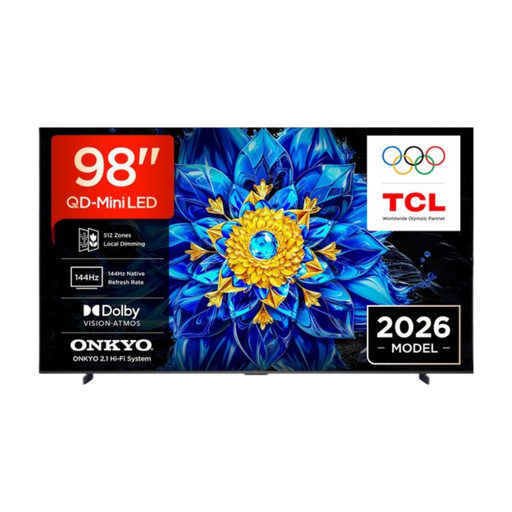 Image unavailable
With this 98-inch screen, carefully check the viewing distance and whether it will fit in your shared room.
The product information lists 4K, Dolby Vision, Google TV and HDMI connections.
 Image unavailable
A 50-inch option to compare if your measured viewing distance calls for a more compact screen.
The product information lists 4K, QD-Mini LED and QLED. Miracast, Google Cast and AirPlay 2 are listed for playback from another device.
Measure from the seating area to where the screen will go. The Consumers’ Association suggests dividing the distance in centimetres by 6 as a starting estimate for the screen diagonal in inches. Also look at nearby screen sizes and check that the TV will fit on your stand with its feet attached.
It depends on the source, the file and the support offered by the exact TV model. Check in advance; playing from a laptop via HDMI is another option, while wireless playback of locally stored video may require additional support.
It depends on the group, the circumstances and the rights to the film. Auteursrecht.nl describes an exception for screenings within a strictly domestic circle, but a screening for a student society, for example, doesn’t automatically fall under this exception. Check who you’re inviting and what permission is needed for the specific film.
Compare the EU energy label and model information for TVs in a suitable size. The European Commission says the label also includes information about HDR viewing; also check the stated power consumption in SDR and HDR for the exact models.
The Consumers’ Association recommends switching off the TV and letting it cool down. Then use a slightly damp, well-wrung microfibre cloth, and don’t spray liquid directly onto the screen.