First, measure the distance from your seat to the intended screen position and use it as a starting point when choosing a screen size. A long viewing distance doesn’t automatically mean you need the largest TV. Then assess the picture from side seats, consider daylight and reflections, and check that your own phone or video files work with the exact model. A larger screen also needs more space and generally uses more electricity.
Who is this guide for?
A family with a sofa far from the TV
This family wants to follow faces and events in family videos clearly from their usual seat. So, start by measuring the viewing distance and checking that the TV will fit in the intended spot. The Dutch consumer association Consumentenbond offers a guideline for converting viewing distance into screen diagonal.
A family with seats to the side
This family watches together from different seats and wants to know whether colours and contrast still look good away from the central seat. Consumentenbond points out that viewing angles can vary between TVs.
A family with videos on a phone or disc
This family wants to play existing recordings without unnecessary hassle. The connection that works depends on the combination of source device, video file and TV model.
What should you look for in a TV for family videos?
First, measure the viewing distance and available space. Then compare the picture from different seats and check how your own videos will play.
| What to consider |
What to look for |
Who it matters to |
| Screen size for your viewing distance |
Measure from your eyes to the planned screen position. Consumentenbond uses the distance in centimetres divided by 2.4 as a starting point for the diagonal in centimetres. Compare nearby sizes and check the dimensions, including the stand. |
If I want to follow family videos from my usual seat at the back of the room, I need a size that suits both the distance and the available space. Around 36% of consumers prioritise viewing distance. |
| Picture quality from every seat |
View the exact model from the seats at either end and check for reflections in the lighting you usually watch in. A technology name alone won’t tell you what the picture will look like in your room. |
If we watch together as a family from different seats, I want to know what the picture looks like from the side and how daylight affects the screen. Around 29% of consumers prioritise this. |
| Playing your own family videos |
Make a note of where your recordings are stored and check that your preferred connection works with the exact TV model and a sample video of your own. |
If my videos are on a phone or another device, I want to be able to show them using a suitable method. Around 21% of consumers put playing existing recordings first. |
| Power use and positioning |
Compare the energy labels and power consumption information for the exact models. Also check that the size and mounting method suit the room. |
If I choose a large TV, I want to consider where it will go and how much electricity it uses, as well as how I’ll use it. Around 14% of consumers focus mainly on this. |
What to watch out for when buying
-
Choosing a fixed screen size without measuring first
The right diagonal depends on the viewing distance and the space available, so a long viewing distance alone doesn’t determine which size you need.
Measure both the distance and the space for the TV. Compare a few screen diagonals and check the width and height, including the stand.
-
Assuming every smart TV will play your videos
Available connection options and the steps for screen mirroring vary between TVs and source devices.
Check support for the exact model and try one of your own videos using the connection you want to use.
-
Treating a technology label as a guarantee of picture quality
Viewing angle, black levels and brightness vary between models. Consumentenbond doesn’t describe any picture technology as automatically suitable for every room.
Assess the picture from your usual seat and the seats to the side, in the lighting you normally watch in.
-
Confusing the manufacturer’s warranty with your rights if something goes wrong
A manufacturer’s warranty doesn’t replace your statutory rights against the retailer.
Ask the retailer which warranty terms apply and report any fault to them. The Dutch Government explains the retailer’s role when a product is faulty.
Brands to consider
The examples below refer to specific models and product lines; they’re not a judgement on every TV made by those brands.
TCL
The 75C6K is a 75-inch QD mini-LED model to compare if a large screen and daytime viewing are priorities.
- TCL lists mini-LED and an HVA panel for the 75C6K.
- The panel type doesn’t prove what the picture will look like from every seat; assess the model itself from the side.
LG
The OLED77C5ELB is a 77-inch 4K OLED model to consider when comparing large screens.
- Consumentenbond generally describes OLED as offering wider viewing angles and deeper blacks.
- These general characteristics alone don’t determine how the exact model will perform in your room’s lighting.
Hisense
The 75U72Q is a 75-inch mini-LED model featured in a Dutch comparison of large TVs.
- Tweakers tested the 75-inch version of this model.
- Tweakers found the finish less attractive than that of the three other models tested, although their review noted that this wasn’t noticeable at a normal viewing distance. This assessment applies to the 75U72Q that was tested.
Philips
The 75PUS9000 combines a 75-inch screen with three-sided Ambilight, according to the Dutch comparison of large TVs.
- Ambilight is a distinctive feature of this model.
- Tweakers described its direct-LED backlighting as the most basic picture technology of the four TVs tested. Ambilight alone says nothing about how clearly family videos can be seen from a distance.
Samsung
The QE75QN90FATXXN is a 75-inch Neo QLED 4K mini-LED model to consider if reflections and room lighting are a concern.
- Samsung lists ‘Glare Free’ as a feature of this specific model.
- A manufacturer’s claim is no substitute for checking reflections in the intended spot. Also check separately that your phone and videos work with the exact model.
TVs at Joybuy
These are large TVs to compare once you’ve measured the viewing distance and available space. The selection includes OLED and LCD or mini-LED models; check that each model’s screen size, viewing angle and playback method suit your needs.
 No image available
OLED77G68LW
An OLED model to compare if you’re considering a large screen and its size suits your seating distance and room.
OLED is listed in the product information. Check the viewing angle and reflections in the spot where you plan to use the TV.
View at Joybuy
 No image available
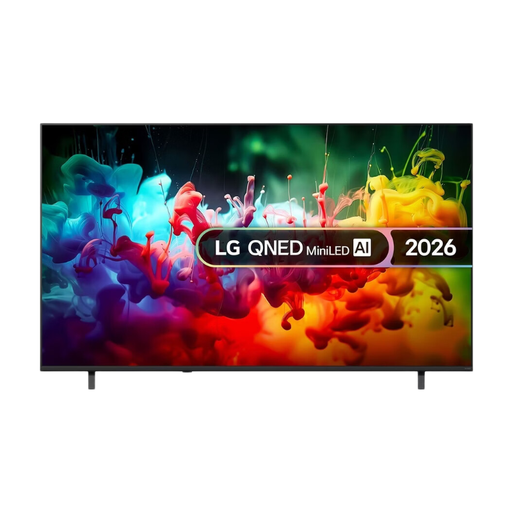
LG QNED70 75-inch 4K Mini LED Smart TV, 2026
A large LCD or mini-LED model to compare if a 75-inch screen suits your measured viewing distance and available space.
The product name lists 75 inches, 4K, Mini LED and 2026. Assess the picture from the seats in your room.
View at Joybuy
 No image available
TCL 75Q7D Pro 75-inch 4K QD-Mini LED Smart TV
A 75-inch LCD or mini-LED option to compare if that screen size suits your viewing distance and available space.
The product name lists 75 inches, 4K, QD-Mini LED and Google TV. Check the viewing experience from seats to the side.
View at Joybuy
 No image available
TCL 75T8D 75-inch QLED QD-Mini LED 4K Smart Google TV
A large LCD or mini-LED model to compare if 75 inches suits your measured viewing distance and available space.
The product name lists 75 inches, QLED, QD-Mini LED, 4K and Smart Google TV. Check that your preferred playback method works with the exact model.
View at Joybuy
 No image available
Hisense 85E7S 85-inch HDR10+ QLED TV, energy rating E
An 85-inch model to consider only if its size suits both your measured viewing distance and the available space.
The product name lists 3840 × 2160 px, HDR10+, QLED and energy rating E. The product information says that at least three people are needed to lift it.
View at Joybuy
Frequently asked questions
What TV size is right if the sofa is far from the screen?
Measure the distance from your eyes to where the screen will go. Consumentenbond uses the distance in centimetres divided by 2.4 as a starting point for the diagonal in centimetres. Also compare other available sizes and the space for the TV; this is a guideline, not a required size.
Can you watch family videos from your phone on your TV?
You can use screen mirroring if your TV and phone support the method you’ve chosen. Samsung says the steps vary depending on the TV and phone model. Check support for the exact devices and try one of your own videos, or see if a suitable external connection is possible.
How do you compare the power consumption of large TVs?
Compare the energy labels and power consumption information for the exact models. The Dutch energy advice organisation Milieu Centraal also recommends considering the settings and position in relation to daylight; a separate set-top box uses electricity too.
Who should you report a faulty TV to, and what does a manufacturer’s warranty mean?
The Dutch Government says the retailer must provide a solution if a product is faulty. A manufacturer’s warranty or an extended warranty you’ve bought comes on top of your statutory rights. The Netherlands doesn’t have one fixed statutory warranty period for every product.
Do European energy label rules apply to televisions?
Yes. According to the European Commission, televisions are covered by EU energy labelling and ecodesign rules. Compare the label for the exact model; an energy rating doesn’t provide an overall assessment of picture quality.


