
Families who watch together during the day
You watch with several people in a bright living room and want a clear picture from different seats, without distracting reflections.


For family videos in a bright living room, a TV’s brightness isn’t the only thing that matters. Also consider how well the screen handles reflections and how the picture looks from the seats at the sides. Compare these features by model, and check that your chosen playback method works with one of your own video files; results can vary between versions.
You watch with several people in a bright living room and want a clear picture from different seats, without distracting reflections.
You want to play recordings from a USB device or an external player, for example. The playback method and support for your files are important factors when choosing a TV.
You’re looking for a screen that suits your seating arrangement and want to compare the energy consumption of specific versions.
Consumentenbond considers factors such as visibility in ambient light and screen reflections in its TV tests; RTINGS treats reflections and viewing angles as separate picture-quality factors.
| What to consider | What should you check? | Who is this important to? |
|---|---|---|
| Daylight and reflections | Compare model-specific tests of brightness and reflection handling; check where the windows and lamps are in relation to the screen. | If a window or lamp is reflected on the screen during the day, I want to know whether it will get in the way of watching family videos. Around 33% of consumers say visibility in daylight and reflections are their main buying concerns. |
| Playing your own videos | Check which file formats the TV app supports, and test a representative file via USB or through your external player connected via HDMI. | If I want to watch recordings from my own video collection, I want to know in advance which playback method and file format will work. Around 27% of consumers prioritise compatibility with their own videos. |
| Viewing angle | Compare the viewing angle of the exact model and assess the picture from the seats at the sides, too. | If we sit spread out around the TV, I want people at the sides to be able to follow the picture clearly. Around 20% of consumers prioritise viewing angle. |
| Screen size and energy use | Measure the space available and compare the EU energy label for the exact version, including energy consumption for SDR and HDR. | If I’m looking for a TV to fit a specific cabinet or viewing distance, I also want to take the energy use of that version into account. Around 20% of consumers name screen size and energy consumption as their main considerations. |
A bright screen won’t automatically prevent distracting reflections. Brightness and reflection handling are separate factors to assess for each model.
Compare model-specific tests and check the position of windows and lamps from your seats.
4K resolution doesn’t guarantee that a TV can open every video file from a USB device. Upscaling lower-resolution footage is also a separate issue from file support.
Check your chosen playback method and try a representative older file. Adjust picture sharpening carefully, as strong processing can change how the original footage looks.
Colours and brightness may look different from a seat at the side. With LCD models, viewing angle can also involve a trade-off with contrast.
Compare the viewing angle of the exact model and check the picture from the seat at the side of your seating arrangement.
The BRAVIA 9 II is an RGB LED range worth considering when comparing TVs for a bright living room. RTINGS describes the brightness and reflection handling of the model it tested.
The Dutch 55U8Q is a mini-LED LCD model to compare with other versions in daylight.
The OLED65G56LS is a Dutch OLED version you can compare with LCD models, particularly if several people will be watching from different positions.
According to Philips, the Dutch 55MLED910/12 combines QD MiniLED with Ambilight.
The Dutch QE55QN90FATXXN is a Neo QLED mini-LED model to compare with other LCD versions.
These TV options are suited to watching family videos. Compare screen size and the screen technology listed, and check that your own video files are supported before buying.
 No image available
This 55-inch 4K TV is a good fit if you want to watch family videos on a 4K screen. Check the file format and playback method for your own videos first.
 No image available
This 55-inch 4K UHD LED TV is an option to compare for watching family videos. Check that it supports your file formats and review the energy consumption for this version.
 No image available
This 55-inch 4K OLED TV gives you an OLED option to compare with other screen technologies. Assess reflections and viewing angle for the exact model in your lighting conditions.
No image available
The 50-inch size is worth comparing with larger screens for your seating arrangement. Check the playback method and support for your own video files.
 No image available
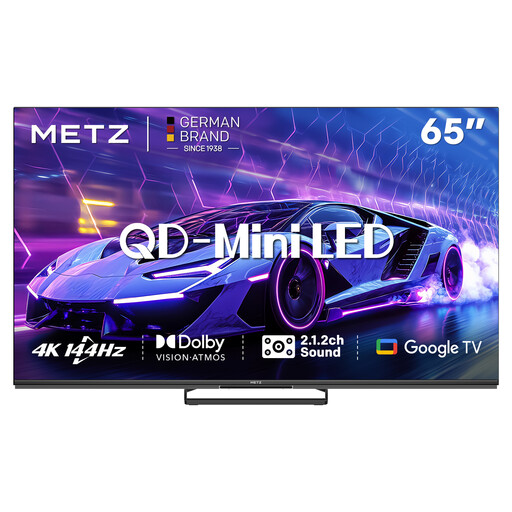
This 65-inch QD-Mini LED TV is a larger-screen option to compare. Measure the available space and check that the viewing distance suits your setup.
No. Check which file formats the TV app you plan to use supports, and try one of your own files. Using an external player connected via HDMI is a different playback method; Sony covers USB file compatibility separately in its support information.
Use your usual lighting and watch a familiar scene on the screen. This will show you how the TV handles ambient light and reflections in your own viewing conditions.
The EU energy label provides information about the energy consumption of the specific version, including consumption for SDR and HDR in kWh per 1,000 hours. The European Commission explains this information for electronic displays. When estimating costs, compare the label and take your own viewing hours and electricity tariff into account.