
Players short on space
You want to read quiz questions clearly without choosing a TV that’s too large for your viewing distance or furniture.


For family quizzes in a small rented home, a compact TV may be all you need, provided the viewing distance, placement and game connection are right. Start by measuring up, then check what the quiz game runs on. Extra OLED or gaming features are mainly worth considering if you’ll also use them for other viewing or gaming.
You want to read quiz questions clearly without choosing a TV that’s too large for your viewing distance or furniture.
You play from the sofa and side seats, and want to check in advance that everyone can see the text, even with reflections or an angled viewing position.
You want to know how the game will appear on the TV and what role players’ phones or other devices will have.
First, measure the viewing distance and the space available for the TV. Then assess the view from every seat, and check how the quiz game will appear on screen.
| What to consider | What should you check? | Who should prioritise this? |
|---|---|---|
| Screen size and placement | Measure the viewing distance, furniture width and space for the stand. The Consumentenbond suggests around 2.4 times the screen’s diagonal measurement as a starting point for viewing distance, not a fixed rule. | If space is limited, you’ll want a screen that’s easy to read and fits the available space. Around 36% of consumers prioritise screen size and placement above all else. |
| Viewing from every seat | Check the viewing angle and reflections from the seats where players will actually sit, under your usual lighting conditions. | If you’ll be playing from the sofa and a side seat, you’ll want to be able to read the quiz questions from both places. Around 29% of consumers put visibility from multiple seats first. |
| Game connection | First, find out what the specific game runs on. Then check the TV connection or app required for the exact model. | If your quiz runs on a laptop or console, you’ll want to know how the picture gets to the TV. If you want to play on the TV itself, check that it supports the specific game. Around 21% of consumers prioritise the game connection above all else. |
| Features and running costs | Check which gaming features your games actually use, and compare the EU energy label for the exact TV model. | If you want to avoid extras you won’t use and keep an eye on energy consumption, choose features that suit the way you use your TV. Around 14% of consumers prioritise purchase and running costs above all else. |
A smart TV may offer apps, but that doesn’t automatically mean the game you want will work on it. Jackbox Games describes playing via a compatible computer, as well as using an app on certain TV models.
Check the app store for the exact TV model and the game licence. If the game isn’t available there, consider using a laptop or console instead.
You may still need a compatible source device or a game licence for another platform.
Viewing distance and the space taken up by the TV and its stand are separate considerations. Screen size alone won’t tell you whether the TV will fit on your furniture.
Measure the distance from your seat and the space available, then check the dimensions of the exact model, including its stand.
You may need to rearrange your furniture or use a different mount if the stand doesn’t fit.
In 2017, the Consumentenbond investigated image retention on older OLED models after they had displayed static image elements for a long time. That test doesn’t directly predict what will happen with a current model.
Break up long periods of static images and follow the usage and care instructions for your chosen OLED model.
A commercial warranty is separate from your statutory consumer rights; the length of the manufacturer’s warranty doesn’t automatically determine how long those rights last.
Check what statutory rights you have against the retailer before buying an additional warranty product.
Relevant models for this type of setup include the 43UT73006LA and a separate 42-inch C5 OLED model.
The 43PUS7800/12 and 43PUS9000/12 are two compact models with different stated features.
The UE43U8070HUXXN is a 43-inch Crystal UHD model for anyone considering a compact LCD option.
Joybuy TVs for a compact quiz setup. For each model you choose, check how to connect your game, which connections you’ll need and whether the viewing distance is suitable.
 No image available
A compact OLED option if a 42-inch screen suits your viewing distance and available space.
 No image available
A 43-inch option to consider if you’re looking for a 4K TV for a compact setup. Check that the screen is easy to read from every seat.
 No image available
A 32-inch model to consider when space is limited. Check that quiz text remains readable from your seats.
 No image available
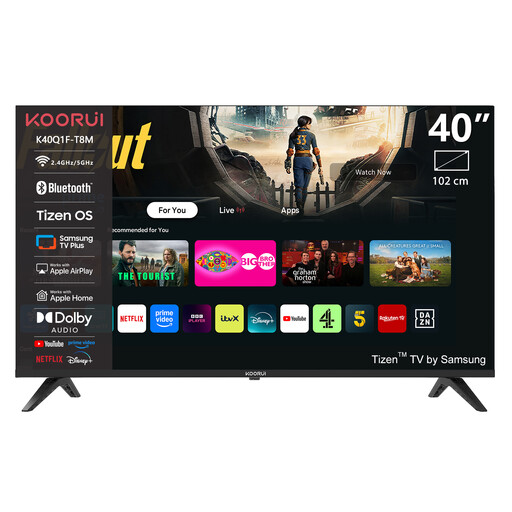
A 40-inch option if you’d like a little more screen space. Measure your viewing distance and available furniture space before choosing a size.
 No image available
A 43-inch model with listed gaming features. Consider whether those features are useful for the other games and devices you use.
Yes, some games and TV models allow this, but it won’t work on every smart TV by default. According to Jackbox Games, a compatible computer can host the game, while certain TVs can run it directly through an app. Check the app store for the exact model and the game licence. With Jackbox, players use a device with an internet browser as their controller.
According to the Dutch government, you don’t need permission for small changes that can be put right without much cost, such as holes that can be repaired, but you do need permission for renovations. Consider whether the specific work is minor and can be repaired, and check that the wall and mounting are suitable. Placing the TV on furniture avoids the question of wall mounting.
Compare the EU energy label for the exact TV to find out about its energy consumption. ACM ConsuWijzer explains that statutory rights apply alongside any manufacturer’s or retailer’s warranty. If a product develops a fault sooner than you could reasonably expect with normal use, the retailer is your point of contact.
No, you don’t need 144 Hz just to play a family quiz. Philips lists 144 Hz VRR for the 43PUS9000/12; whether this feature is useful depends on the other games you play and the source device you use. For the quiz, first check what the game runs on and how you’ll connect it.