What should you look for?
First, measure the viewing distance and the space available, then check how well the TV can be seen from seats to the side. Next, find out how you can display the quiz game and compare running costs and any extra features you actually need.
| What to consider |
What to look for when buying |
Who should prioritise this? |
| Screen size and placement |
Measure the viewing distance and available width, and check the dimensions with the stand. The Consumers’ Association suggests using around 2.4 times the screen diagonal as a starting point for viewing distance. |
If space is tight and the furthest player still needs to read the questions, finding the right size comes first; around 31% of consumers in this situation say this is their main concern. |
| Viewing from the side |
Assess the specific model from the furthest seats and in the lighting you typically have at home. According to the Consumers’ Association, OLED TVs generally offer a wider viewing angle, but also consider brightness and reflections. |
If players sit at an angle to the screen, visibility from those seats is crucial; around 25% of consumers in this situation put this first. |
| Game source and connections |
Check whether your quiz runs on a laptop, console or supported TV app, and how many spare HDMI ports you need. Jackbox notes that support for TV apps can vary by device and platform. |
If you want to display a game you already play on your TV, you’ll need a working connection to the game source; around 25% of consumers in this situation give this top priority. |
| Running costs and gaming features |
Compare the energy label in kWh per 1000 hours and check which features your other games actually require. The Consumers’ Association says higher refresh rates are mainly relevant for fast-moving images. |
If you mainly want to avoid unnecessary features and running costs, these matter more than a high refresh rate for quizzes; around 19% of consumers in this situation start with this concern. |
Joybuy TVs for a compact setup
This selection features 43-inch TVs for anyone looking for a compact screen size. Before buying, check that you have enough space and that the connections or apps work with your quiz game.
 No image available
LG 43NU800B6LC 43" 4K Nano UHD
A 43-inch option to compare if you’re looking for a compact screen for a narrow living room.
Features listed in the product name: 43", 4K and Nano UHD.
View at Joybuy
 No image available
Philips 43PUS8001/12 43" 4K
A 43-inch model to consider when comparing TVs for a limited amount of space.
Features listed in the product name: 43" and 4K.
View at Joybuy
 No image available
METZ 43MQF7500Z 43" QLED 4K UHD
A 43-inch model to compare if you’re looking for a compact size and want to consider QLED as a screen type.
Features listed in the product name: 43", QLED and 4K UHD.
View at Joybuy
 No image available
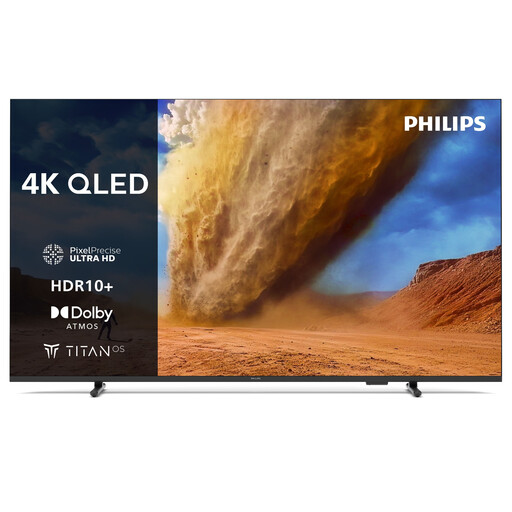
Philips 43PUS7800 43" QLED 4K (2025)
A 43-inch option to compare if you’re looking for a compact screen size.
Features listed in the product name: 43", QLED, 4K and 2025.
View at Joybuy
 No image available
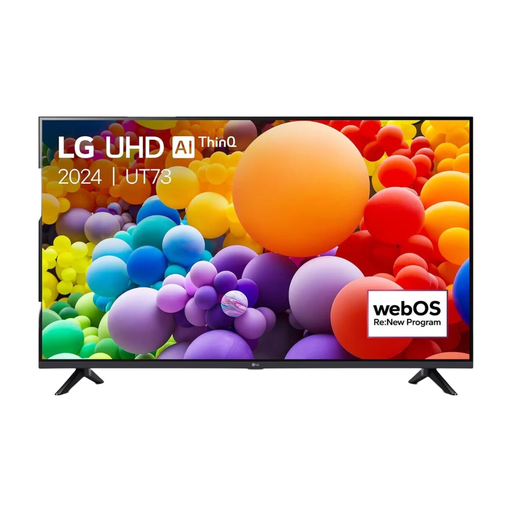
LG 43UT73 43" 4K LED 60Hz (2024)
A 43-inch model to compare if you’re mainly looking for a compact screen for quiz games.
Features listed in the product name: 43", 4K, LED, 60Hz and 2024.
View at Joybuy
Frequently asked questions
How do you choose a TV size for a narrow living room?
Measure the distance from eye level at the relevant seats to the screen, as well as the available width. The Consumers’ Association guideline of around 2.4 times the screen diagonal is a starting point; also check the dimensions including the stand and whether the furthest player can read the quiz text.
Do you need a 120 Hz TV for family quizzes?
Not just because a TV is marketed as a gaming TV. According to the Consumers’ Association, a higher refresh rate is mainly relevant for fast-moving images; check separately what your other games and gaming device need. For quizzes, placement, visibility and a working connection to your game are important considerations.
Can you install a quiz game you’ve bought on any smart TV?
No, the smart TV label doesn’t guarantee that. Jackbox lists support for certain TVs and platforms and recommends checking the app store on the specific device; games don’t automatically transfer between purchasing platforms. Using a laptop or console via HDMI is another option.
How can family members join in when Jackbox runs on an external device?
According to Jackbox, the host displays the game on a screen everyone can see. Players enter the room code shown on screen at jackbox.tv and use a device such as a mobile phone as a controller; check that the devices you need have internet access.
What should you look for when comparing power consumption?
For the models you’re considering, compare the power consumption shown on the energy label in kWh per 1000 hours. Milieu Centraal points out that screen size and how long you use it both matter; your personal annual costs also depend on how much you watch and your electricity tariff.


