Start with the seats furthest away and at the widest angle: choose a screen size that keeps text readable from there, and assess the viewing angle and reflections in the room. Then check how the quiz game appears on the TV. For example, with Jackbox, the game runs on a separate compatible device and players use their phones as controllers, so a high refresh rate isn’t a quiz requirement in itself.
Who is this buying guide for?
Families with seating spread around the room
If several people are watching quiz questions, you’ll want those at the back or to the side to be able to read the text too. Consumentenbond highlights viewing angle and reflections as factors to consider when choosing a TV.
Quiz hosts with a laptop or console
If you want to show a quiz on the TV from a separate device, check how the game works and how the device connects. Jackbox Games, for example, describes a shared screen for the group and phones used as controllers.
Households that use the TV every day too
If the TV is for more than quiz nights, picture quality, energy information and support if something goes wrong may also factor into your decision. The European Commission provides energy-efficiency information about products through EPREL.
What should you look for when choosing?
For a big family quiz, the main buying consideration depends on the room and how you’ll play. So base your choice on the seating, how clearly everyone can see the text and how the game will appear on screen.
| What to consider |
What should you check? |
Who should prioritise this? |
| Readability from the seats furthest away |
Measure the distance to the furthest seat and view quiz text at its actual size. For regular TV viewing, Consumentenbond suggests dividing the viewing distance by 2.4 as a starting point for the screen diagonal in centimetres; also check the quiz text itself. |
I want to be able to follow the questions from the back seat too, not just from the sofa at the front. Around 33% of consumers prioritise readability at a distance. |
| Viewing angle and reflections |
View the exact model from the seats at the sides and in lighting similar to what you have at home. Check that the questions and answer boxes remain visible. |
If we’re sitting around the room, I want to know whether people at the sides can follow what’s on screen. Around 25% of consumers prioritise seating and lighting conditions. |
| Getting the quiz game onto the TV |
Check which device the chosen title runs on, how that device sends the picture to the TV and which controllers are needed. |
I want to know in advance whether the quiz host needs a separate device and what players use to join in. Around 25% of consumers prioritise how the game connects. |
| Running costs and support |
Compare the energy information for the exact model variant and check who to contact if the TV develops a fault. |
If the TV is also on every day, I want to consider energy information and support as well as quiz use. Around 17% of consumers prioritise these factors. |
Common buying mistakes
-
Buying a gaming TV without checking where the quiz game runs
In the Jackbox example, the TV acts as the shared screen and players use internet-enabled devices as controllers. So a smart TV or gaming label doesn’t automatically mean the quiz you choose runs directly on the TV.
Before buying, check which platform the specific title works on, how the picture gets to the TV and which devices players will need.
The gaming set-up may also require a compatible device or a copy of the game.
-
Comparing screen diagonals alone
A bigger screen won’t automatically solve visibility problems from the side or caused by reflections. Questions may still be difficult to read from a poor viewing position.
Assess the screen from the furthest seat and the seat at the widest angle, using lighting similar to that in the room.
-
Assuming your legal guarantee ends after two years
According to the Netherlands Authority for Consumers and Markets, there is no fixed two-year period of legal guarantee for every TV. The seller is responsible if the product doesn’t do what you could reasonably expect it to.
Compare any extra warranty service with your legal rights, and report faults to the seller.
An unnecessary warranty service or a repair you pay for yourself could mean extra costs.
Brands to compare
LG
The OLED65C5ELB is a 65-inch OLED model to compare if contrast is also important for your other TV viewing.
- LG lists 4K, self-lit pixels and deep blacks for this model.
- These features don’t show how readable quiz text will be or how many reflections you’ll get in your room.
TCL
The 65C7K is a 65-inch QD-MiniLED model to consider alongside TVs with other screen technologies.
- TCL lists a native refresh rate of 144 Hz for this model.
- That specification doesn’t automatically make the TV better suited to quizzes; assess the viewing angle and reflections on the exact model.
Samsung
The QE65QN90FATXXN is a 65-inch Neo QLED Mini LED model to compare for other games and everyday TV viewing.
- Samsung identifies this model as Mini LED.
- Panel type alone doesn’t tell you how readable quiz text will be from the seats at the sides.
Philips
The 65PUS9000/12 is a 65-inch QLED model with Ambilight, worth comparing if you’re interested in that feature too.
- Philips lists 4K, 120 Hz and Ambilight for this model.
- These specifications alone don’t show an advantage for a quiz group; assess the viewing angle and readability separately.
Sony
BRAVIA 5 is a Mini LED range that includes a 65-inch model to consider as another comparison option.
- Sony lists 4K Mini LED and a range of screen sizes for the series.
- Check the exact model: the product page may default to a 55-inch model, and its specifications may not apply to the 65-inch version without checking.
TVs on Joybuy for a big quiz group
This selection features large TVs from 75 to 86 inches for quiz questions that need to be visible from several seats. Check the size, side viewing angles and reflections in your own room.
 Image unavailable
METZ 86MQE8000Z 86-inch QLED Google TV
The 86-inch screen is an option to consider for a group; check that the TV will fit and that quiz text is readable from the furthest seat.
Specifications: 4K, HDR10+ and 144 Hz.
View at Joybuy
 Image unavailable
Hisense 85E7S 85-inch QLED TV
With an 85-inch screen diagonal, you can assess whether the size suits your room and seating. Check whether quiz text is readable from the furthest seat.
Specifications: 3840 × 2160, HDR10+ and energy rating E. Bear in mind that it’s heavy to lift: according to the product description, three or more people are needed.
View at Joybuy
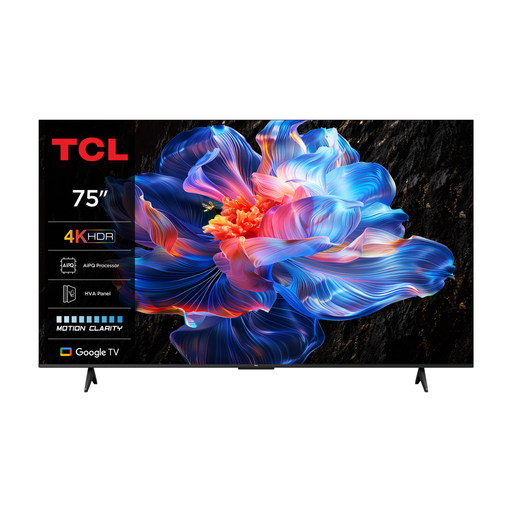 Image unavailable
TCL 75V6C 75-inch 4K LED Smart TV
The 75-inch size is an option for a shared screen; check from the seats at the sides whether quiz questions remain visible.
Specifications: 4K and 60 Hz.
View at Joybuy
 Image unavailable
TCL 75Q7C 75-inch 4K Mini-LED Smart TV
This 75-inch model is an option to compare for a group; assess readability from your actual seating positions and in the room’s lighting.
Specifications: 4K and 144 Hz.
View at Joybuy
 Image unavailable
Hisense 75E8Q 75-inch 4K Mini-LED Smart TV
You can assess whether the 75-inch size suits the distance to the group; check whether players at the sides can read the quiz text.
Specifications: 4K and 144 Hz.
View at Joybuy
Frequently asked questions
Can I install a Jackbox quiz directly on any smart TV?
Don’t assume you can. In the Jackbox example, the game runs on a compatible host device and the TV displays the shared screen; players use internet-enabled devices as controllers. Check which device and connection you need for your chosen title.
How do I choose a suitable TV size for a big group?
First measure the viewing distance, then check whether quiz text is readable from the furthest seat. In its advice from May 2026, Consumentenbond suggests dividing the viewing distance by 2.4 as a starting point for the screen diagonal in centimetres for regular TV viewing; this doesn’t guarantee quiz questions will be readable.
What energy information can I check for a TV?
Check the energy label or the EPREL information for the exact model variant. The European Commission manages EPREL as a source of energy-efficiency information for models sold in the EU.
Do I need an extra warranty to keep my right to a repair in the Netherlands?
No. Your legal guarantee is separate from any additional or manufacturer’s warranty. According to the Netherlands Authority for Consumers and Markets, the seller is responsible if a product doesn’t do what you could reasonably expect it to; there is no single fixed legal period for every TV.


