
Families with limited space for a TV
If you want to read quiz questions together without the TV and its stand dominating the room or cabinet, start by checking the viewing distance and the TV’s overall dimensions.


For family quiz nights, start by measuring the viewing distance and the space available for the TV, including its stand. Then choose a screen that’s comfortable to view from the different seats. A useful game mode and enough spare HDMI ports are usually more important than 120 Hz output, unless you also use games and equipment that support it. If you’re adding a soundbar, check which HDMI port supports ARC or eARC.
If you want to read quiz questions together without the TV and its stand dominating the room or cabinet, start by checking the viewing distance and the TV’s overall dimensions.
If players sit around the room, it’s worth checking the picture from each seat and looking out for reflections.
If you want to keep your existing devices connected, check how many HDMI ports are available and which port is used for ARC or eARC. The Consumers’ Association advises matching the number of connections to the devices you want to hook up.
First, measure the viewing distance and the space where the TV will go. Then check how clearly you can see the screen from each seat and count the connections you need for your devices.
| What to consider | What should you check? | Who is this important for? |
|---|---|---|
| Screen size and placement | Measure the viewing distance and the available width and height, including the stand. The Consumers’ Association uses the viewing distance divided by 2.4 as a starting point for the screen diagonal in centimetres. | I want everyone to be able to read the questions, but the TV also needs to fit on the cabinet. Around 36% of consumers would focus mainly on screen size and placement when making this choice. |
| Visibility from different seats | Check the screen from the seats where players will sit, and look for reflections in the lighting you use at home. | If players sit at an angle to the TV, I want to make sure the quiz questions are still easy to see from their seats. Around 29% of consumers would make visibility from multiple seats their top priority. |
| Connections | Count your devices and check how many HDMI ports will still be free once you connect a soundbar. You may need the ARC or eARC port for this. | I want to keep my console, streaming device and any soundbar connected without having to swap cables each time. Around 21% of consumers would prioritise convenient connections. |
| Gaming features | Check which resolution and refresh rate are supported through the selected input for the exact TV model and the games you play. | If I play console games as well as quizzes, I want to know whether the features are compatible with those games and my console. Around 14% of consumers would see extra gaming features as their main reason to buy. |
Hisense lists a 60 Hz panel for the Hisense 43E7Q. So a 120 Hz listing alone doesn’t confirm that the model has a native 120 Hz panel or supports 4K/120 Hz input.
For the exact model, check the panel refresh rate and supported input resolution and refresh rate separately before choosing it for this feature.
A TV may suit the viewing distance but still be too wide or too tall for the cabinet once you include the stand.
Measure the viewing distance and the available width and height, then compare them with the dimensions of the version you’re considering.
A soundbar may use the HDMI port intended for ARC or eARC.
Count your source devices and check how many ports will be left once you’ve connected your audio equipment. This helps you avoid swapping cables or changing your setup unnecessarily.
The 43E7Q is an example of a compact QLED TV with VIDAA and Game Mode PLUS.
The OLED48G56LS is a 48-inch 4K OLED model for those with room for a larger screen.
The 43PUS8001/12 is a 43-inch 4K LED TV with Ambilight and Titan OS.
The QE43QN90FATXXN is a compact 43-inch Neo QLED Mini LED TV.
These Joybuy product picks focus on compact LCD, LED and QLED TVs for quiz nights and a media setup with connected devices. Check the size, available connections and gaming features of the version you choose.
 No image available
The 32-inch size is an option if you have limited space for a TV.
Full HD QLED smart TV with Tizen OS.
The product description mentions HDMI ARC; check which HDMI ports will remain free once you’ve connected any audio equipment.
 No image available
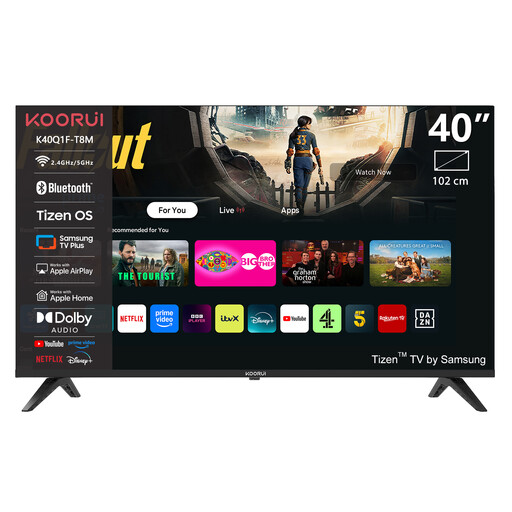
The 40-inch size may suit you if you want a larger screen than a 32-inch TV but have limited space.
Full HD QLED smart TV with Tizen OS.
The product description mentions HDMI ARC; check in advance which ports you’ll need for your soundbar and other devices.
 No image available
The 43-inch size is an option if you’re looking for a compact screen and want to watch content other than quizzes too.
The product title lists 4K UHD and 60 Hz.
The product information mentions Game Mode Plus, ALLM, VRR up to 60 Hz and three HDMI ports, with eARC via HDMI 3. Check whether this port layout suits your devices.
 No image available
The 43-inch size is designed for a compact setup; the gaming features listed are mainly relevant if you also play console games.
The product information lists a native refresh rate of 144 Hz, Game Mode and AMD FreeSync Premium Pro.
Check which input and settings your console and games need to use the features you want.
 No image available
The 43-inch size suits a compact setup; gaming features may also be useful if you play games other than quizzes.
The product title lists 4K QLED and 120 Hz.
For the exact model, check which resolution and refresh rate are supported through the HDMI port you’ll use.
Measure the distance from your eyes to where the screen will go, along with the space available for the TV and its stand. The Consumers’ Association suggests dividing the viewing distance by 2.4 as a starting point for the screen diagonal in centimetres. Then compare this with the overall dimensions of the model.
A games console is usually connected via HDMI. For a compatible soundbar, use the HDMI port marked ARC or eARC and check how many ports remain available for other devices afterwards.
Not for the quiz alone. According to PlayStation, 120 Hz video output depends on having a TV and games that support it. Check these requirements before making extra gaming features a reason to buy.
Compare the EU energy label and product information sheet for models with a similar screen size. The European Commission uses a scale from A to G and also provides information about HDR use. The label won’t predict how much electricity your own viewing habits will use.
No. According to ACM Consumer Information, your statutory rights apply alongside a retailer’s or manufacturer’s guarantee. If a product breaks sooner than you could reasonably expect under normal use, the retailer must offer an appropriate solution. There isn’t one fixed statutory guarantee period for every TV.