What should you look for when buying?
First measure the viewing distance and the space available for the TV. Then compare picture and sound in conditions that reflect your living room.
| What to consider |
What to look for when buying |
Who this matters to |
| Screen size and placement |
Measure the distance from your eyes to the screen, along with the available width and depth. The Dutch Consumers’ Association suggests around 2.4 times the screen’s diagonal as a starting point for viewing distance, not a fixed rule. |
If space is limited, I want to know whether the screen and stand will fit at my viewing distance. Around 31% of consumers prioritise a suitable size and placement. |
| Clear dialogue |
Assess the sound using a scene with conversation, and check any voice settings for the exact model. If you’re using external audio, check whether the TV and sound system support HDMI-ARC or HDMI-eARC. |
If quiet Dutch dialogue is hard to follow, I want to assess the sound separately. Around 25% of consumers prioritise clear dialogue. |
| Dark films and viewing angle |
Compare the black levels and viewing angle of the specific TV from the seats you use. Panel type alone doesn’t tell you everything about that model’s performance. |
If I mainly watch films in the evening or sit at an angle, I want to know how dark scenes and the picture look from my seat. Around 19% of consumers prioritise dark-scene performance and viewing angle. |
| Daylight and reflections |
Consider the position of windows and lamps, and assess reflections on the specific screen. Brightness and reflection handling are separate factors to compare. |
If I also watch during the day, I want to see the screen clearly without incoming light dominating the film. Around 13% of consumers prioritise visibility in daylight. |
| Film sources and connections |
Check that your film is available through your chosen service or player, and that there are enough HDMI connections for your devices. A 4K screen won’t automatically add detail if the source doesn’t provide it. |
If I watch films through different services or devices, I want to make sure my sources and connections are compatible. Around 12% of consumers prioritise sources and connections. |
Brands to compare for this type of TV
These models are examples of different screen sizes and technologies. The brand name alone won’t tell you which TV is right for your room.
LG
The OLED48C67LA is a 48-inch OLED model to consider if it suits the space available and your viewing distance.
- LG describes this model as an OLED TV with picture processing.
- Assess the dimensions, reflections and sound of this version separately; picture processing isn’t a test of sound or reflections.
Philips
Philips says the 48OLED810/12 combines a 48-inch OLED screen with Ambilight.
- Philips lists Dolby Vision and Dolby Atmos for this model.
- That support alone doesn’t tell you how clearly the built-in speakers reproduce dialogue; check the placement and reflections too.
Samsung
The QE43Q7F2AUXXN is a 43-inch QLED/LCD model to compare if a more compact size is a better fit for your space.
- Samsung lists 4K for this version.
- The QLED label doesn’t establish the viewing angle or black levels of this specific TV; check information for the exact model.
Sony
The K-43S3 is a 43-inch LCD model to compare with other compact options.
- Sony lists 4K, Dolby Vision and HDMI-eARC for this model.
- Sony specifies a 50 Hz screen refresh rate. Voice Zoom 3 hasn’t been confirmed as a feature of the K-43S3.
Joybuy products for a compact LCD/QLED setup
These compact LCD or QLED TVs are worth checking against your viewing distance, available space and film sources.
 No image available
CHiQ L32QM10E 32-inch QLED Smart Google TV
The 32-inch size is worth comparing if you have limited space and want to check it against your viewing distance.
Listed features: QLED and Google TV.
View at Joybuy
 No image available
METZ 43MQF7500Z 43-inch QLED 4K UHD Google TV
Compare the 43-inch size with the measured viewing distance and available width in your setup.
Listed features: 4K UHD, Google TV, HDR10+, Dolby Vision and Dolby Atmos.
View at Joybuy
 No image available
iFFALCON U65A 43-inch 4K LED Smart TV
Compare the 43-inch size with the space available and your viewing distance.
Listed features: 4K LED, 50 Hz and Google TV.
View at Joybuy
 No image available
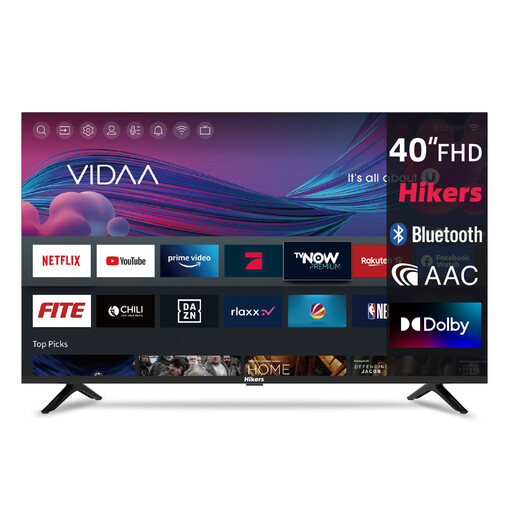
Hikers 40-inch FHD-tv met VIDAA
Check whether the 40-inch size suits your viewing distance and the space available for your TV.
Listed features: FHD, VIDAA, HDMI x3 and USB x2.
View at Joybuy
 No image available
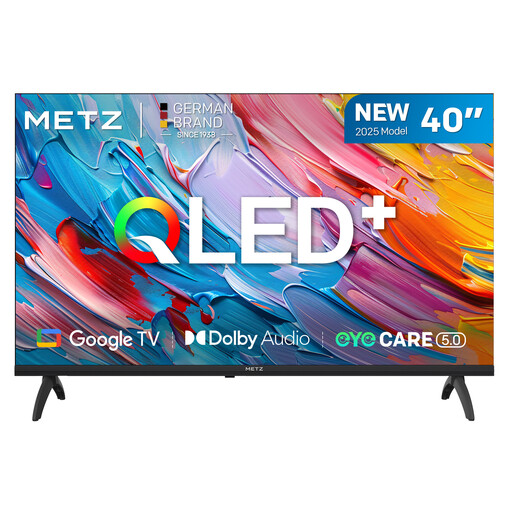
METZ 40MQF7000Z 40-inch QLED Smart TV
Compare the 40-inch size with the space available and your viewing distance.
Listed features: HD, Google TV, HDR10, HLG and Dolby Audio.
View at Joybuy
Frequently asked questions
How do I choose a screen size without guessing?
Measure from your eyes on the sofa to where the screen will be. Divide that distance in centimetres by 2.4 for a rough estimate of the screen diagonal, then compare nearby sizes. Also check that the TV and stand will physically fit. The Dutch Consumers’ Association presents this as a guide, not a fixed rule.
What can I do if Dutch dialogue sounds quiet?
First, assess the sound of the exact TV using a scene with conversation. Check any voice settings for that model. If you want to use external audio, check whether the TV and sound system have a suitable HDMI-ARC or HDMI-eARC connection.
How do I clean the TV screen?
The Dutch Consumers’ Association advises switching off the TV, letting it cool and gently wiping the screen with a slightly damp microfibre cloth. Don’t spray liquid directly onto the screen.
Which energy-label and warranty rules apply when buying in the Netherlands?
The Dutch government says that TVs must carry an energy label. If a product is faulty, contact the seller. The Dutch government explains that the Netherlands doesn’t have a fixed statutory warranty period of two years.
Can I return a TV bought online if it turns out to be the wrong size at home?
According to ACM ConsuWijzer, when you buy a new TV online you generally have a statutory 14-day cooling-off period after delivery. Before buying, check the applicable returns information and any exceptions.


