Start by measuring the distance from the seating to the screen. Use the Dutch Consumers’ Association guideline of around 2.4 times the screen diagonal as a starting point, not a fixed rule. Then choose based on the width of your seating area, the light in the room and how clearly you can hear voices. OLED usually offers a wider viewing angle and deeper blacks, while LCD models can often be brighter.
Who this choice matters to
Host with guests sitting far away
You want guests at the back of the room to follow the picture comfortably. Measure the viewing distance and check that the TV will physically fit in the space available. The Dutch Consumers’ Association suggests a comfortable viewing distance of around 2.4 times the screen diagonal.
Host with a wide seating arrangement
If guests will also be sitting to the sides, consider the viewing angle of the specific TV, not just its screen size. The Dutch Consumers’ Association points out that viewing angles vary between TVs.
Documentary fan who wants to follow the dialogue
When you’re watching documentaries with spoken narration, you’ll want to hear it clearly and play the documentary from your preferred source. So assess sound and ease of use separately from picture quality.
What to consider when choosing
Large OLED TV
Ideal for: spread-out seating and watching in dimmed lighting. The Dutch Consumers’ Association generally describes OLED as a technology with a wider viewing angle and deeper blacks.
Bear in mind: assess the brightness and reflections of the specific model in the lighting conditions of your room.
Large mini-LED LCD TV
Ideal for: comparing when there’s a lot of ambient light in the room during the evening. According to the Dutch Consumers’ Association, LCD models can often be brighter.
Bear in mind: mini-LED doesn’t automatically guarantee a particular viewing angle or black levels. Check the specific model from the furthest seats.
Large standard LCD or QLED TV
Ideal for: comparing if finding the right screen size is your main priority. QLED is a type of LCD.
Bear in mind: don’t let the panel name make the decision for you. Compare the picture from the side, in dark scenes and when there are reflections.
Measure the distance from your eyes to where you plan to position the screen. The Dutch Consumers’ Association uses around 2.4 times the screen diagonal as a guideline. Divide the distance in centimetres by 2.4 to get an initial estimate of the diagonal in centimetres. Compare screen sizes around that result and check the TV’s overall dimensions too.
| What to consider |
What to look for when buying |
Who this matters to |
| Size from the furthest seat |
Measure the viewing distance and compare screen sizes close to the guideline. Also check the TV’s overall dimensions. |
If I want guests to follow the action from the furthest seat, I start with the distance and the space available on the furniture. Around 33% of consumers prioritise a suitable screen size for that seat. |
| Viewing angle |
Watch the same picture from the furthest seats, not just from directly in front of the screen. |
When my guests will also be sitting to the sides, I want to assess the picture from those seats too. Around 27% of consumers prioritise the viewing angle. |
| Contrast in dimmed lighting |
Compare dark and bright scenes using the lighting you’ll have on during the evening. Check for reflections too. |
When watching in dimmed lighting, I look for detail in both dark and bright areas, not just at the panel label. Around 20% of consumers prioritise picture quality in low light. |
| Dialogue and playback source |
Listen to spoken clips and check that the app, source and connection you want are available on the exact model. |
If I want to follow the narration clearly and use a particular source, I want to check both dialogue and playback. Around 20% of consumers prioritise clear dialogue and the playback source. |
Common mistakes
-
Choosing a 75- or 77-inch TV just because the viewing distance is long
The screen diagonal isn’t the same as the width of the TV you need, and it doesn’t tell you whether the TV will fit on the furniture you have in mind.
Measure the distance and the space available before comparing models. Use the Dutch Consumers’ Association viewing-distance guideline as a starting point, not a hard limit.
-
Assuming QLED offers the same viewing angle or black levels as OLED
QLED is a type of LCD. Guests sitting to the side may see the picture differently from someone sitting directly in front of the TV.
Compare the specific model from the furthest seats and watch both bright and dark scenes. The Dutch Consumers’ Association generally describes OLED as a technology with a wider viewing angle and deeper blacks, but that doesn’t replace assessing the TV itself.
-
Choosing based only on 4K and picture specifications
4K resolution alone doesn’t guarantee good picture quality. The quality of the documentary source, dialogue clarity and suitable connections all matter too.
Check that your preferred playback source is supported and listen to spoken clips on the exact model before deciding.
Brands to consider for large TVs
LG
The LG OLED77C56LB is a 77-inch 4K OLED TV to compare for a large seating area.
- LG lists Dolby Vision, HDR10 and HLG for this model.
- These specifications alone don’t tell you how the viewing angle or sound will perform in your room.
Samsung
The Samsung QE75QN80FAUXXN is a 75-inch Neo QLED TV with mini-LED backlighting, worth comparing with OLED models.
- Samsung lists mini-LED and Quantum Matrix Technology Core for this model.
- The product features don’t prove that it outperforms another TV. Compare brightness, reflections and viewing angle across the specific models.
Philips
The Philips 75PUS8510/12 is a 75-inch 4K QLED TV with Ambilight.
- Philips lists integrated LED lighting that responds to the picture, as well as Titan OS.
- Check the viewing angle, dialogue clarity and availability of your preferred app separately.
Sony
The Sony K-75XR70 is a 75-inch LCD TV with mini-LED backlighting.
- Sony lists several stand positions for this model.
- Check the full dimensions and weight against the capacity of your furniture or mounting location.
Hisense
The Hisense 75A79Q is a 75-inch Hi-QLED model with 4K resolution and VIDAA Smart OS.
- Hisense lists 60 Hz, Dolby Atmos and a built-in subwoofer for this model.
- These features don’t tell you how clearly voices can be heard or whether a specific documentary app is available.
TVs to compare
This selection includes large OLED, QLED and mini-LED TVs to compare for documentary nights when viewers are sitting further away. Compare the screen size with your viewing distance, and also consider side seating, lighting and your preferred playback source.
 Image unavailable
OLED77G68LW
An option to compare if you’re considering a large OLED TV for viewers sitting further away or spread around the room.
Joybuy
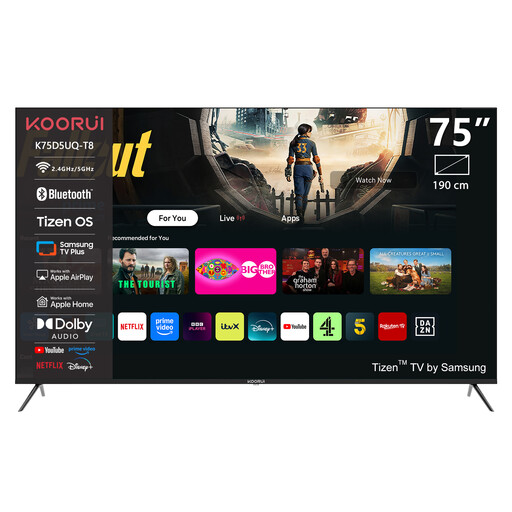 Image unavailable
KOORUI K75D5UQ-T8 75-inch 4K UHD QLED Smart TV
A 75-inch option to compare if you’re looking for a large screen and want to factor in your preferred playback features.
Specifications in the product name: 4K UHD, QLED, Smart TV, Tizen OS and Dolby Audio.
Joybuy
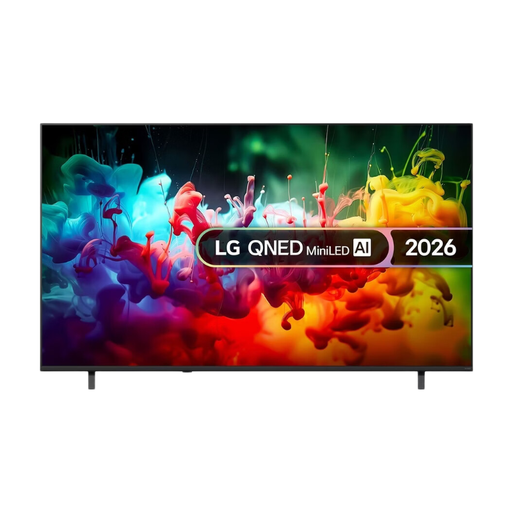 Image unavailable
LG QNED AI Mini LED QNED70 75-inch 4K Smart TV (2026)
A 75-inch mini-LED option to compare with OLED, with viewing angle and picture quality in your room’s lighting among the points to consider.
Specifications in the product name: QNED, Mini LED, 4K and Smart TV.
Joybuy
 Image unavailable
TCL 75T8D 75-inch QLED TV with QD-Mini LED
A 75-inch model to compare if you’d like to look at mini-LED and built-in audio features alongside other screen types.
Specifications in the product name: 4K, HDR10+, Dolby Vision, Dolby Atmos, 144 Hz VRR, Google TV and Onkyo 2.1 audio.
Joybuy
 Image unavailable
METZ 86MQE8000Z 86-inch 4K QLED Google TV
At 86 inches, this is a larger screen to compare for the furthest seats. Check that it will fit in your room before buying.
Specifications in the product name: 144 Hz, HDR10+, Dolby Vision, Dolby Atmos and a 2.1.2 sound system with an integrated subwoofer.
Joybuy
Frequently asked questions
How do I choose a screen size if I don’t know the exact viewing distance yet?
At home, measure from the viewers’ eyes to where you plan to position the screen. Divide the distance in centimetres by 2.4 to get an initial estimate of the screen diagonal in centimetres, then compare sizes around that result. Check the overall dimensions too. The Dutch Consumers’ Association guideline doesn’t prescribe a specific screen size.
Does a 4K TV make every documentary look sharper?
No. You also need a suitable 4K source to see more detail, and the Dutch Consumers’ Association points out that 4K resolution alone doesn’t guarantee good picture quality. Check the quality and availability of the documentary on the playback source you plan to use.
How should I set up my TV for a documentary night?
Watch a scene with both bright and dark areas using the lighting you’ll have on during the evening. Start with the home mode and adjust the brightness and contrast so details remain visible. The Dutch Consumers’ Association recommends assessing picture settings in the lighting conditions you usually use.
What should I check before placing or wall-mounting a large TV?
Compare the dimensions and weight of the exact model with the space available and the specifications of your furniture or mounting solution. Sony lists several stand positions for the Sony K-75XR70. Don’t assume that the screen diagonal tells you how wide your furniture needs to be.


