
Host with guests sitting in different places
You want guests on the sofa and at the sides to be able to follow the picture and subtitles.


Start with the furthest and most off-centre seats: measure the viewing distance and assess the viewing angle and reflections in the room where you plan to watch the documentary. OLED may suit you if dark scenes matter and you can dim the room; if the lights will stay on, compare mini-LED/LCD models too. For any TV, check dialogue, subtitles and playback source in advance.
You want guests on the sofa and at the sides to be able to follow the picture and subtitles.
You’re particularly interested in dark scenes, nature footage and how ambient light affects the picture.
You want spoken commentary to be easy to follow and subtitles set up in advance.
Choose first based on seating distance and viewing angle. Then compare screen technology, room lighting and how you’ll play the documentary.
A good fit if: you can dim the room and dark scenes matter to you.
Keep in mind: the panel type alone won’t tell you how reflective a specific model is, how it sounds or what its viewing angle is like.
A good fit if: the lights will stay on during your gathering and you can assess the picture in that room.
Keep in mind: black levels and viewing angles vary by model, so don’t focus solely on the stated peak brightness.
A good fit if: screen size, playback options and overall cost matter more to you than strong contrast in dark scenes.
Keep in mind: picture processing, uniformity and sound vary between TVs; 4K or HDR alone doesn’t guarantee high picture quality.
| What to consider | What to look for when buying | Which consumers should consider this? |
|---|---|---|
| Visibility for the whole group | Measure the viewing distance from the seats and check the picture from the furthest positions. Also check the dimensions, including the stand. | When guests are spread out, I want everyone to be able to follow the picture clearly. Around 28% of consumers make group viewing their main consideration. |
| Picture quality in the room’s lighting | Compare dark and bright scenes in similar ambient lighting, and look out for reflections and viewing angles. | When watching a documentary with dark scenes, I want to see the details without distracting reflections from the room. Around 22% of consumers prioritise picture quality under their own room lighting. |
| Dialogue and subtitles | Listen to dialogue at the volume you plan to use and test the chosen title’s subtitles on your chosen playback source. | If spoken commentary matters to the group, I want to know in advance whether the dialogue and subtitles are easy to follow. Around 22% of consumers prioritise clear speech and subtitles. |
| Playing the documentary | Check that the required app or player, connection and audio output work with the exact model. | When I use a particular service or external player, I want to be sure it’ll work with my set-up. Around 17% of consumers prioritise hassle-free playback. |
| Overall cost | Compare the purchase price and any installation costs, and check energy use on the energy label, in kWh per 1000 hours. | If I want to understand the total cost of the TV and running it, I consider the purchase price, installation and electricity use. Around 11% of consumers prioritise overall cost. |
Viewing angles vary by model, so guests sitting at the side may see the picture differently.
Check the same picture from the furthest seats and assess reflections separately.
HDR support on the TV alone doesn’t tell you how a particular source or the TV itself will display the picture.
Check that the documentary and playback source use a supported HDR format, then assess the picture on the TV itself.
Available languages and subtitle options can vary by title.
Play your chosen title in advance using the app and source you plan to use during your gathering.
The OLED65C5ELB is a 65-inch OLED evo model with webOS, worth comparing if dark scenes matter to you.
The 65C7K is a 65-inch QD mini-LED/LCD model to compare if the lights will stay on.
The QE65S90FATXXN is a 65-inch OLED model to compare with other OLED TVs.
According to Philips, the 65OLED810/12 combines a 65-inch OLED screen with Ambilight.
The K-65XR5 is a 65-inch mini-LED/LCD model with local dimming and stated connections.
These models offer a range of screen sizes and technologies to weigh up against your viewing distance, room lighting and preferred playback options.
 No image available
An option to compare if OLED and a 65-inch screen suit your viewing distance.
Specifications according to the product name: 65 inches, OLED evo, 4K, Dolby Vision, Dolby Atmos and webOS 26.
 No image available
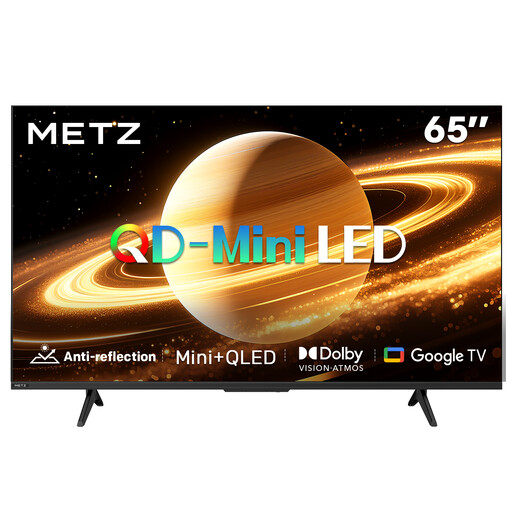
A model to consider if you want to compare QD-MiniLED and a matte screen finish for the lighting in your room.
Specifications according to the product name: 65 inches, QD-MiniLED, 60 Hz, Dolby Vision, Dolby Atmos and Google TV.
 No image available
Before choosing a 75-inch TV, compare the screen size with the distance from the furthest seat.
Specifications according to the product name: 75 inches, 4K, Mini-LED, 144 Hz and Smart TV.
 No image available
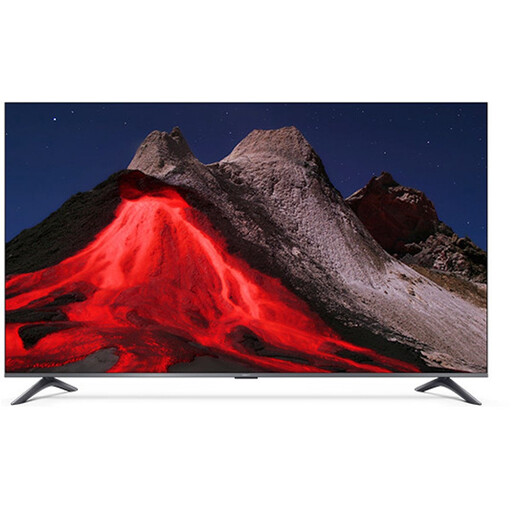
A 65-inch QLED model to compare if this size and the stated smart TV feature suit your set-up.
Specifications according to the product name: 65 inches, 4K, QLED and Google TV.
 No image available
Check whether the 75-inch size suits your viewing distance and your guests’ seating positions.
Specifications according to the product name: 75 inches, 4K, Mini-LED, 144 Hz and Smart TV.
Measure the distance from the seats to the screen, taking the furthest position into account. The Consumentenbond suggests around 2.4 times the screen diagonal as a starting point for comfortable viewing; also check sightlines and the dimensions including the stand.
Play your chosen title in advance using the source you plan to use during your gathering, and check which subtitle languages are available. Netflix explains the settings under ‘Audio and subtitles’; availability may vary by title. Also check a familiar dark scene and a bright scene in the lighting you’ll use on the night.
Compare the TV’s energy use on its energy label in kWh per 1000 hours, including for HDR. In the Netherlands, the statutory warranty applies alongside any commercial warranty; if there’s a fault the seller is responsible for, you should be able to contact the seller. ACM ConsuWijzer explains the difference.
For a typical online purchase of a new television, ACM ConsuWijzer says you generally have a statutory 14-day cooling-off period after delivery. Check the applicable terms for returning the TV.
Under the old-for-new scheme, when a private customer buys a similar appliance in the Netherlands, the seller must take back the old appliance free of charge. The Dutch government also explains how this works for online deliveries.