What should you look for when choosing?
Start by checking how easy the screen is to read from the seating area and whether it connects to your presentation device. Then consider picture quality and the costs of sharing the TV.
| What to consider |
What should you check? |
Who is this important for? |
| Colour and detail |
View familiar images in the lighting conditions you usually use. Use a calibrated monitor for colour-critical adjustments. |
If I’m showing photos and illustrations, I want to assess the details without treating the TV’s display as the definitive colour reference. Around 33% of consumers prioritise colour and detail. |
| Readability from the seating area |
Measure the viewing distance and test a slide with your smallest text from different seats. Bear reflections and viewing angles in mind. |
I want captions and image details to be clear from the sofa, too. For around 27% of consumers, readability from the seating area is the top priority. |
| Connecting your own equipment |
Check whether your laptop has a compatible HDMI output and whether the TV has a spare HDMI input. Check wireless support for each device. |
When I connect my laptop for a presentation, I don’t want to find out at the last minute that the connection isn’t compatible. Around 20% of consumers give connecting their own equipment top priority. |
| Purchase and shared costs |
Compare the energy labels of the TVs you’re considering and agree who will manage the purchase and contact with the seller. |
If we’re sharing the TV, I want to know in advance how we’ll manage the purchase and upkeep. For around 20% of consumers, the purchase and shared running costs are their main concern. |
Joybuy TVs for portfolio presentations
These Joybuy TVs are suitable for showing portfolios on a TV; screen sizes and listed specifications vary by model. Before choosing, check the viewing distance and the connection you need.
 No image available
METZ 43MQF7500Z, 43-inch QLED 4K UHD
A 43-inch option for showing a portfolio, if this size suits your viewing distance and seating area.
Specifications: 4K UHD, HDR10+, Dolby Vision, Dolby Atmos, HDMI 2.1, VRR, MEMC and Chromecast Built-in.
Joybuy
 No image available
iFFALCON U65A, 43-inch 4K LED Smart TV
A 43-inch model to consider if you want to show a portfolio on a relatively compact screen.
Specifications: 4K, LED, 50Hz and Smart TV.
Joybuy
 No image available
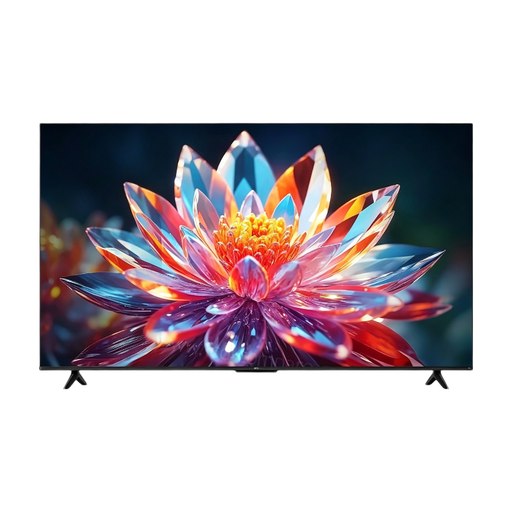
TCL 50T6C, 50-inch 4K QLED Smart TV
Consider this size if you have enough room and the viewing distance is suitable for a 50-inch screen.
Specifications: 4K UHD, QLED and 120Hz.
Joybuy
 No image available
TCL 43T6C, 43-inch 4K QLED Smart TV
A 43-inch option for portfolios, if this screen size suits your room and seating area.
Specifications: 4K, QLED and 120Hz.
Joybuy
 No image available
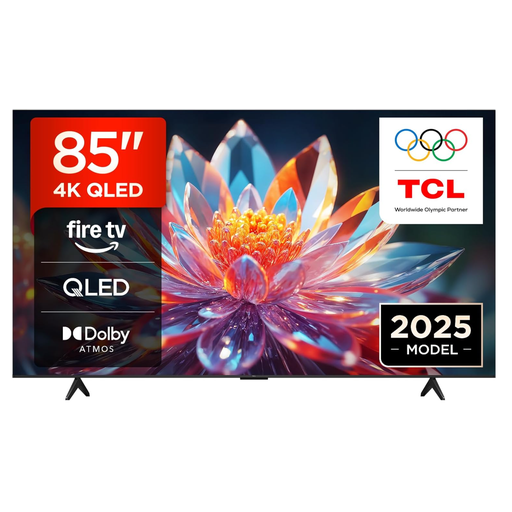
TCL 85T6C, 85-inch 4K QLED Smart TV
First check whether your room, setup and viewing distance are suitable for an 85-inch screen.
Specifications: 4K, QLED and 60Hz.
Joybuy
Frequently asked questions
Can I connect my laptop to the TV with a cable for a presentation?
Yes, if your laptop has a compatible HDMI output or adapter and the TV has a spare HDMI input. Connect the cable and select the correct input on the TV; Sony Netherlands explains these HDMI steps. Check the connections on the exact model.
Can I assess the final colours in my design on a TV?
Use the TV to show your work, but don’t base colour-critical adjustments solely on the TV’s picture or a manufacturer’s claim. Adobe highlights the importance of calibration and an accurate monitor profile for colour-critical work.
What if the same portfolio slide stays on screen for a long time?
Change static content regularly, especially if you’re considering OLED. The Consumers’ Association identifies image retention as a consideration with OLED; the 2022 test cited isn’t a prediction for any specific current model.
What should we consider when it comes to energy use and the warranty?
Compare the EU energy labels of the TVs you’re considering, and agree who will keep the purchase details and contact the seller. According to ACM ConsuWijzer, Dutch statutory consumer protection doesn’t have a fixed, general two-year guarantee period; what you can expect from a product also depends on the product and how it’s used.
Can I show other people’s photos in my portfolio?
Don’t assume you can use other people’s copyrighted photos without permission. According to the Dutch Government, you generally need permission from the creator; you can’t distribute or publish a private copy made for your own use. Whether a particular display counts as publication in your circumstances depends on the situation.


