
Student with a narrow shelf
Wants to show a portfolio up close without choosing a TV whose stand extends beyond the available shelf space.


Measure the shelf and the TV stand, and take the distance from your audience into account. A compact Full HD TV suits a limited set-up, while a larger 4K screen needs more space but may be a better option for showing fine details. If designs will stay on screen for long periods, factor in the possibility of image retention with OLED. Also check your laptop connections and view your own portfolio on the screen.
Wants to show a portfolio up close without choosing a TV whose stand extends beyond the available shelf space.
Shows typography, drawings or images to viewers sitting further away, and weighs screen size against the space available.
Keeps designs visible between presentations, so takes static images and viewing habits into account.
When choosing a TV for a design portfolio on a limited shelf, the main considerations are whether it fits, how easy it is to view from a distance, long periods of use and how it connects to your laptop.
Best for: limited shelf space and an audience standing or sitting relatively close. The Philips 32PFS6900/12 is a 32-inch Full HD example with three HDMI connections, according to Philips and the Consumentenbond.
Consider: fine details can be harder to see from further away. Compare your own portfolio from where your audience will be sitting or standing.
Best for: anyone who also wants to display designs as art. Samsung's Dutch support site identifies the 32LS03C as a 32-inch Full HD The Frame model.
Consider: check current availability and how this specific model can be positioned before you decide.
Best for: anyone with room for a 42-inch screen who wants to show design details clearly. LG lists the OLED42C5ELB as a 42-inch 4K OLED model.
Consider: check that the casing will fit, and bear in mind the potential for image retention with OLED if the screen will display static images for long periods. The Consumentenbond reported image retention on older OLED models; this does not predict how this specific model will perform.
| What to consider | What should you look for? | Who is this most important for? |
|---|---|---|
| Will the TV fit on the shelf? | Measure the shelf’s width and depth, and check the TV’s dimensions with the stand attached. | I want to make sure the stand fits on my narrow shelf, not just that the screen size will fit. For around 36% of these consumers, physical fit is the top priority. |
| Will details be easy to see? | Compare the viewing distance with the screen size, and view your own files from where your audience will be sitting or standing. The Consumentenbond suggests 32–43 inches at 200 cm as a guide, not a fixed rule. | I want viewers to be able to see small text and line work from a distance, without choosing a screen that won’t fit on the shelf. Around 29% of consumers prioritise clearly visible detail. |
| Will the same image stay on screen for a long time? | Consider how OLED performs with static images. The Consumentenbond found image retention on older OLED TVs under specific test conditions; this finding does not predict how a current model will perform. | If the same design will stay visible for a long time, I want to know whether the screen technology suits that use. Long viewing periods are a top priority for around 21% of consumers. |
| Will your laptop set-up work? | Check your laptop’s video output, the TV’s HDMI connections and whether you need a cable or adapter. Also test the output resolution and screen edges. | I want to connect my laptop without the picture being cut off, and know in advance what I’ll need for the set-up. Connections and set-up costs are the top priority for around 14% of consumers. |
The screen diagonal doesn’t tell you how wide the stand is or how deep the TV will sit.
Measure your shelf and check the dimensions of the exact model with its stand before you choose.
A technology name or resolution alone doesn’t measure how accurately your portfolio’s colours will be displayed. According to the Consumentenbond, image processing also affects colour and contrast.
View the same files on the screens you’re considering, and distinguish manufacturer claims from independent measurements.
The Consumentenbond found image retention on older OLED TVs under specific test conditions. This test does not guarantee how a particular model will perform, nor does it mean that every static image will cause permanent burn-in.
Choose a TV that suits how long the same design will stay on screen, and vary the content when it works for your presentation.
An additional warranty product is separate from your statutory rights if a product is faulty.
Compare what extra cover actually includes, and keep your purchase details handy in case you need to contact the seller.
These brands and models are examples of specific screen options. Their inclusion is not a general recommendation or an indication of availability.
The 32PFS6900/12 is a compact Full HD model for anyone considering a smaller screen and a range of connections.
The 32LS03C is worth considering if you want to use a compact presentation screen to display art as well.
The OLED42C5ELB is a larger 4K OLED option for anyone with enough room for a 42-inch screen.
These Joybuy products are compact TVs for presentation set-ups with limited shelf space. Check the resolution and stand dimensions for each model before you choose.
 No image available
A compact option to compare if shelf space is a priority; measure the TV stand to make sure it suits your set-up.
The product information lists a 32-inch screen, Full HD, QLED and Tizen OS.
 No image available
A compact option to assess with your own portfolio if you want to compare Full HD and QLED specifications.
The product description lists Full HD, QLED Pro and a 90% DCI-P3 colour gamut. This specification is no substitute for viewing your own files on the screen.
 No image available
This portable 32-inch model may suit a compact set-up; check that it can show the level of detail your portfolio needs.
The title lists HD and USB-C power compatible with a power bank. For small typography and fine details, HD is a different resolution class from Full HD.
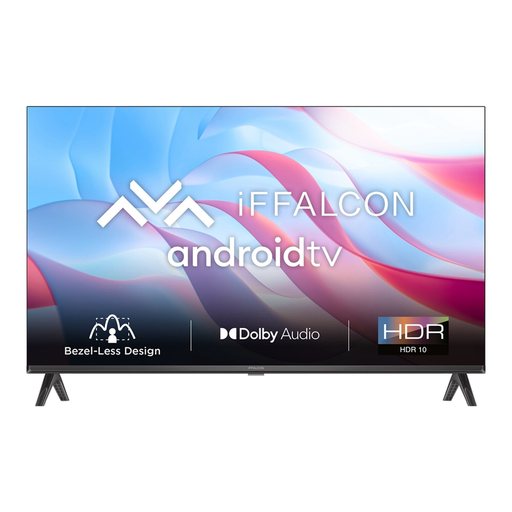 No image available
A compact option to compare if the screen size suits your set-up; bear the resolution in mind when displaying small details.
The product information lists 720p HD, Android TV and two HDMI connections. For small typography and fine details, 720p HD is less suitable than Full HD.
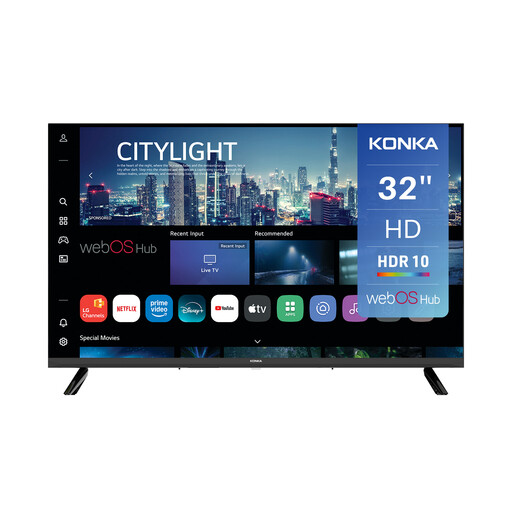 No image available
A 32-inch option to compare for a compact presentation space; check whether the resolution suits your portfolio.
The product information lists 720p HD, three HDMI connections and webOS. For small typography and fine details, 720p HD is less suitable than Full HD.
First, measure the viewing distance and the space available for the TV and its stand. The Consumentenbond suggests 32–43 inches at 200 cm as a guide; choose a size that will actually fit, and view your own files from where your audience will be sitting or standing.
Check the output resolution, aspect ratio settings and external input settings. LG lists an incorrect PC resolution or input setting as a possible cause; the exact menus vary by device.
Factor in the possibility of image retention if the same design will stay visible for a long time. The Consumentenbond reported image retention on older OLED TVs under specific test conditions; this finding does not predict how a current model will perform.
According to ACM ConsuWijzer, online consumer purchases generally come with a statutory cooling-off period of up to 14 days after delivery, subject to applicable exceptions. Also check the terms for arranging a return.
EU energy labelling rules apply to televisions. Check the energy label and product information sheet for the exact model. The label uses a scale from A to G and includes information such as screen size and resolution.