What should you look for when buying?
Start by looking at where the windows and seats are. Then compare reflections and picture performance on the exact TV you’re considering. If you also want to display art when you’re not watching, check the available features for this.
| What to consider |
What should you check? |
Who is this important for? |
| Reflections in daylight |
Check the anti-reflection treatment on the exact model and view the screen from your usual seat, with windows in similar positions. |
If high windows are directly opposite my screen, I want to be able to see subtitles and picture details during the day. Around 31% of consumers in this viewing situation put daytime visibility first. |
| Colour, contrast and detail |
Compare picture modes and consider the quality of the documentary source; extra 4K detail also requires suitable source material. |
I want to make out subtle colours and dark scenes in art footage without a picture mode changing the image unnecessarily. Around 25% of consumers give colour and contrast top priority. |
| Viewing angle and screen size |
Measure the viewing distance and available space, then check the picture and reflections from the seats you actually use. |
With several places to sit, I want to choose a screen size that suits the room and is comfortable to view from my seat. For around 19% of consumers, viewing position and screen size come first. |
| Art when you’re not watching |
Check whether the exact model has an art mode and which artworks are available without a subscription. |
If I also want to use the TV as an art display, I want to know which art feature suits my needs. Around 13% of consumers consider displaying art when not watching to be their main priority. |
| Purchase and running costs |
Check the energy label for the exact version in EPREL and find out whether the art library you want requires a subscription. |
I only want to include ongoing services I’ll actually use, alongside the model’s energy information. Around 12% of consumers put purchase and running costs first. |
TVs on Joybuy
These TVs on Joybuy are relevant when comparing screen size, picture features and daytime use. None of these features replaces checking reflections in your own room.
 No image available
TCL 50Q6C QD-Mini LED TV, 4K
If you’re looking for a 4K TV and want to compare art display features too, the product description mentions Art Gallery and AI Art.
50 inch; 144 Hz; Dolby Vision; Google TV.
View on Joybuy
 No image available
METZ 86MQE8000Z QLED TV, 86 inch
An option to compare if you’re looking for a large screen for documentaries; measure the available space and viewing distance first.
4K; 144 Hz; HDR10+ and Dolby Vision.
View on Joybuy
 No image available
Hisense 43A6S 4K UHD TV
If you want to compare a 4K TV with Filmmaker Mode, see for yourself whether the picture mode suits your documentary source and daytime setup.
43 inch; 60 Hz; Dolby Vision; VIDAA.
View on Joybuy
 No image available
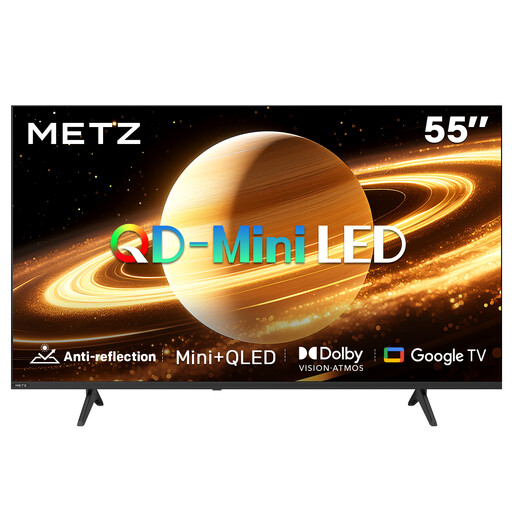
METZ 55MNH7000Z QD-MiniLED TV
The product description mentions a matte screen. Still, compare reflections with the window positions and seating in your own room.
55 inch; 60 Hz; Google TV; Dolby Vision and Dolby Atmos.
View on Joybuy
 No image available
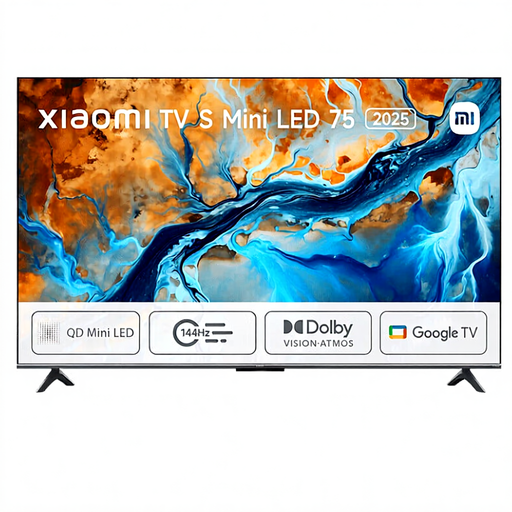
Xiaomi TV S 2025 Mini LED TV, 75 inch
A large screen to consider if your available wall space and viewing distance are suitable.
4K HDR; 144 Hz; Google TV; Dolby Atmos.
View on Joybuy
Frequently asked questions
Does higher brightness always help with a window reflected in the TV?
No. Brightness can make the picture easier to see, but it won’t solve every direct reflection. Also consider the window’s position, where you sit and the screen’s anti-reflection treatment; RTINGS treats reflections as a separate consideration.
Which picture mode can you compare for lifelike documentary images?
Compare a picture mode that limits post-processing with the mode you find comfortable during the day. UHD Alliance says Filmmaker Mode is designed to preserve aspects such as aspect ratio and frame rate, and to disable motion interpolation; check whether the TV you’re considering has this mode.
How do you decide where to position and mount the TV?
Measure the available wall space and viewing distance, then check for reflections from your usual seats before mounting the TV. Follow the instructions for the exact model when fitting the bracket and securing the TV.
Do you get all the art on The Frame Pro without a subscription?
Samsung describes free rotating artworks, but says a paid monthly or annual plan is required for unlimited access to the full Art Store library. Before buying, check which selection you want to use.
What are your rights when buying a TV online in the Netherlands?
According to ACM ConsuWijzer, online product purchases generally come with a statutory 14-day cooling-off period after delivery, subject to applicable exceptions and returns terms. You’re also covered by the statutory guarantee if a product doesn’t meet what you could reasonably expect when used normally; this isn’t automatically limited to a stated manufacturer’s warranty period.


