
Daylight viewer
You watch while the tall windows let in plenty of light and mainly want to stop their reflections from overpowering the picture on stage.


Start by considering reflections where you plan to put the TV, then compare the brightness of the exact models you’re considering: extra brightness and less noticeable window reflections aren’t the same thing. RTINGS often considers mini-LED or LCD TVs a sensible choice for bright rooms, while OLED can be appealing for deep blacks and wide viewing angles. The right option depends on the specific screen and where you sit. You should also test voices and music with a theatre recording you know well.
You watch while the tall windows let in plenty of light and mainly want to stop their reflections from overpowering the picture on stage.
You want to make out dark backgrounds and illuminated performers clearly, and sometimes watch with the lights dimmed.
You watch performances with people sitting in different places and want everyone to follow the dialogue and music clearly.
A good fit when: the room is usually bright while you watch and seeing the stage clearly is your priority. RTINGS often recommends looking at mini-LED for bright rooms.
Keep in mind: check reflections and viewing angles for each model. The latter matters even more if you have a wide seating arrangement.
A good fit when: you also often watch with the lights dimmed and value deep blacks or a wide viewing angle. The Consumers’ Association generally describes OLED as offering deep blacks and a wider viewing angle.
Keep in mind: the comparison cited tends to favour mini-LED for bright rooms, so check how the specific OLED TV performs in the reflection test in daylight.
Assess brightness and direct reflections separately: a bright screen doesn’t automatically stop windows from being visible. RTINGS and the Consumers’ Association both take these factors into account when assessing TVs.
| What to consider | What to look for | Who should pay extra attention? |
|---|---|---|
| Reflections and daylight | For the exact model variant, compare both the direct-reflection test and the brightness test. Check where you plan to put the screen during the day. | If I watch during the day with tall windows opposite the TV, I want to stop their reflections from overpowering dark scenes. Around 42% of consumers prioritise reflection handling and visibility in daylight. |
| Contrast and stage detail | Compare the picture rating for the exact model in the lighting conditions you usually watch in. Also check the quality and resolution of your own recordings. | If you mainly want to follow the changes between dark sets and brightly lit performers, pay extra attention to contrast and detail. Around 25% of consumers rank stage contrast as their top buying priority. |
| Voices and music | Look for a separate assessment of speech and music, and check which audio connections the model has if you’re considering external audio equipment. | If dialogue or singing in a performance needs to be clear, I want to assess the sound separately rather than judging by the picture alone. Around 17% of consumers prioritise speech clarity and music playback. |
| Viewing angle and screen size | Measure your viewing distance and check the viewing-angle test for the exact model from the seats at the sides. | When watching together, I want people away from the centre to see the performance clearly, and the screen to suit the room. Around 16% of consumers prioritise shared seating arrangements and screen size. |
Brightness and direct window reflections are different things to assess. A bright screen won’t automatically get rid of a visible reflection.
Compare both test results for the same model variant and check the planned screen position during the day.
These technologies have different general strengths, but reflections and viewing angles can vary between models and seating positions too.
Let your lighting conditions and seating arrangement determine which tests of the specific model matter most to you.
A picture rating won’t tell you how clear the dialogue is or how the music sounds.
Compare a separate assessment of sound and speech, and check in advance which audio connections you might need.
If the built-in speakers aren’t suitable, you may need an additional sound solution.
According to ACM ConsuWijzer, the retailer remains responsible for your statutory guarantee if a product doesn’t perform as you could reasonably expect under normal use.
Keep your proof of purchase and contact the retailer first if you think a product may be faulty.
The BRAVIA 9 II is a specific RGB LED model worth comparing if watching in a bright room is important to you.
The manufacturer lists a Glare Free screen coating on several Samsung ranges.
The QD mini-LED ranges offer an LCD option to compare if brightness in your viewing room is a consideration.
According to Philips, the Dutch 55MLED920/12 combines QD mini-LED with Ambilight.
According to LG, the QNED range also includes mini-LED variants, offering an additional LCD option alongside OLED.
This Joybuy selection features mini-LED TVs for daytime viewing, with picture features such as dimming and screen reflections to consider. Also compare the sound and screen size with your own viewing set-up.
 No image available
This mini-LED model is worth comparing for daytime viewing; assess reflections and brightness separately.
85 inch; 4K; HDR; 144 Hz; Full Array Local Dimming; Google TV; Onkyo 2.1 sound; Dolby Atmos; VRR.
 No image available
This 65-inch mini-LED model is worth considering alongside your viewing distance and the light entering your room.
65 inch; 4K; HDR; 144 Hz; Full Array Local Dimming; Google TV; Onkyo 2.1 sound; Dolby Atmos; VRR; FreeSync Premium.
 No image available
Compare the picture in the lighting conditions you usually watch in, and assess the TV’s sound separately for dialogue and music.
55 inch (140 cm); 4K; HDR 10+; 144 Hz; Google TV; 2.1.2 sound system; Dolby Vision; Dolby Atmos.
 No image available
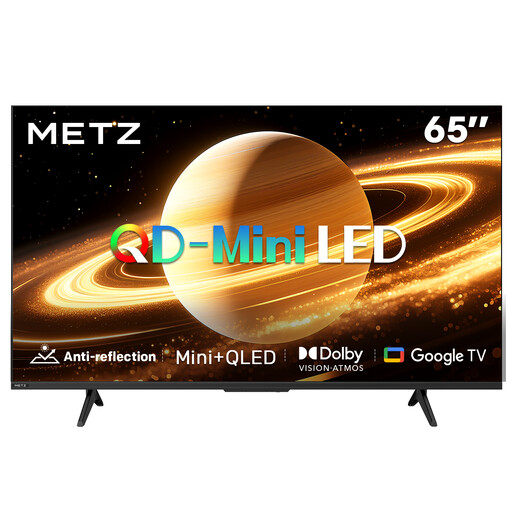
The product title specifies a matte screen. Also compare how this variant handles reflections with your own window and seating positions.
65 inch (165 cm); 2026; QD-Mini LED; matte screen; 60 Hz; Google TV; Dolby Vision; Dolby Atmos.
 No image available
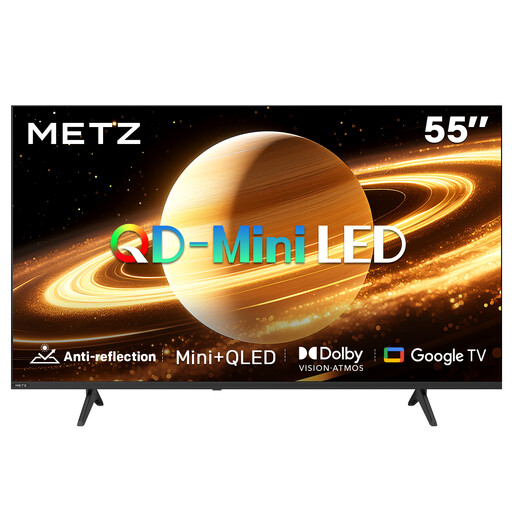
The product title specifies a matte screen. Compare how this variant handles reflections and check whether 55 inch suits your viewing distance.
55 inch (140 cm); 2026; QD-Mini LED; matte screen; 60 Hz; Google TV; Dolby Vision; Dolby Atmos; HDMI 2.1.
No, not automatically: a 4K TV can show more detail if the recording contains it. A recording that isn’t available in 4K won’t become an original 4K recording as a result. Also check the quality and playback options for your own recordings.
Adjust the picture with the lighting you normally use while watching. The Consumers’ Association advises using the room lighting as you usually would. Start with Home mode, then check both dark and light details in a scene you know well.
Compare the EU energy label and energy consumption per 1,000 hours for models of a similar size. The European Commission says the label for electronic displays also provides information about HDR playback; your actual consumption will also depend on your settings and viewing time.
For online purchases, you generally have a 14-day cooling-off period starting the day after delivery; ACM ConsuWijzer gives a newly purchased TV as an example. Your statutory guarantee is separate from any manufacturer’s warranty: if a product is faulty, the retailer is responsible for providing an appropriate solution.
Yes. The European Commission includes TVs in the A-to-G energy labelling scheme for electronic displays. Use the label to compare energy information; it doesn’t tell you how well a TV handles window reflections or how clear its sound is.