
Watching with windows opposite the TV
You want to follow the race during the day without distracting reflections, while making the most of the natural light.


Start by looking at where the windows are in relation to the screen. If they reflect in it, tested reflection handling and sufficient brightness matter more than a high claimed peak brightness alone. Then compare how the TV displays fast movement, its viewing angle and the screen size for your viewing distance. No screen technology is automatically the best choice in every respect.
You want to follow the race during the day without distracting reflections, while making the most of the natural light.
You care about how the peloton, camera movements and on-screen text are displayed, not just the claimed refresh rate.
You want people sitting away from the central seat to be able to see the race clearly too. Viewing angle and a suitable screen size are important here.
| What to consider | What should you check? | Who is this important for? |
|---|---|---|
| Window reflections and daylight | Compare tested direct reflections and brightness for the exact model. Also consider where the window and TV are positioned. | If the tall window reflects in my screen, I want to keep following the race without having to darken the whole room. Around 31% of consumers therefore give reflections top priority. |
| Fast movement | Look for a sports or motion test of the exact model; the claimed refresh rate doesn’t tell the whole story. | If I want to follow fast-moving cyclists and camera footage clearly, I look at how motion is actually displayed. Around 25% of consumers put this first. |
| Viewing angle | Check a horizontal viewing-angle test and consider how widely the seats are spread out. | When we’re sitting across the sofa, I want to be able to enjoy the race from the side as well. Around 19% of consumers put picture quality from multiple seats first. |
| Screen size and viewing distance | Measure the viewing distance and check the screen diagonal and external dimensions of the exact model. | When choosing a TV for my sofa set-up, I want a screen size that suits the viewing distance and the space available. Around 13% of consumers start with this choice. |
| Energy use and running costs | Compare the EU energy label for the version you’re considering, and bear in mind that picture settings affect energy use. | If I also want to factor in electricity use and costs after purchase, I look beyond the initial price. Around 12% of consumers prioritise these costs. |
A tall window can cause direct reflections; a brightness claim doesn’t tell you how noticeable those reflections will be.
Compare both direct reflections and brightness for the exact model, and consider where you plan to put the TV.
A claimed refresh rate doesn’t tell the full story of how fast action and camera movements are displayed. Consumentenbond assesses motion handling for sport separately.
Look for a sports or motion test of the exact model, and check the picture using the TV source you’ll be watching.
The screen size needs to suit your viewing distance and the space available. Incorrect wall mounting can also be dangerous.
Measure the viewing distance, check the TV and bracket installation instructions, and make sure the wall is suitable.
The Dutch S95H series is worth considering if you want to compare an OLED model with Samsung’s claimed Glare Free finish.
The BRAVIA 9 II is an RGB LED option to explore for a bright room.
The Dutch OLED evo G6 is an OLED option to compare if both viewing angle and daylight performance matter.
The C8K is a mini-LED LCD option to explore if you’re looking for a bright alternative.
According to Philips, the Dutch 65MLED910/12 combines QD mini-LED with Ambilight.
This selection includes LCD and mini-LED models to compare for a bright room and watching a cycling race.
 No image available
A mini-LED TV to compare if you’re considering an LCD option for a bright room; check reflections and motion handling for this exact model separately.
4K; QNED Evo Mini LED.
 No image available
A 65-inch TV to compare if that size suits your viewing distance; check motion and reflections for the exact model before you choose.
4K UHD; HomeOS U9.5; Game Mode Plus (VRR 60 Hz).
 No image available
A 65-inch QLED option to assess alongside other screen technologies; don’t rely on the technology name alone to judge reflections or sports performance.
4K UHD; Tizen OS; Dolby Audio.
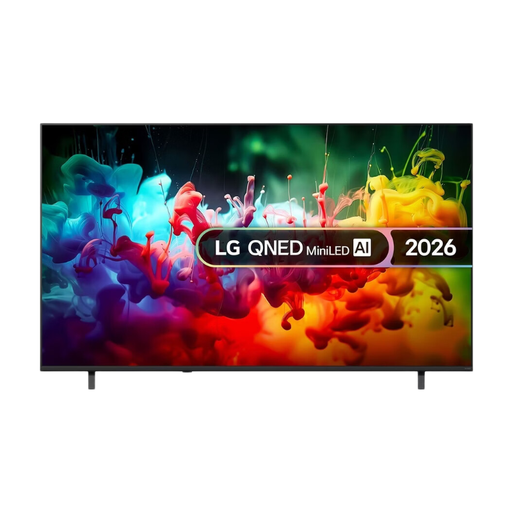 No image available
A 75-inch mini-LED TV to compare if you’re considering a large screen; measure the viewing distance and available space first.
4K; Mini LED; 75 inches.
 No image available
A 65-inch QD-Mini LED option to compare; for cycling, check motion handling on the exact model rather than relying on a refresh-rate figure alone.
4K; Smart Google TV; 144 Hz VRR.
No. Compare a direct-reflection test for the exact model and check where the window is. Even a TV with good reflection handling can still reflect light in a bright room.
Assess the picture in the lighting you normally use and try a picture mode that you find comfortable. Consumentenbond advises adjusting brightness and backlighting so that light and dark details remain visible; customised settings can increase energy use.
Check the installation instructions for the exact TV and bracket, the fixings, and whether the wall is suitable. Sony warns that incorrect installation of its 2026 BRAVIA models can cause injury and recommends using an approved installer. Don’t assume this model-specific advice applies to other TVs.
Compare the EU energy label for the exact version. Picture settings can affect energy use, so also consider the settings you intend to use while watching.
For a standard online purchase of a new television, ACM ConsuWijzer says you generally have a statutory cooling-off period of up to 14 days after delivery. Check the returns information that applies to your order before buying; this statutory right isn’t a special offer from a retailer.