
Viewers with windows opposite the TV
You don’t want to see a reflection of the window over faces or dark sets while watching a performance. Compare the reflections and brightness of individual models before you buy.


If tall windows face your screen and you have little control over the daylight, compare both tested window reflections and brightness for each model. Tweakers describes the TCL 55C89L/C8L as bright, but also warns about distracting reflections. If you often watch with the lights dimmed or from seats at an angle to the TV, consider OLED for dark scenes and viewing angles. Also check whether voices and music sound good through the TV or your existing sound system.
You don’t want to see a reflection of the window over faces or dark sets while watching a performance. Compare the reflections and brightness of individual models before you buy.
You want to retain detail in dark sets and may sometimes be able to darken the room. Contrast, black levels and the light in your room all matter. The Consumers’ Association notes that OLED can generally offer deeper blacks and wider viewing angles.
You’re judging more than just the picture: you’ll also want clear dialogue and good music playback from the TV, or a suitable connection to your existing sound system. The Consumers’ Association includes sound quality in its TV tests.
A good choice if: you mainly watch during the day and it’s difficult to control the ambient light. Compare reflections from windows on the exact model, too.
The trade-off: high brightness won’t automatically eliminate a direct reflection, and blooming may be visible in dark scenes.
A good choice if: dark sets and viewing from different seats matter to you, especially if you can control the light in the room.
The trade-off: blacks may look less deep in a brightly lit room. RTINGS rated the tested LG G4 positively for reflection handling in a bright room, but tested a North American version.
A good choice if: visible window reflections are your main concern and you can compare screen finishes in similar lighting conditions.
The trade-off: matte doesn’t automatically mean fewer distractions. RTINGS describes trade-offs between diffusing reflections and making blacks look lighter.
| What to consider | What should you check? | Who should pay particular attention? |
|---|---|---|
| Window reflections and daylight | Compare tests of direct reflections and brightness for the exact model, and consider where the window is in relation to the TV. | I don’t want to see a reflection of the window over actors or the set during a performance, so I compare both reflections and brightness. Around 42% of consumers say reducing reflections and the effects of daylight is their main concern when buying. |
| Dark scenes | Compare the same dark scene at the level of brightness you use at home. Check black levels and look for any halos. | I want to keep seeing details in dark sets, even when stage lighting puts a bright subject against a dark background. Around 25% of consumers prioritise preserving dark scenes and contrast. |
| Voices and music | Listen to similar content. If you want to connect a soundbar, check for HDMI-ARC or eARC on both the TV and the sound system. | I want to follow dialogue and music clearly, so I look beyond picture quality. Around 17% of consumers prioritise clear dialogue and music playback. |
| Screen size and seating | Measure the viewing distance and the space available on your TV stand. Also assess the picture from the seats at either end. | I want to follow the performance comfortably from my usual seat or seats, so I check both the screen size and the view from the side. Around 16% of consumers prioritise screen size and viewing from multiple seats. |
Tweakers found the TCL 55C89L/C8L bright, but the same model review says it can still show distracting reflections in strong ambient light.
Compare tests of direct reflections as well as brightness, and check whether the screen position in the test matches the position of your windows.
According to RTINGS, reflections may be diffused differently while blacks look lighter in ambient light. The matte label alone won’t tell you how the screen will look in your room.
Compare reflections and black levels separately for the models you’re considering.
Support for an audio format alone doesn’t tell you how clear dialogue will sound or how music will come across.
Listen to similar content and, before you buy, check that your TV and existing sound system have the connection you need.
These examples relate to specific models or product ranges. Features and test results for one version don’t necessarily apply to every TV from the same brand.
The C8L, also referred to as the C89L in a Dutch buying guide, is a mini-LED model worth comparing for daytime viewing.
Some specific models have a screen layer Samsung calls Glare Free. Compare that version separately if window reflections are a concern.
The OLED evo G4 range is an OLED option worth comparing if dark scenes and viewing angles are high on your list.
According to Philips, the Dutch 55MLED910/12 combines QD MiniLED with Ambilight.
The BRAVIA 7 II is an RGB LED model with picture modes that Sony says are designed for films.
This Joybuy selection includes OLED and mini-LED TVs for weighing up dark sets, daylight and window reflections.
 No image available
An OLED option to compare if dark sets matter to you. The product information also mentions Reflection Free Premium, but this isn’t an independent reflection test.
77 inches, 4K OLED and Dolby Atmos. The product information lists OLED pixel dimming and Perfect Black.
 No image available
A 55-inch OLED model to compare if dark scenes and 4K viewing suit your viewing distance.
55 inches, 4K OLED evo and Dolby Atmos. The product information lists Perfect Black and Brightness Booster.
 No image available
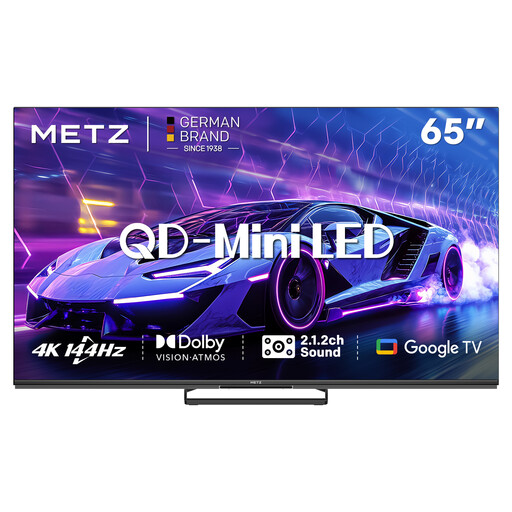
A mini-LED option to compare with OLED if you’re weighing up daylight, dark scenes and sound together. The listed audio features aren’t a listening test.
65 inches, QD-Mini LED, 4K and 144 Hz. The product information lists a 2.1.2 sound system, Dolby Atmos, Dolby Vision and HDR10+.
 No image available
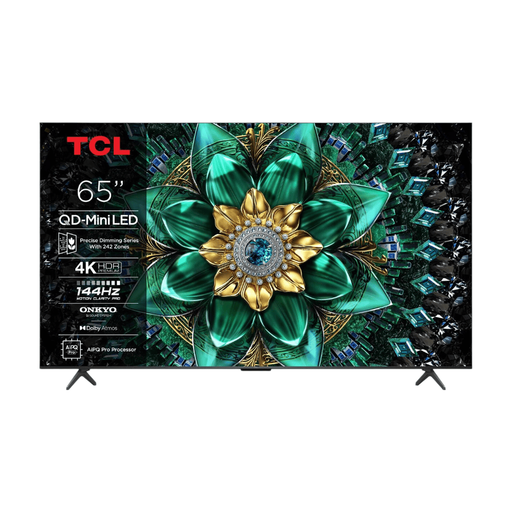
A mini-LED model to compare if you want to assess bright highlights and dark parts of the picture together. The listed features aren’t an independent reflection measurement.
65 inches, 4K QD-Mini LED and Full Array Local Dimming. The product information lists Dolby Vision, four HDMI inputs and eARC.
 No image available
A larger mini-LED model to compare if you have enough space on your TV stand and the viewing distance is right for a 75-inch screen.
75 inches, 4K Mini-LED and Full Array Local Dimming. The product information lists Dolby Vision, HDR10+ and eARC.
Measure the distance from your eyes to the planned TV position and check that there’s enough room on your TV stand. The Consumers’ Association suggests that a viewing distance of around 2.4 times the screen’s diagonal is comfortable. Use that as a starting point and compare nearby screen sizes.
Watch a familiar scene with both bright and dark areas in the lighting conditions you usually have in the room. The Consumers’ Association recommends using your normal lighting. Adjust the picture and check that details remain visible in both bright and dark areas.
Check whether both the TV and soundbar have HDMI-ARC or eARC, then use the port marked for this purpose on the TV. If one of the devices doesn’t have ARC, check whether both have an optical connection as an alternative. You may need an extra remote control for this setup.
For most distance purchases, you have a statutory cooling-off period of up to 14 days after the product has been delivered, subject to legal exceptions. If a product is faulty, you also have statutory consumer rights and the seller is responsible for putting things right; a manufacturer’s warranty doesn’t replace those rights. ACM ConsuWijzer explains these rights.
Follow the instructions for your model. For the OLED and LCD TVs covered, Sony recommends switching off the TV and unplugging it before you start, among other steps. Don’t treat this as a universal cleaning instruction for every brand.