Choose your screen size based on the measured distance between your seat and the TV, rather than simply because you’ll be watching from far away. The Consumentenbond suggests that a viewing distance of around 2.4 times the screen’s diagonal is comfortable for many people. Use this as a starting point, then also consider motion handling, light levels and viewing angle.
Who is this buying guide for?
Watching from a distance
You want to follow the dancers and see the details clearly from your seat. Measure the distance to where you plan to put the screen before comparing sizes. The Consumentenbond describes viewing distance as a starting point, not a one-size-fits-all measurement.
Following fast-moving action
You pay attention to smooth camera movements and dance steps, and want to know how a TV handles moving images. The stated refresh rate alone won’t tell you how the picture looks in practice.
Watching with others in a bright room
You may watch with others from different seats or in daylight. In that case, reflections, brightness and viewing angle are all important factors to weigh up together.
What should you consider when choosing?
Start with the viewing distance and screen size, then assess motion handling, your room conditions and the cost of the specific model.
| What to consider |
What to look for when buying |
Who should pay extra attention? |
| Screen size for your viewing distance |
Measure from your eyes to where the screen will go. The Consumentenbond suggests that a viewing distance of around 2.4 times the screen’s diagonal is comfortable for many people. Use this as a starting point, and also check the external dimensions, including the stand. |
I want to follow the dancers clearly from my usual seat and first find out which screen size suits that distance. Around 36% of consumers give finding the right screen size their top priority. |
| Motion and picture processing |
Compare moving images on the specific TV and check whether the stated Hz figure refers to the panel’s refresh rate or a processing claim. Extra generated frames can introduce artefacts during fast, irregular movements. |
I want to see dance steps and camera movements clearly, and won’t rely on a high refresh-rate figure alone. Around 29% of consumers put motion handling first. |
| Lighting and viewing angle |
Assess reflections in your room’s lighting and compare the picture from the furthest seats. OLED screens generally offer a wider viewing angle; LCD TVs can often be brighter, but check the specific models. |
I watch during the day or from a seat off-centre, and want to be able to judge the picture from where I sit. Around 21% of consumers give room lighting and viewing angle top priority. |
| Total running costs |
Compare the energy labels of the models and check whether the TV will fit where you plan to put it, with a stand or on the wall. |
I want to know in advance how the TV needs to be installed and how much energy my chosen model uses. Around 14% of consumers put total costs first. |
Pitfalls to avoid when buying
-
Automatically choosing the biggest TV without measuring
A comfortable screen size depends on your actual viewing distance, and the TV also needs to fit in the space you’ve chosen.
Measure from your usual seat to where the screen will go, and check the external dimensions before buying, including the stand if you’ll be using one.
-
Assuming a high Hz figure guarantees flawless dance movement
A higher panel refresh rate or picture-processing figure alone won’t tell you how fast, irregular movements will look. Generated frames can result in visible artefacts.
Compare moving images on the specific TV and check exactly what the stated refresh-rate figure refers to.
-
Confusing 4K on the box with a 4K broadcast
A 4K panel can’t add original detail that isn’t in the source image.
Check the picture quality in which you’ll receive the competition, and assess the TV with a comparable source too.
-
Looking only at the purchase price
The price of the screen doesn’t take into account the energy use of your chosen model or any installation costs.
Compare the energy labels of specific TVs and decide in advance whether you’ll need a stand or wall mounting.
Brands to explore
LG
LG offers models with different screen technologies and sizes, which you can compare with your viewing distance and seating layout.
- LG Netherlands lists the 75QNED86A6A as a 75-inch QNED evo Mini LED TV and the OLED65G56LS as a separate 65-inch OLED model.
- These model specifications don’t prove that either TV displays dance footage better.
TCL
The TCL 75C7K is a 75-inch model to consider if screen size and the stated panel refresh rate are important to you.
- TCL Netherlands specifies a native refresh rate of 144 Hz for the 75C7K.
- This model specification isn’t an independent measure of motion quality. Make sure you compare the 75C7K with the correct model number.
Sony
The Sony K-75XR5, also known as BRAVIA 5, is a 75-inch option. Its official dimensions with the stand can help you check whether it will fit.
- Sony Netherlands gives the dimensions of the TV with stand in the stated configuration as approximately 167,1 × 103,9 × 40,5 cm.
- Dimensions help you check the fit, but don’t tell you how the TV compares with other models for displaying dance footage.
Philips
The Philips 75MLED950/12 is a 75-inch Quantum Dot MiniLED TV with Ambilight, for anyone who also wants to consider how the screen looks in the room.
- Philips mentions Ambilight in its own product description.
- The brand’s description isn’t a comparative assessment of screen performance. Consider the TV’s position and the lighting conditions in your room too.
Samsung
The range in the Netherlands includes various model series and screen types, including Neo QLED, other LCD variants and OLED.
- Samsung Netherlands offers models in the 75- and 77-inch categories to compare with your measured viewing distance.
- Features of one model series don’t necessarily apply to every Samsung TV. Check the specifications of the exact model.
TVs on Joybuy
This selection on Joybuy includes 65- and 75-inch TVs to compare with your measured viewing distance and preferred screen technology.
 No image available
Hisense 65A6S 65-inch 4K UHD TV
The 65-inch diagonal gives you a specific size to compare with your measured viewing distance.
The product name lists 4K UHD, 164 cm, HomeOS U9.5 and Energy Class D.
Also mentioned: Dolby Vision HDR, Game Mode Plus with VRR 60 Hz, DTS Virtual:X and Alexa Integrated.
View on Joybuy
 No image available
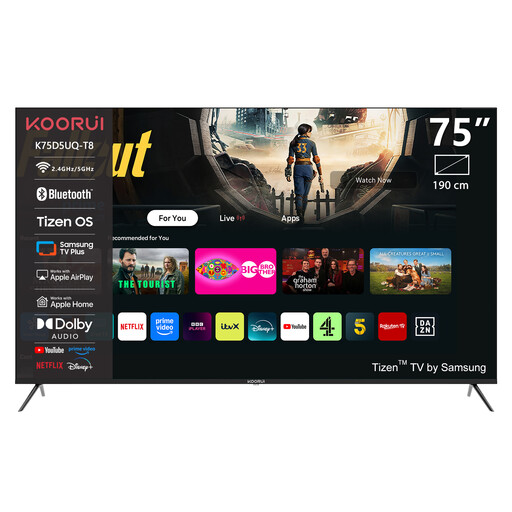
KOORUI K75D5UQ-T8 75-inch 4K UHD QLED Smart TV
The 75-inch diagonal gives you a starting point for comparing the distance between your seat and the screen.
The product name lists 4K UHD, QLED and Tizen OS.
Also listed: Dolby Audio and a bezel-less design.
View on Joybuy
 No image available
KOORUI K65N3UQ-T8 65-inch 4K UHD QLED Smart TV
The 65-inch diagonal gives you a specific size to compare with your viewing distance.
The product name lists 4K UHD, QLED and Tizen OS.
Also listed: Dolby Audio and a bezel-less design.
View on Joybuy
 No image available
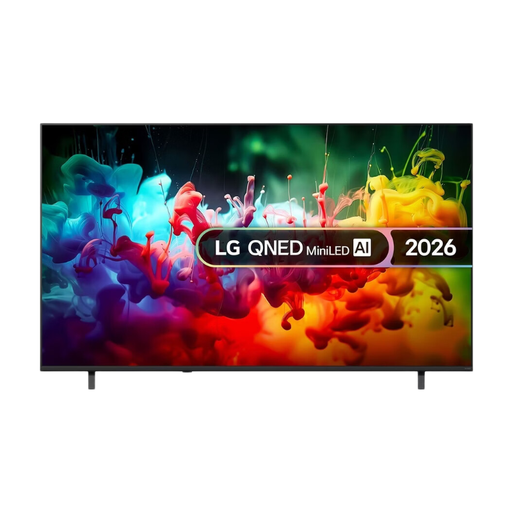
LG QNED70 75-inch QNED Mini LED 4K Smart TV (2026)
The 75-inch diagonal gives you a starting point to compare with your measured viewing distance.
The product name lists QNED, Mini LED, 4K and Smart TV.
View on Joybuy
 No image available
TCL 65T8D 65-inch QLED QD-Mini LED TV
The 65-inch diagonal is a specific size to compare with your measured viewing distance.
The product name lists QLED, QD-Mini LED, 4K HDR and 144 Hz VRR.
Also listed: Google TV, Dolby Vision, HDR10+, Dolby Atmos and Onkyo 2.1 Sound.
View on Joybuy
Frequently asked questions
Which size should I choose if the sofa is far from the TV?
Measure from your eyes to where the screen will go, then compare screen sizes that suit that distance. The Consumentenbond suggests that a viewing distance of around 2.4 times the screen’s diagonal is comfortable for many people. Treat this as a starting point, not a fixed rule for every viewer.
Do I need a 120 or 144 Hz TV for dance competitions?
No. A higher refresh rate alone doesn’t guarantee flawless picture quality. Picture processing can make motion look smoother, but generated frames may introduce artefacts during fast, unpredictable movements. So compare moving images on the specific TV too.
What should I check before installing the TV?
As well as the screen diagonal, check the full width and height of the space where you plan to put it, including the stand if you’ll be using one. Once the TV is installed, go through the picture settings; some TVs offer a setup wizard for this.
Can I return a TV bought online if I’m not happy with the size?
For a standard online purchase of a new TV, ACM ConsuWijzer says you generally have a statutory cooling-off period of up to 14 days after delivery, subject to possible legal exceptions. Before ordering, also check the terms of any additional returns services.
Does a manufacturer’s warranty replace the statutory guarantee in the Netherlands?
No. A manufacturer’s or seller’s warranty doesn’t replace your statutory guarantee. ACM ConsuWijzer explains that the seller is responsible for providing an appropriate solution if a product used normally doesn’t do what you could reasonably expect. There is no single fixed statutory guarantee period that applies to every TV.


