
Viewers on a side sofa
You often watch from well off-centre and want costumes, skin tones and the background to remain clear from your seat. The Consumers’ Association highlights viewing angle as an important factor for a wide seating arrangement.


If you’re watching a dance competition from a side seat, OLED is usually a sensible technology to compare first: the Consumers’ Association generally describes OLED TVs as having a wider viewing angle. An LCD TV with an IPS panel may also be worth considering, while VA typically offers greater contrast but a less reliable viewing angle. Also assess the exact model for motion handling and reflections from your seat.
You often watch from well off-centre and want costumes, skin tones and the background to remain clear from your seat. The Consumers’ Association highlights viewing angle as an important factor for a wide seating arrangement.
You want to follow the dance moves without blur or screen reflections getting in the way. Check the motion on the exact model, from the seat you use at home.
You watch during the day or with the lights on, and want to weigh up reflections against viewing angle and contrast. The Consumers’ Association and RTINGS cover these as important considerations when choosing a television.
Start by checking picture quality from your usual side seat. Then compare how the TV handles fast motion and room lighting, and whether the screen size suits the viewing distance in your living room.
| What to consider | What should you check? | Who does this matter most to? |
|---|---|---|
| Picture from a side seat | Check the panel type and look up independent viewing-angle data for the exact model. Also assess the picture from your seat. | If I often sit away from the centre, I want to keep seeing colours and details clearly. Consumers who prioritise viewing angle are around 36% of consumers in this viewing context. |
| Fast dance moves | Watch a similar dance or sports broadcast on the TV. Don’t treat a stated refresh rate as proof of smooth motion on its own. | I want to follow fast choreography without distracting blur. Around 29% of consumers give fast-motion performance the highest priority. |
| Reflections and room lighting | Look out for windows and lamps opposite the screen, and compare how the exact model handles reflections in similar lighting conditions. | In daylight or with the lights on, I want to see the picture without distracting reflections. Consumers who put glare from room lighting first are around 21% of consumers in this viewing context. |
| Screen size and viewing distance | Measure the distance from your side seat and compare screen sizes that suit your room and budget. A larger screen does not, by itself, improve the viewing angle. | I want a size that suits my viewing distance and budget. Around 14% of consumers give this combination top priority. |
A picture that looks good from directly in front of the screen may look different from a side seat.
Check the exact model from the seat where you plan to watch the competition.
These labels alone don’t tell you which LCD panel the model uses or how well the picture performs from your viewing angle.
Check the panel type and, where available, look for a viewing-angle measurement for the specific model.
Screen size doesn’t change the panel’s viewing-angle performance. A larger screen also needs to suit your viewing distance.
Measure the distance from your seat, then assess the picture separately from that position.
LG OLED models, including the C5, are worth considering if you have a wide seating arrangement.
The S95H OLED series is worth comparing if you’ll be watching from a side seat in a bright room.
The OLED Ambilight range, including the 55OLED850/12, offers an OLED option to compare if you’re also interested in Ambilight.
The BRAVIA 8 II is a QD-OLED range to compare if you’re weighing up Sony’s picture and sound approach as well as viewing angle.
These Joybuy TVs include OLED and LCD options to compare for a side seat. Check how each model handles motion and reflections too.
 No image available
OLED is a panel technology worth comparing if you often watch from an angle; the Consumers’ Association generally describes OLED TVs as having a wider viewing angle.
55 inches, 4K and a native refresh rate of 120 Hz. The product description mentions a ‘Reflection Free Premium’ screen. This G68 version doesn’t include a table-top stand; the product information lists an integrated wall mount.
 No image available
This QD-OLED TV is worth assessing from a side seat; check the picture on the exact version in your room.
55 inches. The product information lists a refresh rate of 100 Hz and an anti-reflection screen.
 No image available
OLED is a relevant technology to compare if you watch from an angle; check the picture quality of this version from your usual seat.
55 inches, 4K and a native refresh rate of 120 Hz. VRR up to 165 Hz is listed for compatible gaming content.
 No image available
This OLED TV is worth including in a comparison for off-centre viewing; check the picture from your seating position.
55 inches and 4K.
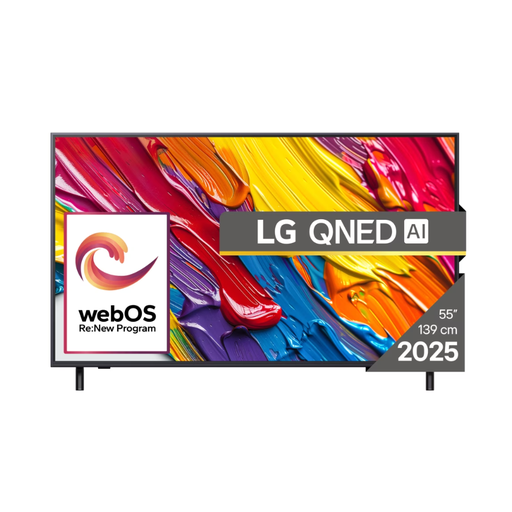 No image available
Compare this LCD TV from your side seat; the product information doesn’t list a viewing-angle measurement for this model.
55 inches, 4K and a refresh rate of 50 Hz. The product information warns that this model may not work with Dutch or Belgian digital cable networks, and that its smart TV services may be intended for the market in its country of origin. Check that it’s suitable for how you plan to use it.
No. Those labels don’t tell you which LCD panel the exact model uses or how wide its viewing angle is. Check the panel type and, where possible, look up viewing-angle data for that specific TV. Also try the picture from your seat.
Measure the distance from your seat to the screen and compare sizes that suit that distance. Based on its own research, the Consumers’ Association suggests that a viewing distance of around 2.4 times the screen’s diagonal is comfortable. Use this as a guide, not a rule.
Watch a similar broadcast on the exact model and look for motion blur from your seat. An advertised refresh rate doesn’t, on its own, prove that the broadcast will look smooth to you.
Follow the screen-care instructions for your chosen model. LG says Pixel Cleaning on its OLED evo models is designed to reduce image retention and the risk of burn-in; this doesn’t guarantee that the risk will disappear.