
Side-seat viewer
You often watch the race from an angle on the sofa and want colours and brightness to remain clear from where you sit. The Consumentenbond lists a wide viewing angle as a plus when several people watch sport together.


When choosing a TV for watching cycling from a side seat, focus on how the picture looks from that angle; a high stated refresh rate alone won’t tell you that. OLED is one option for a wide viewing angle, but compare reflections and brightness in daylight too. For each exact model, also assess motion handling, viewing distance and the picture quality of the broadcast you want to watch.
You often watch the race from an angle on the sofa and want colours and brightness to remain clear from where you sit. The Consumentenbond lists a wide viewing angle as a plus when several people watch sport together.
You watch stages during the day in a room with windows, so you want to assess reflections and brightness as well as the viewing angle.
You pay attention to the riders, camera movements and readable race information during fast-moving scenes. RTINGS explains that response time can affect motion blur.
Compare the picture from where you’ll actually be sitting, and weigh up viewing angle, daylight, motion handling and screen size for your room.
| What to consider | What should you check? | Who is this most important to? |
|---|---|---|
| Picture from the side | Look for a test of the exact model’s horizontal viewing angle, or assess the screen from a similar seating position. RTINGS compares how well TVs retain picture accuracy when viewed from an angle. | When I sit at an angle on the sofa, I want colours and brightness to remain recognisable. Around 36% of consumers give picture quality from the side their top priority. |
| Daylight and reflections | Compare reviews of the exact model’s reflection handling and brightness in a bright room. The Consumentenbond lists these as points to consider when choosing a TV. | When daylight from the windows falls on the screen, I want to keep following the race clearly. Around 29% of consumers give visibility in daylight their top priority. |
| Fast movement | Check tests of response time and motion handling with video footage; don’t rely on the stated Hz figure alone. RTINGS explains how response time can be linked to motion blur. | When I’m following fast-paced racing, I want to see the riders and camera movements clearly. Around 21% of consumers give motion handling their top priority. |
| Screen size and viewing distance | Measure the distance from your side seat to the planned position of the TV, then compare suitable screen sizes. | Whether my sofa is close to the TV or further away, I want a screen size that suits the setup. Around 14% of consumers give screen size and viewing distance their top priority. |
A TV that looks good head-on may lose picture accuracy when viewed from an angle.
Assess the horizontal viewing angle from a position similar to your side seat; RTINGS compares viewing angles by model.
Panel type, viewing angle, reflections and motion handling are separate characteristics. A high stated refresh rate on its own won’t tell you what a cycling broadcast will look like.
Compare the exact model on the features that matter for your setup, including viewing angle and motion handling.
A screen with 4K resolution won’t automatically deliver a broadcast with the same picture quality.
Check the picture quality offered by the provider of the broadcast you want to watch.
Matching VESA hole spacing doesn’t guarantee that all the mounting details for the TV and bracket will line up. Sony makes this clear for BRAVIA models.
Check the instructions for the exact TV and bracket before you try to swivel the screen.
You may need to buy a suitable bracket or arrange mounting separately.
The S95H OLED range available in the Netherlands is worth comparing if both a side seat and a bright room are considerations.
The OLED evo C6 range available in the Netherlands is an OLED option to include when comparing TVs for angled seating positions.
The BRAVIA 8 II is a QD-OLED alternative to consider alongside other OLED models.
According to Philips, the 55OLED811/12 combines OLED with Ambilight, which may be relevant if lighting around the screen matters too.
The 55C7K listed in the Netherlands is a QD-Mini LED LCD option to compare, for example if your room gets a lot of daylight.
These models give you options for comparing OLED and QD-Mini LED TVs for watching cycling from a side seat. Check the viewing angle for each exact model, and assess reflections and brightness in daylight too.
 No image available
An OLED option to compare if you often sit at an angle to the screen. The Consumentenbond notes that OLED TVs generally have a wider viewing angle, but check the performance of this exact model.
55 inch; 4K; native 120 Hz; VRR up to 165 Hz.
 No image available
An OLED model to compare with other options for a side seat; general OLED characteristics don’t tell you how this exact model performs.
55 inch; OLED; 4K.
 No image available
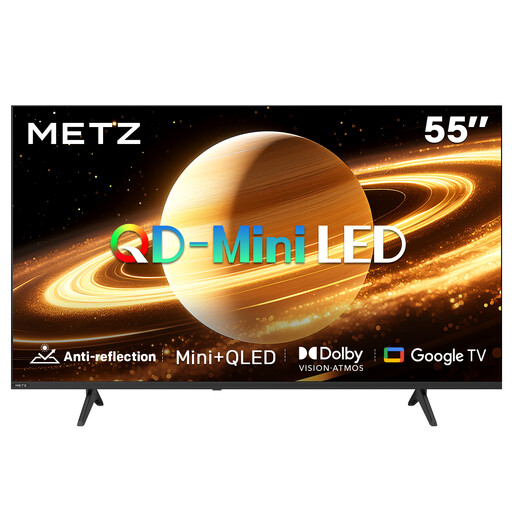
A QD-Mini LED model to compare if you also want to assess its stated sports and motion features; check the viewing angle from your seat separately.
55 inch; 4K; stated refresh rate of 144 Hz; Sports Mode; MEMC.
 No image available
If the matte screen appeals for your room, also check how this model handles reflections and how it looks from your seat.
55 inch; matte screen; stated refresh rate of 60 Hz.
 No image available
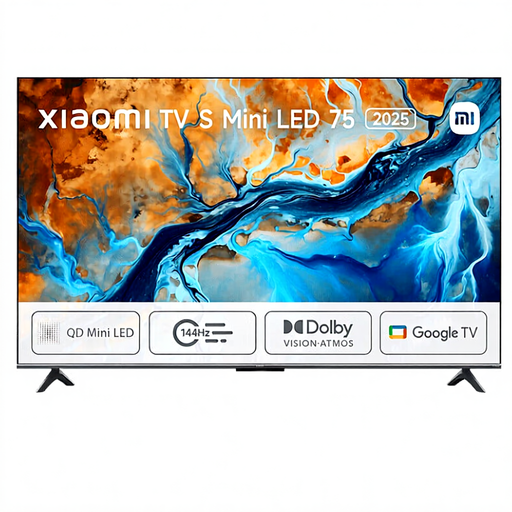
A 75-inch option to compare if you’re considering a large screen; measure the viewing distance from your side seat and check how the model looks from that angle.
75 inch; Mini LED; 4K; HDR; stated refresh rate of 144 Hz.
No. Also assess the exact model’s motion handling with video footage. RTINGS describes response time as one factor in motion blur; a high stated Hz figure alone doesn’t prove that race footage will look sharper.
Measure from that seat to the planned position of the screen, then compare suitable sizes. The Consumentenbond suggests a distance of around 2.4 times the screen’s diagonal based on its own research; use this as a starting point, not a required size.
Only if the bracket is compatible with the exact TV. Check the model-specific mounting instructions: Sony warns that matching VESA hole spacing on some BRAVIA models doesn’t guarantee that all other mounting details will line up.
Compare the EU energy label and EPREL data for the exact models and screen sizes. The European Commission sets out energy label classes A to G for electronic displays; check the information for HDR viewing too.
According to ACM ConsuWijzer, online purchases generally come with a cooling-off period of up to 14 days after delivery, although exceptions apply. You’re also entitled to a legal guarantee if the product doesn’t perform as you could reasonably expect under normal use; there isn’t a fixed two-year period for every TV.