
Daytime viewer with lots of natural light
You watch when daylight from the windows falls on or around the screen, so visibility and reflections matter more to you than extra picture features.


Start by checking the brightness and reflection handling of the exact TV model. A high refresh rate on the spec sheet alone doesn’t prove that fast-moving cricket will look sharp. RTINGS says mini-LED is often a sensible choice for bright rooms, while an OLED with suitable brightness and reflection handling could be worth considering if you also watch from different seats. Also assess sports footage using your intended viewing source, and measure your viewing distance.
You watch when daylight from the windows falls on or around the screen, so visibility and reflections matter more to you than extra picture features.
You’re most interested in fast-moving balls and camera pans, and want to assess motion settings without distracting picture flaws.
You watch from different spots in the living room and want to consider how the picture looks from the side, as well as the distance from the screen.
First compare how the exact model handles daylight and reflections, then assess motion and viewing angles, and finally check the viewing source and energy label. RTINGS highlights brightness and reflection handling for bright rooms; the Consumentenbond also points to viewing angles and connections.
| What to consider | What to look for when buying | Who is this important for? |
|---|---|---|
| Visibility and reflections | Compare both the brightness and reflection handling of the exact model; view the screen in lighting similar to your living room. | If I watch during the day and can see windows reflected in or around the screen, I want to follow the match without reflections getting in the way. Around 36% of consumers say daytime visibility is their main concern. |
| Motion handling | Assess fast-moving balls and camera pans using a similar viewing source; try motion interpolation and look out for possible picture flaws. | If I want to keep track of the ball and fast camera pans, I want to be able to compare the motion settings. Around 29% of consumers prioritise motion in sport. |
| Viewing angle and screen size | View the exact model from the seats furthest to the side, and measure the distance from your seat to the screen at home. | If we watch from several spots, I want to know how the picture looks from the side and what screen size suits our viewing distance. Around 21% of consumers prioritise watching together. |
| Running costs and match access | Check the app, connection or receiver you’ll need to watch your match, and compare the energy labels of the models you’re considering. | I want to know in advance whether my chosen source can show the match on the TV and what running costs I should factor in. Around 14% of consumers put access and running costs first. |
The screen technology or stated brightness doesn’t tell you how a particular model handles windows, reflections and different seating positions.
Compare independent measurements of the exact model and assess reflections from the places where you’ll be watching.
The broadcast source and motion processing also play a part. RTINGS says motion interpolation can cause artefacts, even when it makes movement appear smoother.
Test sports footage using your intended source and compare the motion settings for visible flaws.
A TV doesn’t guarantee that your match will be available through your preferred service or connection.
Check the match and the app you’ll need in advance, and see whether you’ll need an external receiver.
A viewing subscription or external receiver may involve extra running or installation costs, depending on the service and equipment you choose.
The S95H range available in the Netherlands is an OLED option to consider if reflection handling and wide viewing angles matter to you.
The BRAVIA 7 K-65XR70 is a 65-inch mini-LED alternative to compare for its screen technology and handling of sports motion.
The 65C7K available in the Netherlands is a QD mini-LED option to compare for its screen technology and size.
According to Philips, the 65MLED910/12 combines QD mini-LED with Ambilight, making it worth considering if ambient lighting matters to you too.
According to LG, its range in the Netherlands includes both QNED mini-LED models and OLED TVs, so you can compare both screen technologies.
These TV options at Joybuy include QD mini-LED, QLED and OLED models for watching a cricket match in a bright living room. Compare the screen technology and listed specifications with your viewing distance, light levels and preferred viewing source.
 Image unavailable
An option to compare if you’re considering a QD mini-LED TV for a bright living room.
The product name lists a 50-inch screen, 4K HDR, 1000 nits and 144 Hz. The stated refresh rate alone doesn’t prove better performance for sport.
 Image unavailable
This model could suit a viewing setup where you’re considering an 86-inch TV. First measure your viewing distance and check the viewing angle from your seats.
The product name lists 4K, 144 Hz, HDR10+ and Dolby Vision Atmos. The refresh rate alone doesn’t tell you how sports footage will look through your source.
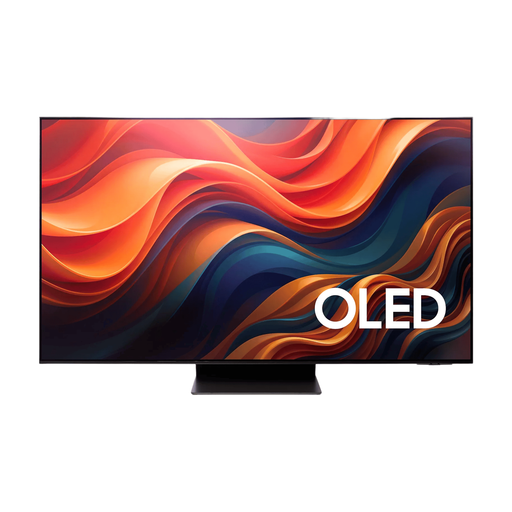 Image unavailable
An OLED option to compare if you watch in daylight as well as from different seating positions.
Samsung lists Glare Free for the S95H range in the Netherlands; check the reflection handling of the version you’re considering. RTINGS notes that OLED screens can be susceptible to burn-in from static images displayed for long periods.
 Image unavailable
A 43-inch option to compare if you have a more compact viewing setup; check that this size suits your viewing distance.
The product description lists 4K and a native refresh rate of 144 Hz. This specification isn’t an independent assessment of sports motion.
 Image unavailable
A QD mini-LED option to compare if you want to weigh the screen size against your viewing distance for a bright living room.
The product name lists 55 inches, 4K HDR10+, 144 Hz, VRR, MEMC and Sports Mode. Compare motion handling using your intended viewing source; these listed features aren’t test results.
No. A stated refresh rate alone doesn’t prove better performance for sport. Assess moving footage using your own viewing source; interpolation can make movement look smoother, but it can also cause artefacts.
Measure the distance from your usual seat and view the screen from the seats furthest to the side too. The Consumentenbond suggests about 2.4 times the screen’s diagonal as a research-based starting point for a comfortable viewing distance, not a fixed rule. Also check for reflections from windows from these seats.
Start with the picture as it comes from your viewing source, then try a low motion interpolation setting if movement bothers you. Compare whether you can follow the ball more easily without visible picture flaws; preferences for extra smoothness vary from viewer to viewer.
Check the energy label and any costs for the viewing service, installation or equipment you’ll need. The Dutch government states that, in many cases, distance purchases come with a 14-day cooling-off period. Your legal rights if a product is faulty are separate from any additional warranty offered.
Yes. The Dutch government lists TVs among the products that must have an energy label, which provides information about energy consumption. Compare the labels of the models you’re considering, but don’t use them as the sole reason to rule out a screen technology.