For concert films in a small seating area, start by considering your viewing distance and the space available for the TV. The Dutch Consumers’ Association suggests using around 2.4 times the screen diagonal as a starting point for viewing distance, rather than a fixed rule. Then compare the sound and connections for an audio system, and assess reflections and viewing angles in your own room.
Who is this choice for?
Viewer with limited space for a screen
You want the TV to fit the space available and be comfortable to watch from your usual seat. Start by measuring the distance from your eyes to the screen and checking the TV’s external dimensions. The Dutch Consumers’ Association discusses viewing distance as a starting point when choosing a screen size.
Music lover who cares about sound
You mainly watch concert films for the music, so you compare the TV’s sound and whether you can connect an audio system. The Dutch Consumers’ Association covers both TV sound and HDMI connections as part of this decision.
Film fan watching in different lighting
You watch concert scenes in a dark room as well as in daylight, or sometimes sit to the side of the TV. Compare contrast, reflections and the picture from a side seat separately. The Dutch Consumers’ Association discusses screen technology, while RTINGS.com covers viewing angles.
What should you look for?
First, measure your viewing distance and the space available. Use the ratio of around 2.4 times the screen diagonal suggested by the Dutch Consumers’ Association as a starting point, and also check the TV’s actual dimensions.
| What to consider |
What should you check? |
Who should pay particular attention? |
| Screen size and viewing distance |
Measure the distance from your seat and the TV’s external dimensions, including the stand. Compare the energy label in kWh per 1,000 hours across suitable screen sizes. |
If space is limited, I want the TV to fit and be comfortable to watch from my seat. Around 36% of consumers prioritise screen size and viewing distance. |
| Music playback and connections |
Compare sound ratings for the exact model. Check for HDMI-ARC or eARC on both the TV and the audio system. |
If the music in concert films matters most to me, I want to know how the TV sounds and whether I can connect an audio system. Around 29% of consumers say sound is their main consideration. |
| Dark scenes and side seats |
Compare the contrast and viewing angle of the specific model; consider OLED burn-in as a usage-related factor. |
If I watch dark concert footage or sit to the side, I want to assess the picture from my own viewing position. Around 21% of consumers focus mainly on dark scenes and seating positions. |
| Daylight, reflections and energy use |
Assess reflections based on the position of your windows and compare energy use in kWh per 1,000 hours. |
If I watch during the day and also consider energy use, I want to compare both factors in my own situation. Around 14% of consumers prioritise daylight and energy use. |
Common buying mistakes
-
Choosing a large screen without measuring from your seat
Your viewing distance and the space available both help determine whether a screen size will suit your room. The Dutch Consumers’ Association suggests using around 2.4 times the screen diagonal as a starting point for viewing distance.
Measure the distance from your usual seat and the space available for the TV. Then compare the actual external dimensions and stands of the models you’re considering.
-
Taking promotional claims about sound as proof of great concert bass
A description such as ‘immersive sound’ doesn’t, on its own, tell you how a specific model sounds. RTINGS.com notes that most TVs produce little deep bass.
Look for a sound rating for the exact model. If you want to connect an audio system, check that both devices support HDMI-ARC or eARC.
-
Assuming a screen technology guarantees a good picture from every seat
Viewing angles vary between LCD panels, while reflections also depend on your setup. The name of a technology alone won’t tell you what the picture will look like from your seat.
Assess the specific model from the seat furthest to the side and in the lighting conditions you usually watch in.
Brands to compare
LG
LG describes the OLED48G69LS as a 48-inch OLED model for anyone looking to compare this screen size and technology.
- LG’s model specifications confirm that it is a 48-inch OLED TV.
- The screen technology doesn’t prove how well the model reproduces concert music. Compare the sound, dimensions and performance in your room separately.
Philips
According to Philips, the 48OLED810/12 combines a 48-inch OLED screen with Ambilight.
- Ambilight is a model-specific extra for anyone who wants ambient lighting.
- The description of immersive picture and sound comes from Philips and isn’t an independent assessment of the sound.
Samsung
The QE43QN90FATXXN is a 43-inch LCD model with a mini-LED backlight, making it one to compare with 48-inch models.
- The model specifications identify the screen size and mini-LED backlight.
- These specifications don’t, on their own, tell you how the model will perform with your window position or from a side seat.
Sony
The Sony XR-48A90K is a documented 48-inch OLED option with eARC in its model specifications.
- The stated OLED technology and eARC are relevant features to compare with your needs and audio system.
- Model information doesn’t tell you whether a particular version is currently available from a retailer; check before you buy.
TVs at Joybuy
The TVs below have screen diagonals ranging from 32 to 43 inches. Compare their actual external dimensions and viewing distance with the space available to you.
 Image unavailable
Hisense 43A6S 43-inch 4K UHD Smart TV
The 43-inch screen diagonal is one size to compare with your viewing distance and the space available.
4K UHD, 60 Hz, Dolby Vision, VIDAA and Game Mode Plus.
Joybuy
 Image unavailable
METZ 43MQF7500Z 43-inch QLED 4K UHD TV
The 43-inch screen diagonal is an option to weigh up against your viewing distance and the dimensions of the space available.
QLED, 4K UHD, Google TV, HDR10+, Dolby Vision, Dolby Atmos and HDMI 2.1.
Joybuy
 Image unavailable
Hisense 43E7S 43-inch QLED 4K UHD Smart TV
The 43-inch screen diagonal is one size to compare with your viewing distance and the space where you plan to put the TV.
QLED, 4K UHD, HDR10+, VIDAA, 3x HDMI 2.1, Wi-Fi and energy class E.
Joybuy
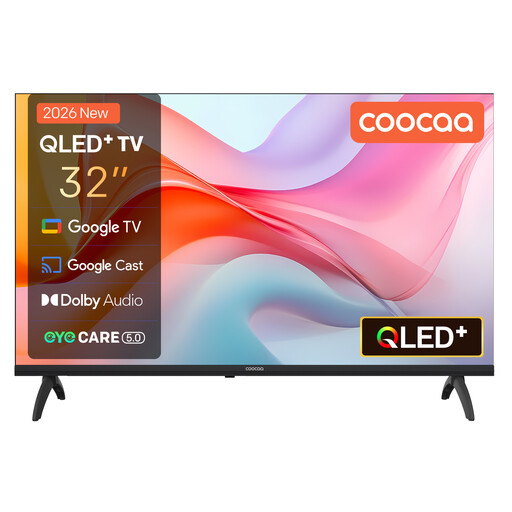 Image unavailable
Coocaa 32CGQG41Z 32-inch QLED Smart TV
The 32-inch screen diagonal is a more compact option to compare with your viewing distance and the space available.
Google TV, HDR10 and Dolby Audio.
Joybuy
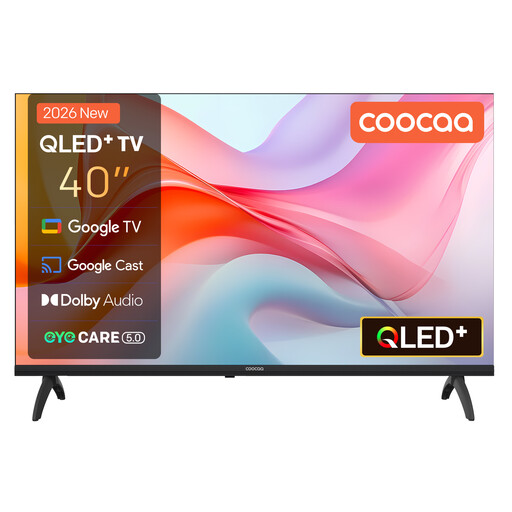 Image unavailable
Coocaa 40CGQG41Z 40-inch QLED Smart TV
The 40-inch screen diagonal is one size to weigh up against the space available and your distance from the screen.
FHD, Google TV, HDR10 and Dolby Audio.
Joybuy
Frequently asked questions
How do I choose a screen size without overestimating what will fit in my small seating area?
Measure from your eyes in your usual seat to where the screen will go. The Dutch Consumers’ Association suggests using around 2.4 times the screen diagonal as a starting point. Also check the chosen model’s actual width and stand.
How do I connect an audio system for concert films?
Check which HDMI port on the TV is labelled ARC or eARC, and whether the audio system you have in mind supports that connection. A TV specification alone can’t confirm compatibility with an audio system you haven’t chosen yet.
What should I bear in mind when using an OLED TV?
Avoid displaying the same static elements for long periods and follow the model’s instructions. The Dutch Consumers’ Association highlights burn-in from static images as something to consider; that doesn’t mean every OLED TV will suffer burn-in during normal film viewing.
Can I return a TV bought online if I’m not happy with the screen size?
For a standard online purchase of a new TV, ACM ConsuWijzer says you generally have a statutory 14-day cooling-off period after delivery. Check the retailer’s information and terms; the cooling-off period is different from a warranty claim for a fault.
How do I compare TVs’ energy use?
Compare the energy label’s consumption in kWh per 1,000 hours for models with a screen size and features that suit your needs. This keeps the comparison in the same units.


