Who is this choice relevant to?

Viewers with a narrow shelf

You want to show the film without having to make room elsewhere for the TV. The overall dimensions including the stand, stability and viewing distance will determine whether a compact set is suitable. The Consumers’ Association advises checking the TV’s width and height when fitting it into a piece of furniture.

Group screening organisers

You want people sitting in different places to be able to see the picture, and the film to start without playback problems. The Consumers’ Association covers connecting via HDMI and streaming to a TV, among other options; check which method works with your file and chosen model.

Viewers hosting a screening in the garden

You want to use the screen outdoors, so you’ll need to think about positioning, moisture and electrical connections differently from a TV kept indoors and dry. Electrical Safety First and RoSPA recommend using extension leads, cables and connectors that are suitable for outdoor use.

What should you look for when choosing?

Compact indoor TV on the shelf

Choose this option: if the TV will be kept indoors and dry, its dimensions including the stand fit, and viewers will be sitting close enough.

Bear in mind: a smaller screen may be less suitable for people further back in the group; the shelf must be stable and allow enough ventilation.

Larger TV in a different spot

Choose this option: if viewers will be sitting further away and there’s a suitable, stable place beyond the limited shelf space. The Consumers’ Association recommends using viewing distance as a starting point when choosing a screen size.

Bear in mind: a larger screen needs more room and won’t solve the lack of shelf space.

TV designed for outdoor use

Choose this option: only if the TV will be outdoors and the specifications for the exact model suit the conditions you expect.

Bear in mind: weather resistance doesn’t replace a safe, suitable power supply. Samsung describes The Terrace as a separate outdoor range, not a feature of every compact model.

What to consider What should you look for? Who should consider this?
Fitting it securely and stably Measure the shelf’s width, depth and clearance above it. Compare these with the dimensions of the exact TV, including its stand, and follow the ventilation instructions. If my shelf has limited space, I want to know whether the TV will fit securely with its stand; around 33% of consumers give fitting and positioning it safely their highest priority.
Visibility for the group Measure the distance to the furthest viewing spot and compare screen sizes. The Consumers’ Association suggests around 2.4 times the screen diagonal as a comfortable starting point, not a guarantee for every viewing position. For a group with viewers sitting at different distances, I want to choose a screen that works from the furthest spot; around 27% of consumers put visibility for the group first.
Playing the film and hearing the dialogue Test your own file beforehand using the intended playback method. If using a laptop, check the HDMI connection; for direct playback, check that the exact model supports the file. If the community garden film needs to start without a hitch and be easy to hear, I want to test the picture and sound beforehand; around 20% of consumers make playback and dialogue their top priority.
Suitability for the screening location Check the instructions for the exact model. Keep electrical equipment dry and, outdoors, use only cables and connections that are suitable for outdoor use, as advised by Electrical Safety First and RoSPA. If the TV will actually be outdoors, I want to know whether the set and power supply are suitable for the location; around 20% of consumers prioritise suitability for outdoor placement.

Common buying mistakes

  • Comparing only the screen diagonal with the shelf

    The diagonal doesn’t tell you the width of the complete set or how much space the stand takes up. So a TV that seems small enough on paper may still not sit securely on the shelf.

    Measure the available width, depth and height, then compare them with the dimensions including the stand. Also check the model’s positioning and ventilation instructions.

    You may need a different set-up or a suitable mount.

  • Assuming a smart TV will play your film file

    The apps available and support for a local video file aren’t the same thing. The playback method you choose also needs to work with the TV’s connections.

    Test your file beforehand. Check whether the model supports the USB playback you want, or connect a laptop via HDMI.

    Your chosen playback method may require a separate player, laptop or suitable cable.

  • Treating a compact indoor TV as a garden TV

    A small size or portable set-up doesn’t mean a TV can withstand moisture. Electrical Safety First advises placing TVs on a flat, stable surface, away from moisture and heat.

    First decide where the TV will go, then follow the instructions for the exact model. Use cables and connectors suitable for outdoor use.

    Outdoor placement may require equipment and a power supply that are suitable for outdoor use.

  • Assuming a private community garden screening is the same as watching at home

    A group screening doesn’t automatically fall under the exception for private, domestic use. The rules may also apply to protected images and music in a film you’ve made yourself.

    Before the screening, check who owns the rights to the film, music and images. Auteursrecht.nl explains that permission may be needed for a private screening outside the home.

    You may need permission or a licence to use protected material.

Brands to consider

Philips

The compact models mentioned offer different resolution options: the 32PHS6000/12 is HD, while the 32PFS6900/12 is Full HD. Philips describes the 32PFS6900/12 as a compact Full HD TV with Ambilight.

  • These two models let you compare HD and Full HD versions.
  • Philips’ description of the viewing experience is a manufacturer claim. It doesn’t confirm that a model is suitable for rain or will fit on your shelf.

Samsung

The UE32F6000FUXXN is a compact Full HD TV. The Terrace is a separate product range for outdoor use.

  • The 32-inch F6000F offers a compact Full HD option for indoor use.
  • The features of The Terrace don’t automatically apply to the UE32F6000FUXXN. Check the dimensions and connections of the exact version.

LG

LG describes the 32LQ63006LA as a 32-inch Full HD smart TV with webOS.

  • This version is a compact smart TV option for indoor use.
  • The product description doesn’t confirm that the TV is weather-resistant or can play your own film directly via USB.

TVs for a compact indoor set-up

This Joybuy selection features 32-inch TVs for a compact indoor set-up. Before buying, measure the available space and check the stand dimensions, connections and playback options for your film on the exact model.

KOORUI K32Q1FFQ-T8 32-inch Full HD QLED TV

KOORUI K32Q1FFQ-T8 32-inch Full HD QLED Smart TV

The stated 32-inch size suits a compact TV set-up; check whether the full dimensions, including the stand, will fit on your shelf.

Full HD QLED and Tizen OS are listed for this model. Test whether your preferred playback method works with your film.

View at Joybuy

CHiQ L32QM10E 32-inch QLED Smart Google TV

CHiQ L32QM10E 32-inch QLED Smart Google TV

The 32-inch size is worth considering if you’re looking for a compact indoor TV; compare the actual TV and stand dimensions with your shelf.

The product description lists Full HD, HDR10 and HDMI and USB ports. Check whether the model can play your film file through your preferred connection.

View at Joybuy
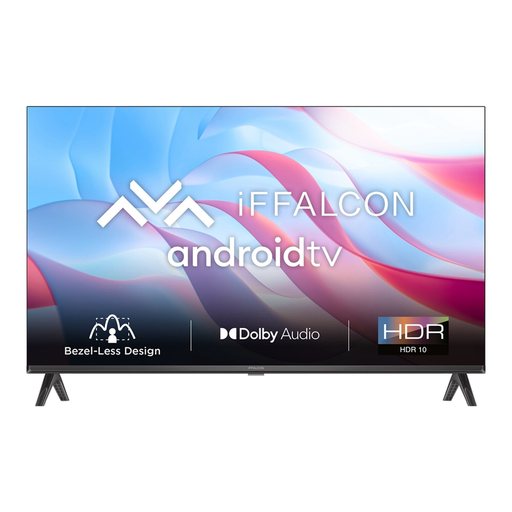
iFFALCON 32S53 32-inch LED Smart TV

iFFALCON 32S53 32-inch LED Smart TV

This model is listed as a 32-inch TV for a compact indoor set-up; check the stand dimensions and viewing distance before choosing.

The product description mentions an HD screen, Android TV and HDMI connections. Test the film beforehand using your chosen connection.

View at Joybuy
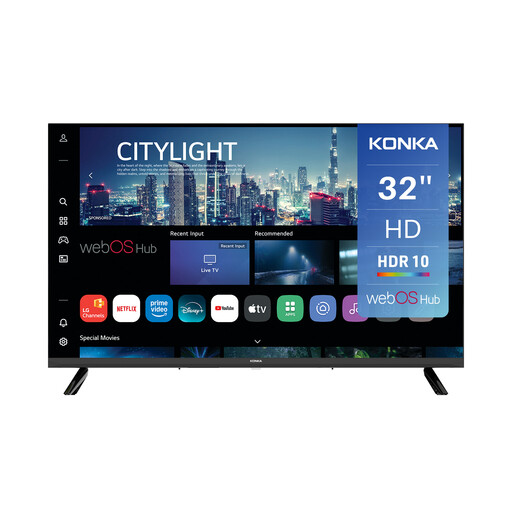
Konka KDG32YR682ANTS 32-inch Smart TV

Konka KDG32YR682ANTS 32-inch Smart TV

The stated 32-inch size suits a compact set-up, but it doesn’t tell you whether the TV will fit on your shelf with the stand attached.

The title lists 720p HD. The product description mentions webOS, three HDMI ports and two USB ports; check that your file is supported.

View at Joybuy
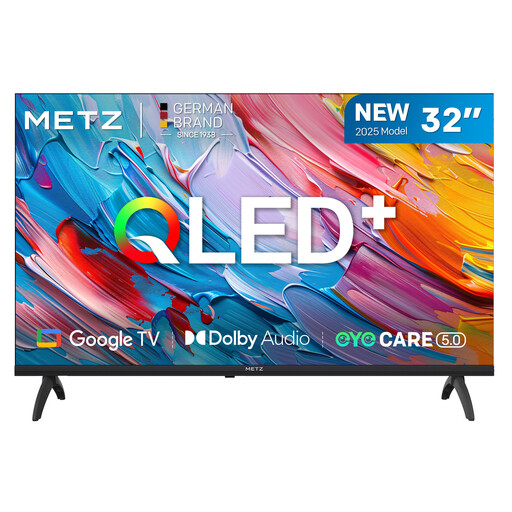
METZ 32MQF7000Z 32-inch QLED HD Google TV

METZ 32MQF7000Z 32-inch QLED HD Google TV

The 32-inch size is worth considering if you’re looking for a compact indoor TV; measure the shelf and space for the stand separately.

The product description lists QLED, HD, HDR10 and Google TV, as well as HDMI and USB ports. Check which connection your film needs.

View at Joybuy

Frequently asked questions

How do I check whether a TV will fit on the shelf?

Measure the available width, depth and height, then compare them with the dimensions of the exact TV, including the stand. Also check that it will be stable and that there’s enough clearance for ventilation.

Can I play my film directly from a USB stick?

That depends on whether the chosen model supports the file format. Connecting a laptop via HDMI is another option; test the picture and sound with your own file beforehand.

Can I leave an ordinary compact TV outside during the screening?

Don’t assume a TV is weather-resistant just because it’s compact or can be moved. Check the instructions for the exact model, keep electrical equipment dry, and use cables and connections suitable for outdoor use.

What can I do if the TV develops a fault too soon during normal use?

For a consumer purchase in the Netherlands, there’s a legal guarantee with no fixed statutory end date, according to the Dutch government. What you could reasonably expect from the product is taken into account; contact the seller if there’s a fault. A manufacturer’s warranty doesn’t replace your statutory rights.

Can I show a film with protected images or music to the community garden group?

A group screening doesn’t automatically fall under the exception for private, domestic use. You’ll generally need permission from the rights holders to use protected material belonging to others; also check the rights to music and images in a film you’ve made yourself.
