Who is this choice relevant to?

Organiser with side seating

You show photos and text to visitors who aren’t sitting directly in front of the screen. The Dutch Consumers’ Association (Consumentenbond) highlights viewing angle and reflections as factors to consider when choosing a TV.

Presenter to a larger group

You want people at the back and sides to be able to see the images. The Consumentenbond also points to screen size and viewing distance when choosing a TV.

Digital archive manager

You want to show existing photos and videos, and may have slides that stay on screen for longer periods. LG Netherlands explains how to play files via USB and notes that a video codec can prevent playback.

What should you look for when choosing?

OLED TV

When it’s a good fit: if visitors often sit at an angle to the screen and good visibility from different seats is important. LG describes OLED as offering wide viewing angles; assess the specific model too.

Trade-off: LG says OLED is generally more expensive than LED or Mini LED. LG also warns that displaying a static image for a long time can affect picture quality.

Mini LED LCD TV

When to compare: if ambient light or displaying the same slide for a long time is a key consideration. Samsung offers Neo QLED models with Mini LED in the Netherlands.

Trade-off: the Mini LED name alone doesn’t tell you how clearly the picture can be seen from the furthest seat to the side. Check the specific model from the side seats and in the lighting conditions you expect at your event.

What to consider What should you check? Who is this important for?
Visibility from the side View photos with fine details from the furthest seats to the side, in the lighting conditions you expect at your event. If visitors will be looking at the screen from an angle, I want to know whether details will remain visible from those seats. Around 33% of consumers rank viewing angle as their top buying priority.
Readability for the group Measure the distance to the furthest seat and assess a representative small caption from there. If visitors at the back also need to see photos and text, I’ll choose the screen size and set-up to suit those seats. Around 27% of consumers prioritise readability for the whole group.
Your own archive files Test your own photos and videos; check the file format and codec if necessary. If the archive consists of existing files, I want to know in advance whether they’ll play on the TV I choose. Around 20% of consumers prioritise file compatibility.
Lighting and static images Check for reflections in the actual lighting conditions and consider how long the same slide will remain on screen. If the room is bright or a slide will stay on screen for a long time, I want to take those conditions into account when choosing a screen. Around 20% of consumers prioritise lighting and long periods with a static image.

Common pitfalls

  • Only comparing TVs from directly in front

    Assessing a TV from one seat won’t tell you whether visitors at the sides can see photos and captions.

    View representative images from the furthest seats to the side, with the lighting you’ll use during the event.

  • Assuming a USB port will play every archive file

    According to LG Netherlands, a video that uses an unsupported codec may not play, even if the USB connection works.

    Try your own photos and videos on the TV you’re considering in advance. Files that won’t play may need extra preparation.

  • Judging OLED and Mini LED by their screen technology alone

    OLED viewing angles, reflections in the room and long periods with a static image are separate factors to consider. The Mini LED label doesn’t confirm how clearly a specific TV can be seen from a side seat.

    Compare specific models from the seats where visitors will be sitting, and take the lighting and time a slide will remain on screen into account. LG warns against displaying a static image on an OLED TV for a long time.

Brands to compare

LG

LG has OLED models worth considering when visitors will be seated in different positions.

  • LG describes OLED as offering wide viewing angles.
  • LG says OLED is generally more expensive than LED or Mini LED, and warns that displaying a static image for a long time can affect picture quality.

Samsung

Samsung offers OLED and Neo QLED models with Mini LED in the Netherlands, so you can compare them side by side.

  • Samsung lists Glare Free for the QE65S90HAEXXN.
  • The manufacturer’s claim about reflections applies to that model and doesn’t prove that every Samsung model will be clearly visible from every seat.

Philips

The Philips 65OLED811/12 combines OLED with Ambilight, which may be worth considering if you want to factor the lighting effect into your viewing experience.

  • Philips lists OLED and Ambilight for this model.
  • Ambilight is no substitute for checking readability, reflections and whether your own archive files will play.

Sony

The K-65XR8M2 is an OLED model to consider if file formats and connections are important to your choice from the outset.

  • Sony lists supported media files and connection features for this specific model.
  • That model information doesn’t guarantee that every archive file will play or that the same features are available across the whole range.

TVs at Joybuy

The Joybuy range includes TVs whose product names mention OLED, Mini LED or QLED. Compare the listed screen features with your seating, room and archive files.

LG OLED65C68LA 65-inch OLED evo AI C6 4K Smart TV

LG OLED65C68LA 65-inch OLED evo AI C6 4K Smart TV

An OLED model to compare if viewers will be watching from different seats. LG describes OLED as offering wide viewing angles, but assess the TV in your own set-up.

The product name lists 65-inch, 4K, 120 Hz and VRR up to 165 Hz. LG warns that displaying a static image for a long time can affect picture quality.

View at Joybuy

LG QNED85B6B QNED evo Mini LED 4K Smart TV

LG QNED85B6B QNED evo Mini LED 4K Smart TV

A Mini LED model to compare if ambient light or displaying the same slide for a long time is a consideration. Check visibility from the furthest seats to the side.

The product name lists QNED evo, Mini LED, 4K and Smart TV.

View at Joybuy

Hisense 65A6S 65-inch 4K UHD Smart TV

Hisense 65A6S 65-inch 4K UHD Smart TV

A 65-inch 4K model to assess based on the viewing distance and seating in the room.

The product name lists HomeOS U9.5 and Dolby Vision HDR. Test your own archive files on the TV before relying on USB playback.

View at Joybuy
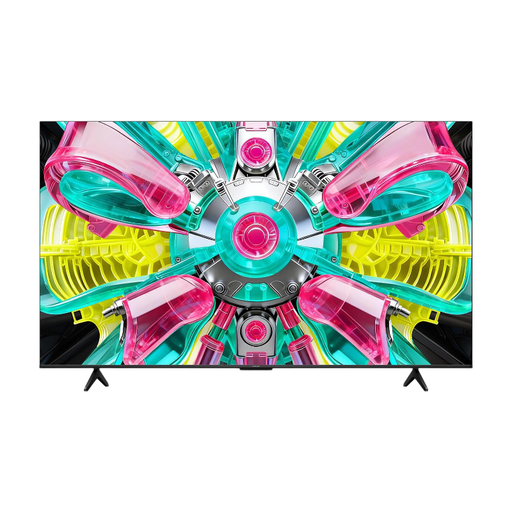
iFFALCON 65U75A 65-inch 4K QLED Smart TV

iFFALCON 65U75A 65-inch 4K QLED Smart TV

A 65-inch model to compare against your viewing distance and visitors’ seating positions; check visibility from the side in your own room.

The product name lists 4K QLED and 144 Hz.

View at Joybuy
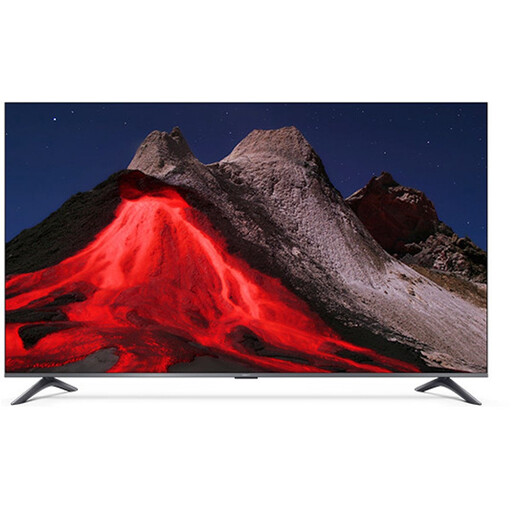
Xiaomi TV A Pro 2026 65-inch 4K QLED Google TV

Xiaomi TV A Pro 2026 65-inch 4K QLED Google TV

A 65-inch 4K model to assess for readability from the furthest seats and those at the sides.

The product name lists QLED and Google TV. Test your own archive photos and videos on the TV.

View at Joybuy

Frequently asked questions

How can I check whether old archive videos will play from USB?

Test representative files on the TV you’re considering. LG Netherlands explains how to open photos and videos from USB, and warns that an unsupported codec can prevent an individual video from playing.

What if the same archive photo stays on screen for a long time?

If you’re considering OLED, take LG’s warning about displaying static images for long periods into account. Where practical, avoid leaving a title card or slide on screen for longer than necessary; no universal safe time limit has been specified.

Can I simply show other people’s photos or films at a community event?

Don’t assume you can. According to the Dutch government, you may only use other people’s copyright-protected photos and films with the creator’s permission. Check whether you have permission or whether an exception applies to the material and event.

Do privacy rules apply if I photograph visitors during the event?

If an organisation photographs or films identifiable visitors and publishes the images, the Dutch Data Protection Authority explains that a lawful basis under the GDPR is required. This applies to that additional activity, not to buying a TV or every private archive screening.

Do I have any rights if the TV breaks, beyond the manufacturer’s warranty?

Yes. According to the Dutch government, a manufacturer’s or seller’s warranty is in addition to your statutory guarantee rights when buying as a consumer. So don’t assess an extended warranty as if it replaces your statutory rights.
