Who is this TV advice for?

People watching from different seats

If you watch together from the middle and the seats at either side, you’ll want to know whether the screen size, viewing angle and reflections work well from all those spots. The Dutch Consumers’ Association also recommends considering the viewing angle in a shared lounge.

People who want to follow the dialogue

If you want to hear jokes and conversations clearly, compare the dialogue performance of the specific TV and check which connections are available for external audio, if needed. The Dutch Consumers’ Association treats speech clarity as a separate factor to consider.

People watching older footage

If you watch a lot of classic programmes, it’s worth considering content similar to what you normally watch, rather than looking at the number of pixels alone. The Dutch Consumers’ Association warns that 4K resolution by itself doesn’t guarantee good picture quality.

What should you look for?

OLED TV

May be a good fit if: people sit in different places and you value contrast, especially in subdued lighting.

Bear in mind: check reflections, viewing angle and sound on the specific model. The panel type alone doesn’t tell you whether dialogue will be easy to hear. The Dutch Consumers’ Association points out that picture settings also make a difference.

LCD-LED, including QLED and mini-LED

May be a good fit if: you often watch in daylight or want to compare different versions. The Dutch Consumers’ Association notes that LCD TVs can be bright.

Bear in mind: viewing angles and black levels vary by model, so check the picture from the seats at either side. QLED and mini-LED are types of LCD, not separate alternatives to LCD.

What to consider What to look for Who may find this more important?
Screen size and viewing position Measure the viewing distance from the seats and check the model from an angle, too. The Dutch Consumers’ Association uses viewing distance divided by 2.4 as a starting point for the screen diagonal in centimetres. If I watch from different seats, I want the picture to look good away from the centre, too. Around 25% of consumers prioritise a good view from several seats.
Clear dialogue Listen to speech on the specific model and check the audio connection if you want to use a soundbar. The Dutch Consumers’ Association lists speech clarity as a separate factor to consider. If I want to follow jokes and conversations, I want to know how voices sound on the TV first. Around 25% of consumers prioritise clear dialogue.
Classic recordings Assess a representative recording and consider picture processing and settings, not just resolution. The Dutch Consumers’ Association emphasises that 4K alone doesn’t guarantee good picture quality. If I mainly watch older programmes, I want to know how the content I usually watch will look. Around 19% of consumers prioritise this.
Daylight and reflections Compare the screen in lighting similar to your usual viewing conditions, and check it from the side, too. The Dutch Consumers’ Association explains that LCD TVs can be bright and that viewing angles vary between models. If I usually watch during the day, I want the picture to remain easy to see in the light in my room. Around 19% of consumers prioritise visibility in daylight.
Power use and extra audio Compare EU energy labels on models of a suitable size, and listen to the built-in sound before considering extra equipment. If I’m also considering power use and possibly extra audio equipment, I want to weigh up these factors side by side. Around 12% of consumers prioritise running costs.

Common buying mistakes

  • Comparing TVs only from the seat in the middle

    In a shared lounge, the picture may look different from the seats at either side. Reflections can also vary depending on where you’re sitting.

    Check the specific TV from the seats at either end of the row and in lighting similar to what you have at home.

  • Assuming 4K guarantees a good picture from older recordings

    The Dutch Consumers’ Association warns that not every 4K TV delivers good picture quality. Resolution alone won’t tell you how a particular TV displays classic programmes.

    Assess a representative recording and consider picture processing and settings, too.

  • Assuming the panel type guarantees clear dialogue

    Speech clarity is a separate factor to assess, whether you choose OLED or LCD.

    Listen to dialogue on the specific model before deciding whether you want to use external audio.

  • Confusing the manufacturer’s warranty with your legal rights

    A manufacturer’s warranty doesn’t automatically replace your statutory protection. ACM ConsuWijzer points out that the seller is responsible if a product used normally doesn’t meet what you could reasonably expect.

    Keep your proof of purchase and contact the seller if you think a product may be faulty.

Brands to compare

LG

The LG OLED55C54LA is a 55-inch OLED model assessed for comparison, for anyone looking to compare OLED and connections for external audio.

  • The Dutch Consumers’ Association lists OLED, four HDMI inputs and HDMI-ARC/eARC for this model.
  • These specifications don’t prove that its dialogue performance or handling of reflections is better than that of other TVs. Compare these features model by model.

Samsung

The QE55QN86D is a 55-inch mini-LED LCD option assessed for comparison with OLED and other LCD models.

  • The Dutch Consumers’ Association identifies this as a mini-LED TV; Samsung calls the range Neo QLED.
  • The technology label doesn’t tell you how the viewing angle and sound will be from the seats at either side. Assess these on the specific TV.

Philips

The Philips 55OLED760/12 combines OLED with Ambilight, making it worth comparing if that’s the combination you’re interested in.

  • Philips lists Ambilight for this model.
  • Philips’ claims about immersive pictures and clear voices are manufacturer claims, not an independent comparison. Check the picture and dialogue from the seats you plan to use.

Sony

The LCD-LED models assessed include the Sony K-43XR32M2 and K-55XR32M2.

  • The Dutch Consumers’ Association listing gives you two screen sizes to compare for different viewing distances.
  • The listing alone doesn’t show a proven advantage for classic comedies. Assess the specific TV with the content you watch.

TCL

The TCL 55C69K PRO is a listed 55-inch LCD-LED option to compare with OLED and other LCD TVs.

  • The Dutch Consumers’ Association listing identifies the screen size and LCD-LED category.
  • This information doesn’t support a conclusion about this model’s viewing angle, dialogue performance or picture processing.

TVs for your viewing needs

This selection includes OLED, Nano, QNED and mini-LED TVs in a range of sizes. Compare the screen size with your viewing distance, and check the picture, sound and viewing angle in your room.

LG OLED55G68LW OLED evo AI G6 4K Smart TV

LG OLED55G68LW OLED evo AI G6 4K Smart TV

A 55-inch 4K OLED TV to compare with your viewing distance and the seating in your room.

The product information lists Dolby Vision, Filmmaker Mode, AI Super Upscaling 4K, a 40 W 2.2-channel audio system and four HDMI ports. Check the picture and dialogue with content you watch yourself.

View at Joybuy

LG 55NU800B6LA Nano 4K UHD Smart TV

LG 55NU800B6LA Nano 4K UHD Smart TV

A 55-inch 4K TV to compare with your viewing distance and the space available around your seating area.

The product information lists HDR10, HLG, Filmmaker Mode, 4K Super Upscaling, Clear Voice Pro, 20 W 2.0-channel audio and eARC. Check for yourself how dialogue and classic recordings look and sound.

View at Joybuy

LG QNED85B6B QNED Evo Mini LED 4K Smart TV

LG QNED85B6B QNED Evo Mini LED 4K Smart TV

The product information describes an 86-inch 4K mini-LED TV, so measure the available space and viewing distance before choosing this size.

It also lists Dolby Vision, 2,040 dimming zones and 4K Super Upscaling. These specifications alone don’t tell you how it will display your recordings or how well you’ll see the picture from the seats at either side.

View at Joybuy
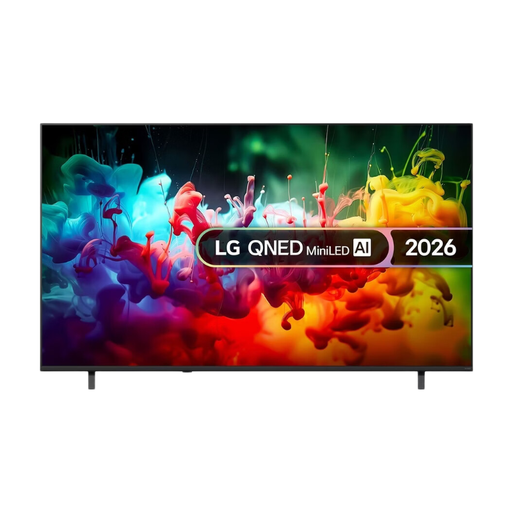
LG QNED70 75-inch 4K Mini LED Smart TV

LG QNED70 75-inch 4K Mini LED Smart TV

A 75-inch 4K mini-LED TV to compare with the distance to your seats and the space available.

The product information lists 4K Super Upscaling, Dynamic Tone Mapping and Virtual 9.1.2-channel surround sound. Compare the picture and sound on the specific TV with the content you watch.

View at Joybuy

TCL 55T8D QLED with QD-Mini LED, 4K TV

TCL 55T8D QLED with QD-Mini LED 4K TV

A 55-inch QD-Mini LED 4K TV to compare with your viewing distance and the other screen sizes in this selection.

The product information lists Dolby Vision, HDR10+, a native refresh rate of 144 Hz, Dolby Atmos audio, Google TV, and support for Google Cast and AirPlay 2. Check the picture and speech performance for yourself with the content you watch.

View at Joybuy

Frequently asked questions

How do I choose the right TV size for a shared lounge?

Measure the distance from your usual seats to the screen, then check the view from the seats at either side. The Dutch Consumers’ Association uses viewing distance divided by 2.4 as a starting point for the screen diagonal in centimetres; then compare a suitable standard screen size.

Is 4K enough for classic comedies?

No. Resolution alone doesn’t tell you how well a TV displays older footage. The Dutch Consumers’ Association warns that not every 4K TV delivers good picture quality, so if possible, assess a representative recording and the picture settings.

Do I need a soundbar for dialogue?

Not necessarily: listen to speech on the specific TV first. If you want to use external audio, check that the TV and the audio equipment you have in mind have suitable connections. According to the Dutch Consumers’ Association, the LG OLED55C54LA has HDMI-ARC/eARC.

Is OLED or LCD-LED better for a bright living room?

Compare models in lighting similar to your own room. The Dutch Consumers’ Association notes that LCD TVs can be bright, but viewing angles and reflections vary by model, so check the picture from the side, too.

What can I try if the picture looks too bright at home?

Use the home setting rather than the shop setting, and assess a familiar scene in your usual lighting. Then adjust the brightness, contrast or picture mode to suit your preference. Some picture settings affect energy use.
