Start by considering visibility around your windows and lamps: assess reflections as well as the brightness of standard SDR content. If you often watch DVDs or other older recordings, compare how well the TV processes low-resolution images too. Then choose the screen size and technology to suit your viewing distance and seating.
Who is this advice for?
Daytime viewer with lots of natural light
You watch classic comedies while light from windows or lamps can reflect on the screen. Compare reflections and the brightness of standard TV content; an HDR peak brightness figure alone does not tell you how visible SDR content will be during the day. RTINGS discusses SDR brightness specifically for use in bright living rooms.
Viewer who watches DVDs or older broadcasts
You regularly watch lower-resolution content. See how well the TV upscales and sharpens the picture, and check that you can connect your existing player to it.
Watching together from different seats
You watch from different spots on the sofa or around the room. Compare the viewing angle and screen size from the seats you actually use. The Consumentenbond lists generally wider viewing angles and deeper blacks as characteristics of OLED TVs.
What should you look for when buying?
First assess the picture around your windows and lamps, then compare how the TV handles older content. Finally, check the screen size, seating and running costs.
| What to consider |
What to look for when buying |
Who is this important for? |
| Visibility and reflections |
View SDR content in similar window and lamp lighting, and check where reflections fall from your usual seat. |
If I watch during the day, I want to follow the comedy without distracting glare; around 36% of consumers give daylight visibility their highest priority. |
| Older video sources |
If possible, compare the same older scene on the TVs you’re considering and check how your player connects. Upscaling cannot add details that aren’t in the source material. |
When watching DVDs, older broadcasts or low-resolution streams, I want to avoid a picture that looks blurry or excessively sharp; around 29% of consumers prioritise the picture quality of older sources. |
| Viewing angle and screen size |
Measure your viewing distance and assess the picture from the middle and outer seats. The Consumentenbond says participants in its research found a distance of around 2.4 times the screen diagonal comfortable; treat this as a guide, not a rule. |
If we watch from different seats, I want the picture to remain comfortable to watch from all of them and the TV to suit the room; around 21% of consumers give seating and screen size their highest priority. |
| Purchase and running costs |
Compare the energy label for the exact model and adjust the brightness at home to suit the light you usually watch in. According to Milieu Centraal, a TV uses more electricity when its screen brightness is higher. |
I want to weigh up the purchase price and energy costs, as long as the picture remains suitable for my room; around 14% of consumers put these costs first. |
Common buying mistakes
-
Choosing based only on 4K or an HDR peak brightness figure
A 4K screen won’t automatically make older source material more detailed. An HDR peak brightness figure also doesn’t directly tell you how visible standard SDR content will be during the day.
Compare older scenes, SDR visibility and reflections separately.
-
Choosing a screen size without measuring your sofa and seats at an angle
The distance from the screen and the viewing angle both affect how comfortably everyone can watch.
Measure your viewing distance and assess the picture from the outer seats before choosing a screen diagonal.
-
Buying an extended warranty as if you have no statutory rights
In the Netherlands, you have statutory rights to a product that is fit for purpose. An additional package is only relevant if its terms offer something beyond those rights.
Read the cover and exclusions, and compare them with your existing rights before opting for additional cover.
Relevant brands to consider
Samsung
The QE55QN90FATXXN is a 55-inch mini-LED model to compare if reflections are a key consideration in your living room.
- Samsung describes this model as having ‘Glare Free’ technology and 4K upscaling.
- These are features listed by Samsung, not independent proof of better performance in your room. Assess standard SDR content too.
TCL
The 55C6K and 55C8L are two mini-LED ranges to compare for daytime viewing and specification.
- TCL lists QD-mini-LED for the 55C6K and HDR peak brightness of up to 3,000 nits for the 55C8L.
- The HDR claim applies to the named 55C8L and doesn’t prove how visible SDR content will be or how reflections will look. Don’t assume these specifications apply to other screen sizes.
LG
The OLED55C55LA is a 55-inch OLED option to compare if viewing angle and watching in controlled lighting are important to you.
- LG describes this model as offering per-pixel black control and upscaling.
- These are manufacturer claims about its features; they don’t confirm how the TV performs opposite your windows. Check visibility in the room where you watch.
Sony
The K-55XR5 is a 55-inch LCD TV with mini-LED and local dimming, worth considering if you want to compare this screen technology and its connections.
- Sony lists 4K, mini-LED and HDMI inputs for this model.
- These technologies are not proof of anti-reflection performance.
Philips
The 55PUS9000/12 is a 55-inch QLED option to consider if Ambilight is a feature you value.
- Philips lists Ambilight, 4K QLED and a P5 picture processor for this model.
- Ambilight is no substitute for checking screen reflections or how older DVDs look.
TVs at Joybuy
These Joybuy models are LCD, QLED or mini-LED options to compare for watching classic comedies in a bright living room. Whatever you choose, check SDR visibility and reflections in your own viewing set-up.
 No image available
TCL 50Q6C 50-inch 4K Mini LED TV
An option to compare if you’re looking for a 50-inch 4K Mini LED TV; check SDR visibility and reflections in your room.
The product title lists 144Hz.
View at Joybuy
 No image available
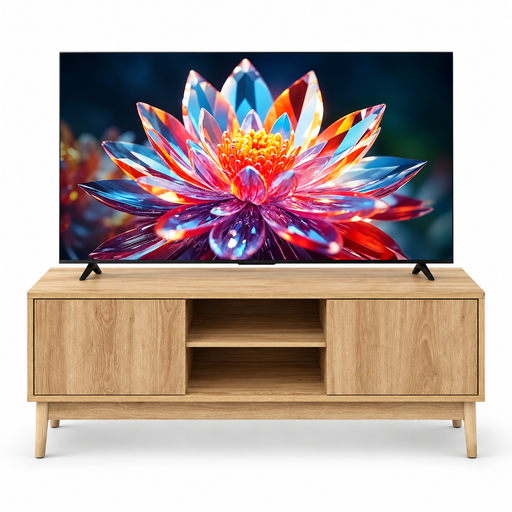
TCL 50T6C 50-inch 4K QLED TV with 120 cm 5five Abana TV stand
This bundle is for anyone looking for a TV and a TV stand; assess the screen separately for SDR visibility and reflections in your living room.
The bundle lists a 50-inch 4K QLED TV and a 120 cm 5five Abana TV stand.
View at Joybuy
 No image available
METZ 43MQF7500Z 43-inch QLED 4K UHD TV
A 43-inch option to compare if you’re looking for a QLED TV; also check how standard broadcasts and older comedies look in your room.
The product title lists Google TV, HDR10+, Dolby Vision & Atmos and HDMI 2.1.
View at Joybuy
 No image available
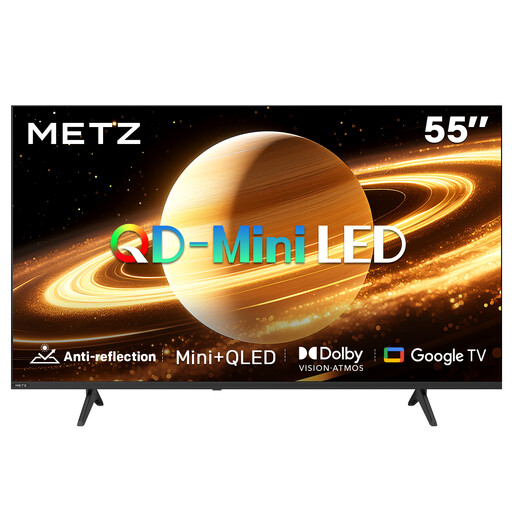
METZ 55MNH7000Z 55-inch QD-MiniLED TV
Compare this 55-inch option if you want to take QD-MiniLED and the listed matte screen finish into account; also assess reflections and SDR content in your own viewing set-up.
The product title lists Matte Screen Ultra, 60Hz, Dolby Vision & Atmos, HDMI 2.1 and Google TV.
View at Joybuy
 No image available
Xiaomi S Mini LED 55-inch 4K TV
A 55-inch Mini LED option to compare; check how SDR content and reflections look with the windows and lamps in your living room.
The product title lists 144Hz, Google TV and Dolby Atmos.
View at Joybuy
Frequently asked questions
Is a high HDR peak brightness enough for watching old comedies during the day?
No. SDR brightness matters for standard SDR content, and you should assess reflections separately if you have windows or lamps nearby. An HDR specification alone doesn’t tell you how either of these will perform.
Can I connect my existing DVD player to a new TV?
Check your player’s output and the inputs on the exact TV model. A player with HDMI can usually be connected via HDMI; if it has an older connection, check before buying that it will work with the TV.
How should I set up and maintain the TV in my living room?
At home, view a familiar scene in your usual room lighting and choose the picture setting that suits it. Clean the screen gently when it has cooled, using a slightly damp microfibre cloth.
How can I compare electricity costs without guessing a figure?
Check the energy label for the exact model. A higher screen brightness setting uses more electricity; the cost also depends on how long you use the TV and your electricity tariff.
What are my rights in the Netherlands if the TV is faulty or I change my mind about an online purchase?
According to the Dutch Government, you are entitled to a product that is fit for purpose, and the seller must resolve problems with a faulty product; the Netherlands has no fixed statutory warranty period. For online purchases, ACM ConsuWijzer says you will often have a cooling-off period of up to 14 days after delivery, subject to applicable exceptions.


