What should you look for?
Don’t compare Mini LED LCD and OLED on screen technology alone. Check how each specific model handles daylight and reflections, then consider your seating arrangement and how you plan to play the film.
Mini LED LCD
Worth considering when: you watch during the day and a review of the model shows it has both sufficient brightness and good reflection handling.
The trade-off: the technology alone doesn’t guarantee that direct reflections from windows will disappear, or that the picture will look good from the side.
OLED
Worth considering when: picture quality and viewing from different seats are important. The Consumers’ Association generally describes OLED TVs as having a wider viewing angle and deeper blacks.
The trade-off: check the brightness and reflection handling of the exact model, especially if a window could be reflected directly in the screen.
| What to consider |
What should you check? |
Who will find this most important? |
| Daylight and reflections |
Compare brightness and reflection-handling measurements for the exact model, and consider where your windows are. |
When I watch a film during the day, I want the picture to remain visible without reflections from a window distracting me. Around 36% of consumers prioritise daylight visibility and reflections. |
| Viewing angle |
Check the measured viewing angle of the exact model and compare it with the width of your seating area. |
When guests are sitting on either side of the TV, I want the picture to remain clear from the seats at the edges too. Around 29% of consumers give viewing angle top priority. |
| Playing your own film |
Check which video formats the TV supports over USB, which HDMI connections you need, or the requirements for wireless sharing. |
When I want to show my own film, the connection I choose needs to work with my device and video file. Around 21% of consumers put playback options first. |
| Size and energy use |
Measure the viewing distance and available space, then compare energy use for the same viewing mode on the energy label. |
When the TV needs to fit in my living room, I want to weigh up the screen size and stated energy use. Around 14% of consumers prioritise size and running costs. |
The European Commission’s energy label includes energy consumption in kWh per 1,000 hours for SDR and HDR. To estimate your own costs, you’ll also need your expected viewing hours and electricity tariff.
TVs at Joybuy for sharing films and watching together
These TV choices are suited to watching films together and sharing your own videos from compatible devices. Check the reflection handling, viewing angle and supported playback method of the model you’re considering separately.
 No image available
LG OLED65C68LA 65-inch OLED Evo AI C6 4K Smart TV
An OLED TV to consider if you want to share a film of your own from a compatible device.
The product information lists an OLED panel, 4K, Dolby Vision, AirPlay 2 and Google Cast.
View at Joybuy
 No image available
Hisense 65A6S 65-inch 4K UHD TV
A 65-inch TV to compare if you watch together and want to share content from a compatible phone.
The product information lists AirPlay 2 and Share to TV. The 178° viewing angle is a stated feature, not an independent measurement.
The title mentions Dolby Vision and VRR up to 60 Hz.
View at Joybuy
 No image available
TCL 65T8D QLED 4K QD Mini LED TV
A QD Mini LED TV to include in your comparison for watching together and sharing films from a compatible device.
The product information lists Google Cast, AirPlay 2 and Miracast for screen sharing, as well as Dolby Vision and HDR10+.
View at Joybuy
 No image available
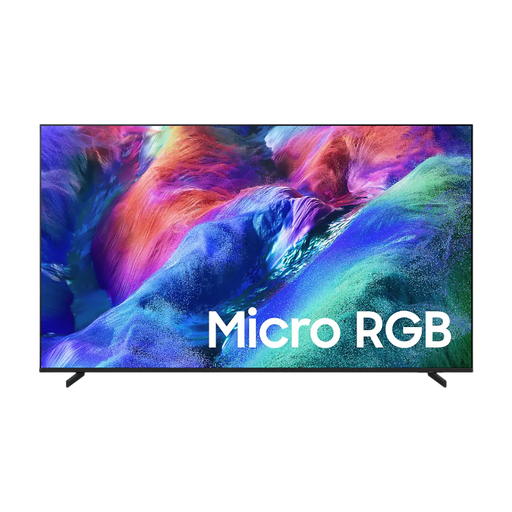
Samsung 65-inch Micro RGB R85H 4K Vision AI Smart TV
A 65-inch TV to compare if guests will be watching from different seats and you want to share content wirelessly.
The product information lists a wide viewing angle, as well as Google Cast and Apple AirPlay for sharing. Check the viewing angle from the seats in your own room too.
View at Joybuy
 No image available
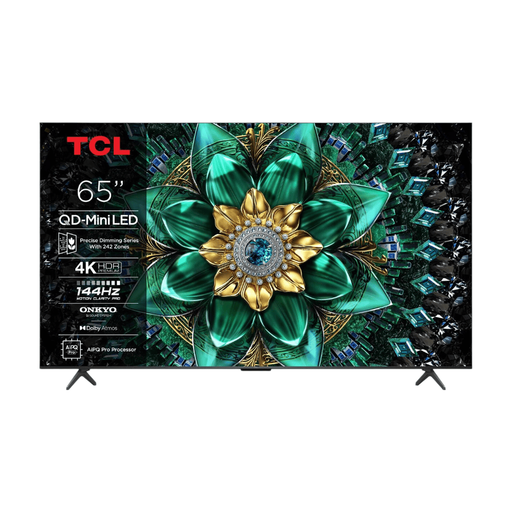
TCL 65Q6C QD Mini LED 4K TV
A QD Mini LED TV to compare if you want to share films from a compatible phone or computer.
The product information lists AirPlay 2, Google Cast and Miracast. Dolby Vision and HDR10+ are also mentioned.
View at Joybuy
Frequently asked questions
Does high brightness alone help with reflections from tall windows?
No. Check both the brightness and reflection handling of the specific TV. Also consider where you plan to position the screen: a window reflected directly in it needs to be assessed separately.
How can I play a holiday film from my iPhone on the TV?
To use AirPlay, you’ll need a compatible TV or a suitable external receiver. Apple Support says both devices need to be connected to the same Wi-Fi network. It’s also a good idea to test the video and app you plan to use beforehand.
Will every TV play every video file via USB?
No, supported file formats vary by model. Check the specifications of the exact TV and, if possible, test a file similar to the film you want to play.
What does the European energy label tell me about running costs?
The European Commission’s label includes electricity consumption in kWh per 1,000 hours for SDR and HDR. To estimate your own costs, you’ll also need your expected viewing hours, the relevant viewing mode and your electricity tariff.
What are my rights if a TV I bought online turns out to be faulty?
According to the Dutch government, when you buy online from a business, you’ll often have 14 days to change your mind. The seller must also provide a solution if the product is faulty, according to the Dutch government’s guidance. An additional warranty does not replace your statutory rights.


