What should you look for when choosing?
If there are windows opposite the screen, reflection handling is just as important as brightness. RTINGS often discusses mini LED as an option for bright rooms. OLED may be more appealing for dark scenes, but the performance of the specific screen is what matters.
LCD with mini LED or RGB LED
A good fit if: daytime viewing takes priority and there are windows near your line of sight; compare the brightness and reflection-handling results for the exact model.
Bear in mind: local dimming can improve contrast, but check for halos around spotlights and view the picture from seats off to the side, too. RGB LED is a type of LCD with LED backlighting, not a guarantee against reflections.
OLED
A good fit if: dark sets, bright spotlights and viewing from multiple seats are important to you.
Bear in mind: daytime performance varies by model and screen coating; check reflections in a similar window layout before choosing.
| What to consider |
What should you check? |
Who should prioritise this? |
| Daytime reflections |
Compare reflection and brightness tests for the same model, and assess where the TV will be positioned. |
If I watch during the day and the windows are opposite the screen, I want to limit distracting reflections. Around 31% of consumers give window reflections top priority. |
| Dark sets and spotlights |
Watch similar scenes and look at black levels, shadow detail and any halos around spotlights. |
When watching dark performances, I want to be able to see the set without bright spotlights overpowering the dark areas. Around 25% of consumers prioritise contrast in dark scenes. |
| Dance and camera movement |
Test a recording you know with different motion settings; don’t base your choice on refresh rate alone. |
If I follow dancers’ turns and camera movements, I want smooth motion without distracting picture artefacts. Around 19% of consumers make natural motion their top priority. |
| Screen size and seating |
Measure your viewing distance and available space; assess the viewing angle from the furthest seat. |
When we watch from different seats, I want to see the stage clearly without the positioning or viewing angle letting us down. Around 13% of consumers prioritise screen size and side seating. |
| Music and connections |
Listen to the TV’s sound and check HDMI for your recording source, plus HDMI-ARC/eARC on the TV and soundbar if you want to use external audio. |
If orchestral music matters or I want to connect my own player, I want to check the sound and connections beforehand. Around 12% of consumers prioritise music and connectivity. |
Joybuy TVs for a bright room
These TVs follow the mini LED LCD route for anyone comparing screens for a bright room. Before choosing, check reflections, screen size and the listed features of the specific version.
 No image available
TCL T8D 85-inch 4K QD-Mini LED Smart TV (2026)
A QD-Mini LED model to compare if you’re considering an LCD option for a bright room; check for reflections in the intended location.
85 inch; 4K; QD-Mini LED; Google TV; 144 Hz; HDMI 2.1; Onkyo 2.1 sound.
View at Joybuy
 No image available
TCL 50Q6C QD-Mini LED TV, 4K HDR
A QD-Mini LED option to compare if you want to assess the picture for ballet recordings as well as the screen size.
50 inch; 4K HDR; 1000 nits; Google TV; Dolby Vision IQ; Onkyo 2.1 audio system; 144 Hz.
View at Joybuy
 No image available
METZ 86MQE8000Z 86-inch QLED Google TV
Before considering this model, compare its 86-inch screen size with your viewing distance and available wall space.
86 inch; 4K HDR10+; 144 Hz; Dolby Vision Atmos; integrated 2.1.2 sound system; HDMI 2.1.
View at Joybuy
 No image available
METZ 55MNE8000Z 55-inch QD-Mini LED Google TV
A QD-Mini LED version to compare if you’re considering an LCD option; assess reflections and motion with a recording you know.
55 inch (140 cm); 4K HDR10+; 144 Hz; integrated 2.1.2 sound system; Dolby Vision Atmos.
View at Joybuy
 No image available
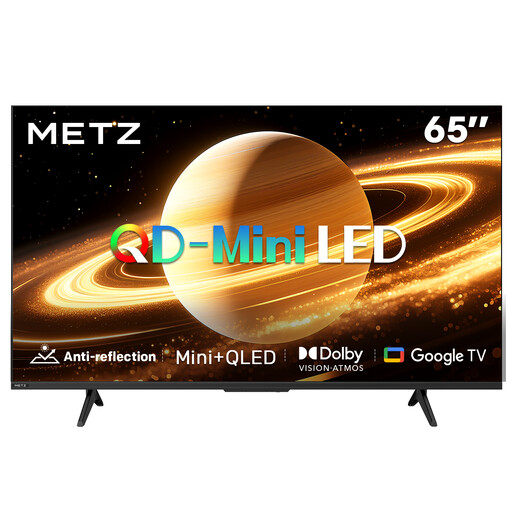
METZ 65MNH7000Z 65-inch QD-Mini LED TV
The product name lists a matte screen finish; consider how it performs with the windows and light in your room.
65 inch (165 cm); QD-Mini LED; matte screen; 60 Hz; Dolby Vision and Atmos.
View at Joybuy
Frequently asked questions
Is mini LED automatically better than OLED opposite tall windows?
No, it depends on the model and the window layout. RTINGS often recommends mini LED as a suitable option for bright rooms, but OLED models can also be assessed for daytime performance. Compare the reflection handling and brightness of the specific version.
How should I adjust the picture for the lighting in my room?
Adjust the picture with the lighting you usually have on while watching. Consumentenbond recommends using your home viewing conditions as a starting point; then check both dark and light details in a scene you know.
Do I need a soundbar for orchestral music?
Not necessarily. Listen to the TV’s own sound first, as sound quality varies between models. If you want to use external audio, check the connections on both the TV and the audio system. HDMI-ARC/eARC can connect a compatible soundbar.
What does a TV’s energy label tell me?
The European Commission describes an energy label scale from A to G for electronic displays. The label also provides information such as HDR, screen diagonal and resolution; it doesn’t rate reflections or sound quality.
Who should I contact if my TV is faulty, and can I hand in my old one?
If a product is faulty, the Dutch government says the retailer is your point of contact for a solution under your statutory rights; the retailer can’t simply send you to the manufacturer. If you’re buying a new, similar TV as a private customer, the retailer must take your old appliance free of charge under the take-back scheme. The Dutch government also describes a collection or delivery option if direct take-back isn’t possible.


