
Watching from far away
You want to follow both the dancers and the full stage from your usual seat. The Consumentenbond recommends using your viewing distance as a starting point when deciding on screen size.


Start by measuring your viewing distance and choosing a screen size that fits your available space. The Consumentenbond’s guidance is a useful starting point, not a fixed rule. Then consider the light in the room, your viewing angle and how the TV displays your own recordings. OLED may suit dark scenes and multiple seating positions, while a bright LCD or Mini LED TV is worth comparing for a light room.
You want to follow both the dancers and the full stage from your usual seat. The Consumentenbond recommends using your viewing distance as a starting point when deciding on screen size.
You often watch with the lights dimmed or from a seat off to the side, and pay attention to dark sets, contrast and viewing angles. The Consumentenbond outlines the differences between OLED and LCD in these areas.
You watch existing recordings, perhaps via a player or USB, and want to assess motion handling and compatibility with your own content. So check both picture quality and the model’s connections.
Start with your measured viewing distance and available space, then compare motion handling, contrast and connections in the context of your viewing environment and recordings.
| What to consider | What to look for when buying | Who should give this more weight? |
|---|---|---|
| Screen size and viewing distance | Measure from your eyes to where the screen will go. The Consumentenbond uses the viewing distance in centimetres divided by 2.4 as a guide to the diagonal screen size in centimetres. Compare nearby sizes too, and check that the screen and stand will fit. | From my usual seat, I want to follow both the dancers and the whole stage without choosing a screen that won’t fit in the room. Around 36% of consumers put screen size first. |
| Motion and picture processing | Compare the panel’s native refresh rate with how it displays a familiar clip. Try the motion settings: interpolated frames can change how movement looks and may sometimes cause picture artefacts. | If I mainly want to assess dance movements, I want to watch my own recording rather than rely on a Hz figure alone. Around 29% of consumers give motion handling their highest priority. |
| Dark scenes and viewing angle | Assess both a dark and a bright clip in the lighting you use at home, including from the seats furthest to the side. Compare specific models for contrast, reflections and viewing angle. | For a dark set or a seat off to the side, I want to follow the details in my room’s lighting. Around 21% of consumers prioritise visibility in different lighting conditions and from different viewing angles. |
| Recordings and connections | Check the resolution and any HDR information in your recordings, along with the HDMI or USB connection you need and the exact model’s file compatibility. | If I use existing files or an external player, I want to know in advance whether my source can play on the TV. Around 14% of consumers prioritise source and connection compatibility. |
The right diagonal depends on where you actually sit. A larger screen also needs more space and can generally use more energy.
Measure from your eyes to where the screen will go, compare nearby screen sizes, and check the model’s external dimensions and energy label.
A higher panel refresh rate or motion processing alone can’t predict how a particular recording will look. Extra picture processing can create artefacts or noise with movement that’s difficult to predict.
Compare the stated panel refresh rate with how your own recording actually looks, and try different motion settings.
A TV can’t add picture information that isn’t in a recording. What you see also depends on the source’s resolution and any HDR information it contains.
Check the details of your recordings and whether the TV supports your player or files via the connection you need.
LG describes the OLED77C55LA as a 77-inch OLED TV with 4K picture quality, for anyone looking to compare a large screen and its performance in dark scenes.
Samsung describes the QE75QN90FATXXN as a 75-inch Neo QLED 4K Mini LED TV: a large LCD option to compare in a bright room.
TCL describes the 75C7K as a 75-inch QD-Mini LED TV with local dimming and a stated high panel refresh rate.
Sony describes the K-75XR70 as a 189 cm Mini LED LCD TV with HDMI and USB connections for external playback devices.
Philips describes the 75MLED950/12 as a 75-inch 4K QD MiniLED TV with Ambilight.
This Joybuy selection includes large OLED, QD-Mini LED and Micro RGB TVs. Compare the stated screen size with your viewing distance and available space, and check that the display technology and connections suit the lighting in your room and the way you play your recordings.
 No image available
A large OLED screen to compare against your measured viewing distance and available space, especially if you want to assess dark scenes.
The product information lists 4K resolution, native 120 Hz, pixel-level dimming, and HDMI and USB inputs.
 No image available
An 85-inch option to compare if you watch from a long distance. Check that the screen will fit in your room first.
The product information lists 4K, native 144 Hz and HDMI 2.1. The panel specification alone doesn’t tell you how your recording will look.
 No image available
A 75-inch screen to compare with your viewing distance and available space.
The product information lists 4K, native 144 Hz and HDMI 2.1 connections for external devices.
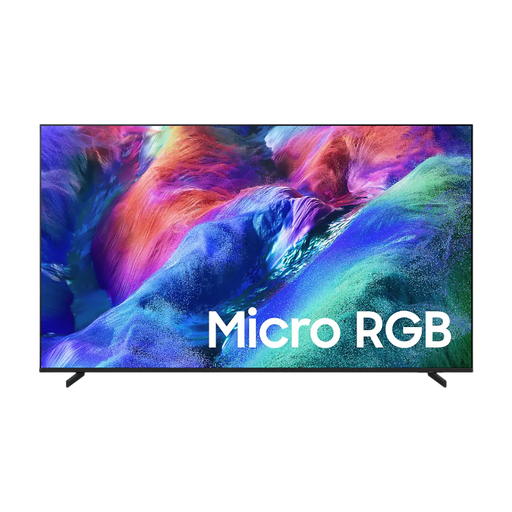 No image available
A 75-inch option to compare with other screen technologies, taking into account your viewing distance, room lighting and own recordings.
The product information lists a native refresh rate of 100 Hz and four HDMI inputs. The separately listed 144 Hz refers to VRR.
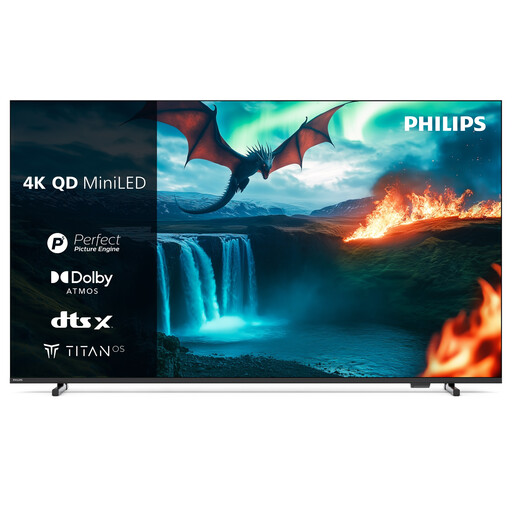 No image available
A 75-inch screen to compare if you’re looking for a large viewing size and use external playback devices.
The product information lists 4K, 60 Hz and three HDMI inputs.
No. First, measure the distance from your eyes to where the screen will go, then divide the distance in centimetres by 2.4 for an initial guide to the diagonal screen size in centimetres. The Consumentenbond presents this as a guideline. Compare nearby sizes and check that the screen and stand will fit too.
No. The panel refresh rate and the processing of extra interpolated frames are different features. Interpolated frames can change how movement looks and may also cause picture artefacts. So try your own clip with different picture settings.
According to the Consumentenbond, OLED can offer deeper blacks and a wider viewing angle, while LCD TVs can often reach higher brightness levels. Which matters more depends on the lighting in your room and where you sit. Compare specific models using your own content.
You’ll usually connect a separate player via HDMI. For a sound system, you can use HDMI ARC or eARC if both devices support it. If you play files directly via USB, check that the exact TV model supports the file formats and codecs.
No. A 4K screen can’t add picture information that isn’t in the recording. Check your source’s resolution and any HDR information, and see how the TV displays your own clip.