
Daytime viewer with light from windows
You watch ballet recordings while daylight falls on or around the TV. So consider where you’ll position the screen, visible reflections and the brightness of the specific model.


Start with where you’ll put the TV: plenty of brightness can help during the day, but it won’t necessarily stop a window from reflecting in the screen. Then compare motion handling using similar ballet footage, and consider the viewing angle if you watch from several seats. Mini LED and OLED each have different strengths, so neither is the obvious choice for every living room.
You watch ballet recordings while daylight falls on or around the TV. So consider where you’ll position the screen, visible reflections and the brightness of the specific model.
You want to follow turns, jumps and slow camera movements comfortably. Compare the picture with footage similar to what you watch at home: a high Hz figure alone doesn’t tell you what it will look like.
You often watch from different seats. The Dutch Consumers’ Association points out that viewing angles vary between TVs, so check how colour and brightness look from the seats at the sides, too.
Worth considering if: you watch during the day and brightness is a high priority.
Bear in mind: picture quality and viewing angles vary by model; mini LED doesn’t guarantee a reflection-free screen.
Worth considering if: black levels and viewing from seats to the side matter, especially if you can limit direct light on the screen.
Bear in mind: LCD models can often reach higher brightness levels; check for reflections and visibility in daylight on OLED TVs, too.
The Dutch Consumers’ Association generally notes that OLED offers deeper blacks and wider viewing angles, while LCD TVs can often reach higher brightness levels. This is a useful starting point, not a guarantee of how a particular model will perform.
| What to consider | What should you check? | Who is this important for? |
|---|---|---|
| Daylight and reflections | View the specific screen in similar lighting conditions and see whether you could position the TV differently at home. | If I watch during the day, I want to follow the footage without being distracted by a window reflected in the screen. Around 36% of consumers say daylight visibility and reflections are their main consideration. |
| Motion handling | Compare representative ballet footage and try different motion settings; don’t rely on the Hz figure alone. | With slow camera movements and dance, I want to know whether the picture looks good, not just what number is on the box. Around 29% of consumers give motion handling top priority. |
| Picture from the side | Assess the TV from the outermost seats you use at home. | When we watch together, I want the picture to remain easy to follow from the side. Around 21% of consumers prioritise picture quality from multiple seats. |
| Screen size and playback setup | Measure your viewing distance and check that your footage source works with the connection or app you need. | I want a screen size that suits my sofa setup and to know in advance how I’ll play my recordings. Around 14% of consumers give their own setup or playback method top priority. |
The Dutch Consumers’ Association gives around 2.4 times the screen’s diagonal as a research-based starting point for viewing distance, not a fixed rule. Milieu Centraal points out that a brighter screen can use more electricity, so compare the brightness with the light in your room and the energy consumption you’re comfortable with.
Even a bright screen can be affected by daylight falling directly on it.
Check where you’ll put the TV and assess the exact model in similar lighting conditions before basing your choice on brightness or a brand name.
Using a higher brightness setting frequently can increase electricity consumption.
Picture processing that creates extra frames doesn’t always work equally well. The figure alone won’t show you what ballet footage will look like.
Compare the TV with representative footage and see what difference the motion settings make.
The picture may look different from an angle than it does straight on, and viewing angles vary by model.
If you watch together from a wide sofa, assess the screen from the outermost seats as well.
Optional extended cover is separate from your statutory rights. The seller remains responsible if a product doesn’t meet what you could reasonably expect.
Compare what the extra cover includes with your existing statutory rights before paying for it.
Paid extended cover may mean an additional expense.
The QN90F series in the Netherlands uses mini LED; the version reviewed is the 65-inch QE65QN90FATXXN.
BRAVIA 5 is a mini-LED series available in several sizes, including 65 inches.
The C8K series is a QD mini-LED alternative, with a 65-inch version listed.
The OLED65G56LS available in the Netherlands, from the G5 series, is an OLED option to consider if black levels and viewing from the side matter to you.
According to Philips, the 65MLED910/12 combines QD mini LED with Ambilight.
These Joybuy picks include OLED and mini-LED models for anyone looking for a TV for ballet recordings in a bright living room. Check reflections, motion handling, viewing distance and the connection you need for your footage source on the specific model.
 No image available
A 65-inch OLED option to compare if black levels matter and you can limit direct light on the screen.
The product title lists 4K, 120 Hz and VRR up to 165 Hz. A high refresh rate alone doesn’t determine how ballet movement is displayed.
 No image available
A 65-inch QD mini-LED model to assess alongside other options for a living room with daylight; check how reflective this specific screen is.
The product title lists QLED, QD-Mini LED, 4K, HDR and 144 Hz VRR. That refresh rate alone doesn’t show you what ballet footage will look like.
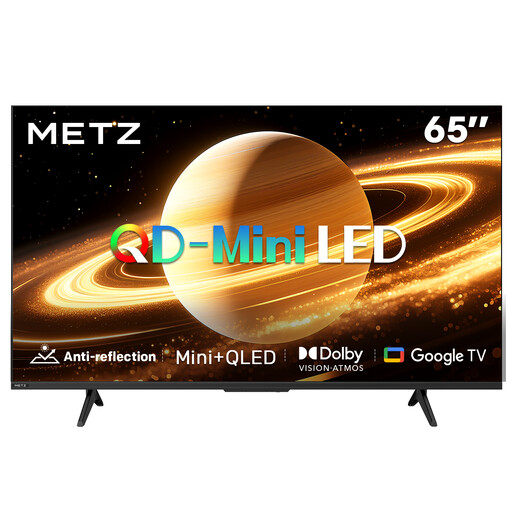 No image available
This 65-inch QD-MiniLED option is worth comparing if you’re looking for a large screen; see for yourself how it looks in daylight in your room.
The product title lists Matte Screen Ultra, 60 Hz and 2026. Check reflections and motion handling on the exact model; the screen name alone isn’t an independent assessment.
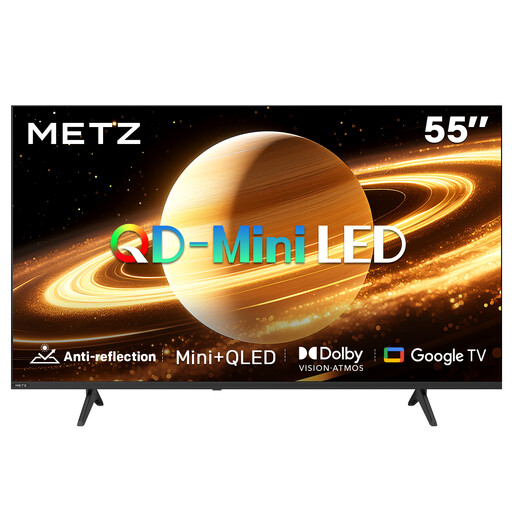 No image available
A 55-inch QD-MiniLED option to compare if you want to match the screen size to your viewing distance.
The product title lists Matte Screen Ultra, 60 Hz, HDMI 2.1 and 2026. Check that the connections suit your footage source, and assess reflections and motion on the TV.
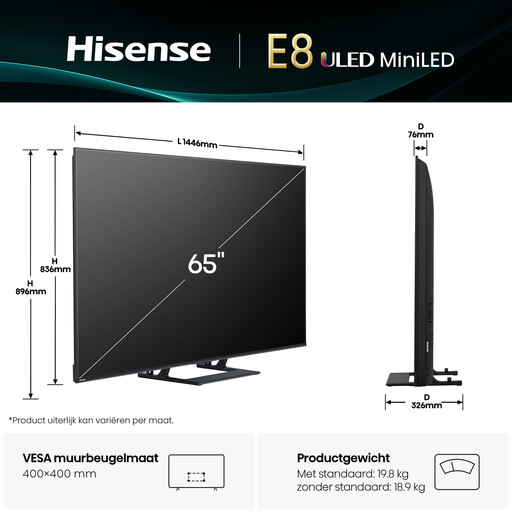 No image available
A 65-inch Mini-LED option to consider for a bright living room; compare visibility and reflections where you plan to use the TV.
The product title lists 4K and 144 Hz. The Hz figure alone doesn’t tell you how ballet movement is displayed.
Measure the distance from your usual seat to the TV and compare screen sizes that suit it. The Dutch Consumers’ Association gives around 2.4 times the screen’s diagonal as a research-based starting point, not a required measurement.
No. The highest figure doesn’t guarantee that ballet footage will look natural. According to the Dutch Consumers’ Association, picture processing doesn’t always work equally well, so compare similar footage and try the motion settings.
If possible, position the TV out of direct daylight and adjust the brightness to give you a comfortable, clear picture. Milieu Centraal notes that a brighter screen can use more electricity; changing the picture settings can also affect energy consumption.
Compare models of a suitable size using their energy labels and stated consumption per 1,000 hours. The Dutch Government describes the energy label for household appliances as a mandatory logo; the European EPREL database also includes televisions.
When you buy at a distance from a business, in many cases you have 14 days to change your mind; check the terms and exceptions that apply to your purchase. You also have statutory rights: if a product develops a fault sooner than you could reasonably expect under normal use, the seller must offer an appropriate solution at no cost. ACM ConsuWijzer explains that there is no fixed statutory warranty period for TVs.