
Watching from a distance
You want to choose a screen size based on where you usually sit, without picking a TV that won't fit on your unit or wall.


First, measure your viewing distance and choose a screen size that suits both the distance and the space available. If you mainly watch in a dark room, compare OLED and LCD for their ability to display blacks and any potential halo effects. In a bright room, brightness and reflections matter more. The Consumentenbond recommends 55–77 inches as a comfortable guide for a viewing distance of 4 metres, but the programmes and services you use must actually offer 4K or HDR for you to benefit from those picture formats.
You want to choose a screen size based on where you usually sit, without picking a TV that won't fit on your unit or wall.
When watching programmes in the dark, you pay particular attention to blacks, faint details and possible halos around bright objects.
You often watch in a bright living room and weigh up brightness and reflections against black levels.
Best for: mainly watching in a darkened room, where black levels around stars and bright objects matter.
Consider: in a bright room, also assess the reflections and brightness of the specific model.
Best for: frequent daytime viewing or a large screen for watching from a distance.
Consider: how local dimming is implemented can affect whether halos are visible around stars or subtitles.
Best for: when the space available and screen size matter more than the deepest blacks.
Consider: a large 4K screen won't turn a programme that wasn't filmed and broadcast in 4K into native 4K content.
| What to consider | What should you check? | Who should pay extra attention? |
|---|---|---|
| Screen size and viewing distance | Measure the distance from your eyes to the screen. The Consumentenbond suggests around 2.4 times the screen diagonal as a comfortable viewing distance; also check the overall dimensions, including the stand. | I want to see details from my usual seat, while also making sure the TV fits my unit or wall. Around 36% of consumers prioritise finding a suitable screen size. |
| Black levels and halos | Compare dark scenes featuring small bright objects. For LCD TVs, pay particular attention to the model's local dimming. | When watching stars against a dark background, I want to make out blacks and faint details clearly. Around 29% of consumers give dark-scene quality top priority. |
| Visibility in daylight | Assess the brightness and reflections of the specific model in conditions similar to your living room. | If I often watch during the day, I want to see the picture clearly in my bright living room. Around 21% of consumers prioritise visibility in daylight. |
| Source quality and energy consumption | Check whether your programmes and viewing service offer 4K or HDR, and compare the EU energy label for the exact model. | I want to know what picture quality my usual programmes offer and how the models compare in energy use. Around 14% of consumers start with this consideration. |
When you're sitting far away, the screen's diagonal affects how much of the picture you can see comfortably.
First, measure the distance from your seat and use it to find a suitable screen size range. Then compare screen technologies.
Local dimming can improve contrast, but the way it's controlled can also create halos around small bright details.
Compare reviews or demonstrations of dark scenes with bright objects, and check the dimming-zone precision of the exact model.
The TV's format doesn't guarantee that a programme was filmed and is being offered in the same picture quality.
Check what's available from the channel or streaming service you use before making 4K or HDR a deciding factor.
In the Netherlands, you have a statutory guarantee even without a separate warranty package.
Check exactly what an additional package covers, and remember that it's separate from your statutory rights against the seller.
The Dutch OLED evo C6 range includes the OLED65C68LA, a 65-inch model to compare if you're looking for OLED and Dolby Vision.
The S95H OLED range is worth considering if you also want to compare screen coatings and performance in a bright room.
According to Philips, the Dutch 65OLED810/12 combines a 65-inch OLED screen with Ambilight.
The BRAVIA 8 II range is worth comparing if you're looking for QD-OLED and Google TV.
Here you'll find TVs with a range of screen technologies and sizes, including OLED, QD-Mini LED, QLED and Micro RGB models. First, measure your viewing distance, then check that the size and connections suit your setup.
 Image unavailable
An option to compare if 65 inches suits your measured viewing distance and you're looking for an OLED model for watching programmes in the dark.
The product title lists 4K, Dolby Vision and 120 Hz; VRR up to 165 Hz is also mentioned. Check the overall dimensions and the connections you need for your setup.
 Image unavailable
The 85-inch size is an option to consider in relation to a long viewing distance and the space available.
The product title lists 4K, QD-Mini LED, 144 Hz and VRR. If you watch space programmes in a dark room, assess separately how local dimming performs on this exact model.
 Image unavailable
A 75-inch option to compare if the size suits your viewing distance and the space available.
The product title lists 4K and QD-Mini LED. This 75-inch model is listed as having 760 dimming zones; that alone doesn't indicate whether halos may appear in dark scenes.
 Image unavailable
The 86-inch size is an option to compare with your viewing distance and the space available for the TV.
The product title lists QLED, Google TV and 144 Hz. Also check that the overall dimensions and connections suit your planned setup.
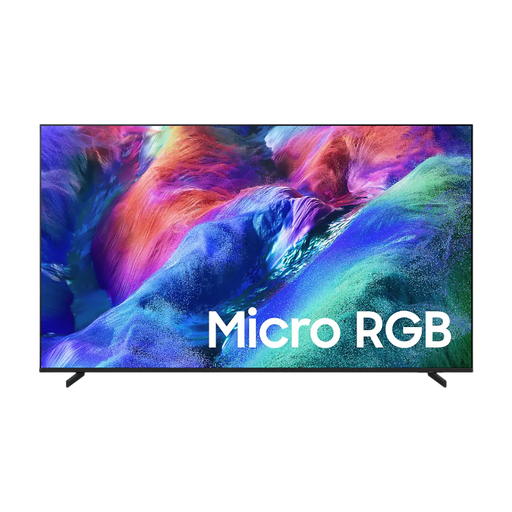 Image unavailable
A 65-inch option to compare if that screen size suits your measured viewing distance.
The product title lists Micro RGB and 4K. Assess dark scenes on the specific model before drawing any conclusions about its black levels.
For a distance of 4 metres, the Consumentenbond recommends a comfortable range of 55–77 inches. Measure from where your eyes will be and check the overall dimensions, stand and planned position too. It's a guideline, not a strict rule.
No. For native 4K detail, the programme must also have been filmed and made available in 4K. Check what's offered by the channel or streaming service you actually use.
Measure the width and height, including the stand, and check that the connections are suitable for your receiver and any audio equipment. For the LG OLED65C68LA, the Consumentenbond lists four HDMI inputs, including ARC/eARC. Check the connections on other models separately.
Compare the EU energy label for the exact TV model. According to the European Commission, as well as the energy class, the label includes information about efficiency during HDR playback. Compare models on the same basis.
For a standard online purchase of a new television, ACM ConsuWijzer says you generally have a statutory cooling-off period of up to 14 days after delivery. You also have a statutory guarantee if the product doesn't meet what you could reasonably expect under normal use. This is separate from any additional warranty package.