Start with a screen size that suits your viewing distance, then assess the viewing angle and reflections from the seats you use at home. According to the Consumentenbond, OLED TVs generally have a wider viewing angle and deeper blacks, while QLED TVs can often be brighter. However, this general difference doesn’t predict how a particular model will perform in your living room. Also check that your preferred streaming services are available, how you can listen with headphones and what the energy label says for the exact model.
Who’s watching?
Watching together on a wide sofa
If you often watch from different angles with housemates, it’s important that the picture remains clear from the seats at either end of the sofa. The Consumentenbond recommends considering viewing angle when comparing televisions.
Watching in a bright living room
If you often watch during the day, pay attention to the light in the room and reflections on the screen, and compare these from your usual seats. The Consumentenbond lists brightness and viewing angle as factors to consider when choosing a TV.
Quiet evening viewing
If your housemates are asleep or working while you watch a documentary, headphones and the right connection can be important. The Consumentenbond notes that TVs can connect to wireless devices, such as headphones, via Bluetooth.
What should you look for when choosing?
| What to consider |
What should you check? |
Who is this important for? |
| Viewing angle and picture quality |
Compare the same picture straight on and from the seats at either end of the sofa. Assess a familiar image using the picture settings you plan to use at home. |
If I’m sitting at an angle to the TV with my housemates, I want to be able to view artwork clearly from every seat. Around 33% of consumers prioritise viewing angle and picture quality. |
| Daylight and screen size |
Measure the viewing distance and check for reflections at the time you usually watch. Also make sure the TV fits on your unit with its stand. |
I often watch during the day and want a screen that suits the viewing distance and the amount of light in my living room. Around 27% of consumers prioritise natural light and screen size. |
| Clear dialogue |
Listen to spoken dialogue at a normal room volume. Check that your headphones are compatible and whether the TV speakers can keep playing at the same time. |
If I want to follow the commentary without disturbing my housemates, I look for the option to listen privately. Around 20% of consumers prioritise quiet, clear sound. |
| Running costs and access to content |
Compare the energy labels for the exact models and check that your preferred service or documentary is available. |
I want to know in advance how much power consumption will affect running costs and whether we can watch the documentaries we want. Around 20% of consumers prioritise running costs and access to content. |
Buying pitfalls
-
Choosing a TV based on its vivid shop-floor setting
A shop-floor setting can look brighter and more vivid than you’d find comfortable at home, so artwork may look different in your living room. The Consumentenbond recommends considering the picture settings you’ll use at home.
Assess a familiar image using the settings you plan to use at home, from your usual seats.
-
Judging the picture from the middle seat only
A screen that looks good straight on may look different from the side. According to the Consumentenbond, OLED TVs generally have a wider viewing angle, but that alone doesn’t tell you how a particular model will perform.
Compare the same scene from the seats at either end of the sofa before choosing a model.
-
Assuming a streaming app will always be available
Apps can disappear from a smart TV over time, according to the Consumentenbond. So check that your preferred service is available on the model you’re considering.
If access to that service is important, bear in mind that you may need to connect a media player via HDMI.
A separate media player could mean an extra device to connect and operate later on.
-
Confusing a manufacturer’s warranty with all your legal rights
In the Netherlands, there is no fixed statutory warranty period that applies to all products. That doesn’t mean you can’t expect a product to be fit for purpose: according to the Dutch government, the retailer is your point of contact if a product develops a fault too soon under normal use.
Keep your proof of purchase and check what additional rights the terms and conditions offer before buying extra cover.
Brands to compare
LG
The OLED C5 range is worth comparing if multiple viewing positions and dark scenes are important to you.
- LG lists a 55-inch 4K OLED screen and webOS for the OLED55C55LA.
- Claims about colour reproduction and picture enhancement come from LG. Check for reflections and make sure your preferred apps are available.
Philips
According to Philips, the 55OLED810/12 combines OLED with Ambilight, for those who want lighting to be part of their viewing environment.
- Philips lists a 55-inch 4K OLED screen, Ambilight and Dolby Vision for this model.
- Ambilight is a choice about the atmosphere around the screen; it doesn’t prove that artworks will be reproduced more accurately. Assess the picture with the lighting on and off.
Sony
The BRAVIA 5 is a mini-LED option to include in your comparison if you have a bright living room.
- For the selected K55XR52BP.CEI, Sony lists a 55-inch mini-LED screen, 4K and Google TV.
- These specifications don’t tell you how viewing angle and reflections will work in your room. Assess the screen from the seats you use.
Samsung
The 55-inch S90H is an OLED option to compare with other screens for picture quality and reflections.
- Samsung lists an OLED screen and Glare Free for the QE55S90HAEXXN.
- Glare Free is a claim made by Samsung. Check how it performs with the lighting and seating in your own living room.
TCL
The C6KS range offers a QD mini-LED option to compare with OLED, without assuming that both technologies provide the same viewing angle.
- TCL lists QD mini-LED, QLED and an HVA panel for the C6KS range.
- A product range doesn’t mean that every screen size has the same features. Check the full model code and specifications of the version you’re considering.
TVs at Joybuy
This selection includes 4K TVs in a range of screen sizes, with LCD or mini-LED technology. Also compare the exact version for viewing angle, reflections, available apps and the connections you need.
 Image unavailable
TCL 50Q6C QD-Mini LED TV
An option to compare if you’re looking for a 50-inch TV with 4K and QD-Mini LED; check the viewing angle and reflections from your own seats.
The product name lists 4K HDR, 144 Hz and a smart TV platform powered by Google.
View at Joybuy
 Image unavailable
METZ 55MNE8000Z 55-inch QD-Mini LED TV
Include this model in your comparison if you’re looking for a 55-inch screen; see for yourself how the picture looks from the seats at either end of the sofa.
The product name lists QD-Mini LED, 4K, HDR10+, 144 Hz, Google TV and a 2.1.2 sound system.
View at Joybuy
 Image unavailable
METZ 43MQF7500Z 43-inch QLED TV
The 43-inch version is worth comparing if you’re looking for a smaller screen; measure your viewing distance and available space first.
The product name lists QLED, 4K UHD, Google TV, HDR10+, Dolby Vision and Dolby Atmos.
View at Joybuy
 Image unavailable
METZ 50MUF7000Z 50-inch UHD TV
Compare this 50-inch version if you’re looking for a UHD screen, taking your viewing distance and room layout into account.
The product name lists HDR10, Dolby Vision, Dolby Atmos and Google TV.
View at Joybuy
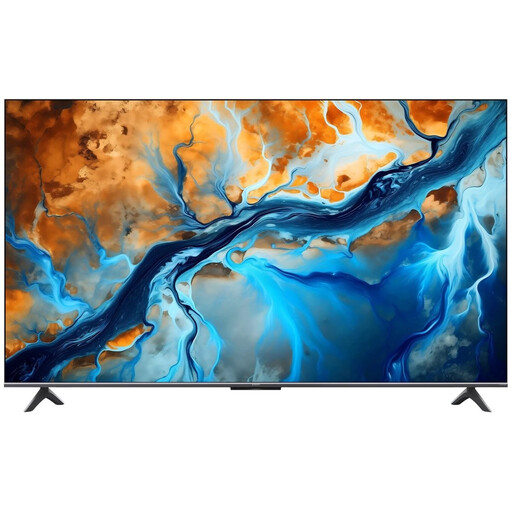 Image unavailable
Xiaomi S Mini LED 55-inch TV
A 55-inch option to compare if you’re looking for a Mini LED screen; check how the picture and reflections look from your seats at home.
The product name lists Mini LED, 4K, 144 Hz, Google TV and Dolby Atmos.
View at Joybuy
Frequently asked questions
How do you choose a screen size when housemates sit at different distances?
Measure from eye level at your usual seats to where the screen will be. In research dated 5 May 2026, the Consumentenbond gives viewing distance divided by 2.4 as a starting point for the screen’s diagonal in centimetres. Also consider the screen sizes available for your living room.
Which picture setting is best for viewing paintings and photography?
Start with a home setting rather than the extra-bright shop-floor setting. The Consumentenbond notes that shop settings are often brighter than necessary at home. Then assess a familiar image with light and dark areas from the seats you use.
Can I listen through headphones without disturbing my housemates?
A TV with Bluetooth can connect to wireless headphones. Check whether your headphones work with the exact model and whether the sound can continue playing through the TV speakers at the same time when others are watching.
How do I compare the power consumption of televisions?
Compare the energy labels and stated consumption of the exact models on the same basis. Your final electricity costs will also depend on how many hours you watch and your electricity tariff.
Is every documentary available on NPO Start?
No, not every title is always available online. According to the Dutch government, catch-up availability depends on broadcasting rights; some programmes aren’t available online or are only available for a limited time. Check that the title you want is available before choosing a subscription or TV.


