
Daytime viewers
You often watch with windows or lamps near the screen and want to be able to follow dark scenes clearly. RTINGS highlights reflections and performance in bright rooms as important factors to consider.


Start by considering reflections from your usual viewing position: a bright screen won’t necessarily stop a window or lamp from being visible. RTINGS often describes mini-LED as a practical choice for bright rooms, while the Consumers’ Association says OLED can be appealing for features including deep blacks and a wide viewing angle. Then compare the reflection handling, colour reproduction and viewing angle of the exact model. Screen technology alone won’t determine which TV is better for your living room.
You often watch with windows or lamps near the screen and want to be able to follow dark scenes clearly. RTINGS highlights reflections and performance in bright rooms as important factors to consider.
You want to view paintings and archive footage without an eye-catching shop mode needlessly changing the colours and contrast. The Consumers’ Association recommends adjusting picture settings to suit your home viewing environment.
You watch from different seats on the sofa and want colours and contrast to remain recognisable away from the centre seat. The Consumers’ Association and RTINGS both treat viewing angle as something that varies by model.
First assess the light and seating in your living room, then compare the picture settings and screen size with your viewing distance.
| What to consider | What to look for | Who is this important for? |
|---|---|---|
| Reflections and daylight | Compare the reflection handling and brightness of the exact model. Consider where windows and lamps are positioned in relation to the screen. | If I watch during the day and have a window opposite the TV, I want to be able to follow dark scenes without the reflection of the window taking over. Around 33% of consumers in this viewing and buying situation prioritise visibility in daylight. |
| Natural colour and contrast | Compare picture modes using familiar content and check for detail in both bright and dark areas. | I want to view artwork naturally and clearly, rather than simply choosing an extra-vivid shop mode. Around 27% of consumers give natural colour and visible detail top priority. |
| Screen size and viewing distance | Measure the distance from the sofa to the TV position and check the dimensions of the model you’re considering. 4K cannot add detail that isn’t in the source. | If I’m considering a bigger screen, I want it to suit my viewing distance and my usual documentaries to contain enough picture information. Around 20% of consumers prioritise screen size and visible detail. |
| Viewing angle | Look for a test of the exact model or assess the screen from the seats at either end of the sofa. | I watch with others from different seats and don’t want colours or contrast to change significantly away from the centre. Around 13% of consumers give viewing angle top priority. |
| Running costs and aftercare | Check the energy label and product information sheet for the exact model. Before buying, ask about any installation costs and the terms of an extended warranty. | I want to know in advance which running costs and aftercare are relevant to me, and what an additional plan offers beyond my existing rights. Around 7% of consumers prioritise running costs and support. |
A bright picture won’t automatically stop a window opposite the screen from being visible. Reflection handling and brightness are different features.
Compare both features for the exact model and check the position of windows and lamps from where you usually sit.
Models using the same screen technology can differ in brightness, viewing angle and reflection handling. The label alone won’t tell you how dark artwork will look in your room.
Compare tests and specifications for the exact model. If your room gets a lot of daylight, pay extra attention to visibility and reflections. If you have a wide sofa, check the viewing angle too.
An optional warranty or service agreement may come at an extra cost and does not replace your statutory rights.
ACM ConsuWijzer distinguishes between statutory rights and additional plans. Before you pay, check which extra services and terms the plan includes.
Allow for any additional costs for an optional warranty or service agreement.
The BRAVIA 9 II is an RGB LED range worth considering when comparing LCD TVs for daytime viewing.
The OLED evo G6 range offers an OLED option. The OLED55G68LW.AEU is a specific model to compare for suitability in your room’s lighting.
The C8K range includes QD mini-LED TVs in several sizes, offering an LCD alternative to compare with OLED.
The 65OLED950/12 combines OLED with four-sided Ambilight, for those who also consider the surrounding viewing environment.
The QN90F range is a Neo QLED mini-LED option to compare with OLED and other LCD TVs.
This selection includes LG OLED models and LG QNED Mini LED TVs in various screen sizes. Compare the viewing distance, light in the room and picture settings for each exact model. The product features alone won’t determine how reflections will look in your living room.
 No image available
This large screen may be a good fit if you have enough space and viewing distance. The product name specifies 83 inches.
The product name lists OLED, 4K, 120 Hz native, VRR up to 165 Hz and Dolby Vision.
Check that the screen size suits the space available and your viewing distance.
 No image available
This 65-inch model may suit you if you’re looking for an OLED TV and have checked how the picture looks from your seats and in your room’s lighting.
The product name lists 4K, 120 Hz, VRR up to 165 Hz, Dolby Vision and Dolby Atmos.
 No image available
This 55-inch OLED model is worth comparing if the size suits your viewing distance and you’ve assessed reflections in your room.
The product name lists 4K, 120 Hz, VRR up to 165 Hz, Dolby Vision and Dolby Atmos. LG lists Reflection Free Premium; this is not independent confirmation that reflections will disappear.
According to the product information, a wall bracket is integrated and a table stand is not included.
 No image available
This 86-inch QNED Mini LED TV may be worth considering if you’re looking for a large screen. First check that its dimensions and weight are suitable for the intended location.
The product name lists QNED evo, Mini LED and 4K.
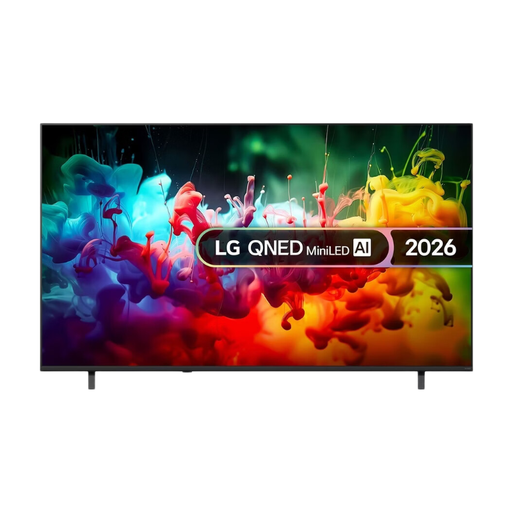 No image available
This 75-inch Mini LED model may suit you if you’re looking for a large screen and its size works for your room and viewing distance.
The product name lists QNED AI, Mini LED and 4K.
Watch familiar content in the kind of lighting you use at home, and start with a natural-looking picture mode. The Consumers’ Association recommends adjusting the settings to suit your home viewing environment. Also check that details remain visible in both bright and dark areas.
No. First measure your viewing distance and the available space. A 4K screen can only display the picture information contained in the documentary; older or lower-resolution footage won’t automatically gain extra detail.
From your seat, check the position of windows and lamps, the dimensions and weight of the model you’ve chosen, and which bracket or installation service is included. If you plan to use the TV on a stand, also check whether a table stand is supplied.
Yes. According to ACM ConsuWijzer, your statutory rights are separate from a manufacturer’s or seller’s warranty. If a fault occurs while you’ve used the product normally, the assessment depends on what you could reasonably expect from it; the seller is your point of contact. There isn’t simply one fixed statutory warranty period for all TVs.
Yes. The European Commission states that electronic displays are covered by energy labelling and ecodesign rules. Compare the label and product information sheet for the exact model. An energy label won’t tell you how true to life the colours are or how well the screen handles reflections.