
Student with an audience at the back of the room
You want titles and details to be easy to follow from the furthest seat. The Consumers’ Association recommends using viewing distance as a starting point when choosing a screen size.


First, measure the distance from the back row and choose a screen size that suits the room and layout. Then assess the viewing angle and how your own showreel looks in the room’s lighting. Finally, check that your chosen TV can play the file from a computer or USB drive.
You want titles and details to be easy to follow from the furthest seat. The Consumers’ Association recommends using viewing distance as a starting point when choosing a screen size.
You want colours, dark scenes and movement to remain clear. Compare specific TVs using your own showreel, the lighting and where your audience will be sitting.
You want to check in advance that your chosen source, connection and set-up will work, so you can test the entire file before the screening.
Start with the viewing distance and the space available for the set-up. Then assess the picture quality and test the playback method you plan to use during the screening.
| What to consider | What should you check? | Who should pay particular attention? |
|---|---|---|
| Visibility from a distance | Measure the distance from the back row and check the TV’s external dimensions, including the stand. The Consumers’ Association uses the distance in centimetres divided by 2.4 as a guide to screen size; for 5 m, it recommends 75 inches or larger. | If I’m sitting at the back, I want to be able to follow titles and fine lines. Around 33% of consumers cite visibility from the back row as their top buying priority. |
| Colour, contrast and motion | View the TV from different seats and in the expected room lighting. Play dark, bright and moving scenes from your own showreel, and check the picture mode. | When my showreel features deliberate colour and visual choices, I want them to come across from different parts of the room. Around 27% of consumers prioritise picture quality. |
| Playing the showreel | Decide in advance whether to use a computer via HDMI or a USB drive. For USB playback, check which file systems and codecs the exact model supports. Whichever method you choose, test the full file and its audio. | If the presentation needs to start without a hitch, I want to know in advance that my export file and source device will work together. Around 20% of consumers give playback reliability top priority. |
| Set-up and running costs | Check the exact model’s width, weight, stand or mounting details and energy label. Ask which installation or recycling services are included. | When I’m organising the screening, I want to know in advance whether the TV will fit in the chosen spot and which services I’ll need. Around 20% of consumers put set-up and costs at the top of their list. |
Resolution alone doesn’t tell you whether small text and fine lines will be easy to follow from the back row. The Consumers’ Association also notes that picture quality varies between 4K TVs.
Measure the distance from the back row and test the smallest text and finest lines in your own showreel.
Supported file systems and codecs vary by model. A USB port on the TV doesn’t confirm that it can play your exported file.
Check the specifications for the exact model and test the entire file in advance. Alternatively, use a computer as an HDMI source and test that connection.
The screen size doesn’t tell you the TV’s full width or how much room the stand takes up. Depending on your chosen set-up, you may need a different stand or an installation service.
Compare the exact model’s dimensions and weight with your furniture or mounting plan. Ask in advance which installation services are included.
Your statutory rights are separate from a manufacturer’s or retailer’s warranty. Paid-for extra cover may protect against different risks, so assess it separately from your rights against the retailer.
Before choosing an additional package, read what is covered by your statutory rights and by any extra cover.
Check whether a paid-for extra package genuinely provides cover you need.
The K-75XR5 is a specific 75-inch model you can use to compare connections and USB playback information.
The Philips 75PML9009/12 is a 75-inch QD Mini LED TV with Ambilight and Titan OS.
The 75QNED85A6C shows the dimensions and refresh rate information you can compare for each model.
Samsung’s 75-inch range includes several product lines, including OLED, Neo QLED and Crystal UHD.
The 75V6C and 75Q7C offer two different 75-inch options: LED and Mini LED.
These Joybuy models are large-screen TVs to compare against your viewing distance and the space available for your set-up. If you’re using a computer as the source, also check that the connection and settings on the exact TV will work with your equipment.
 Image unavailable
The 75-inch screen size is a useful comparison point for a long viewing distance. Also check that it suits the room and set-up.
According to the product name: 4K, HDR, 144 Hz VRR, HDMI 2.1, Dolby Vision, HDR10+, Dolby Atmos and Onkyo 2.1 sound. For wall mounting, the bracket needs to fit VESA 200 × 200 mm.
 Image unavailable
Compare the 86-inch screen size with your measured viewing distance, and check in advance that the TV will fit in the room.
According to the product name: 4K, HDR10+, Dolby Vision, 144 Hz and HDMI 2.1. For wall mounting, the bracket needs to fit VESA 200 × 200 mm.
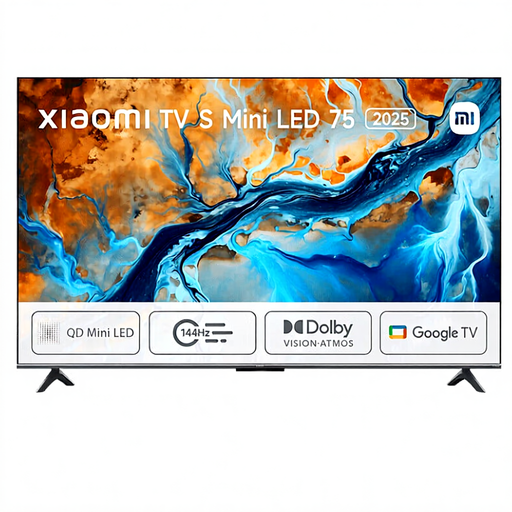 Image unavailable
The 75-inch screen size is a starting point for checking it against the distance from the back row and the space available.
According to the product name: Mini LED, 4K HDR, 144 Hz and Dolby Atmos.
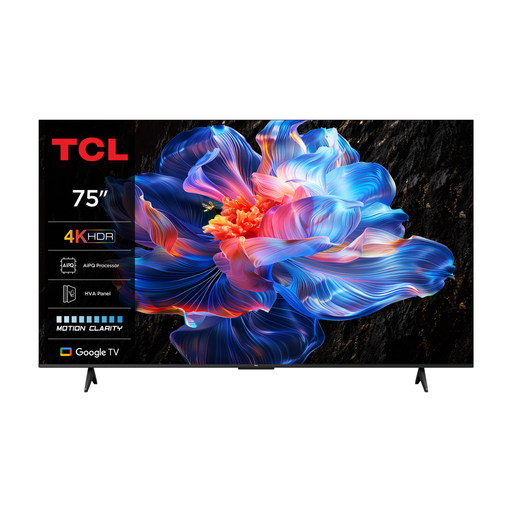 Image unavailable
The 75-inch screen size gives you a specific measurement to compare with your viewing distance and the space available.
According to the product name: 4K LED and 60 Hz. The product information lists HDMI connections and HDR formats; check the exact connection and picture settings for your presentation.
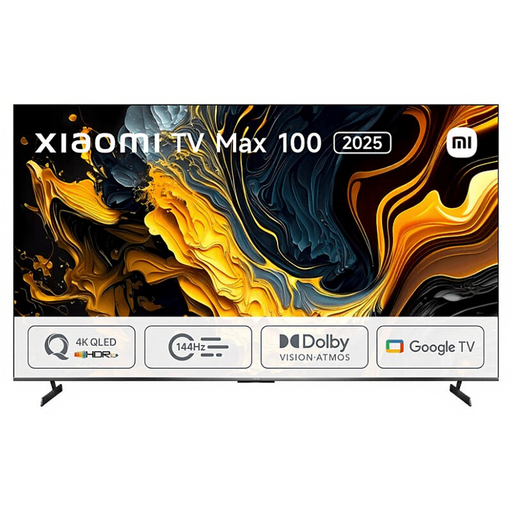 Image unavailable
The 100-inch screen is a large size to compare with your viewing distance. Also measure the available space to make sure it’s sufficient.
According to the product information: 4K, QLED, HDR10+ and three HDMI ports. The listed width is 222,9 cm.
Measure the distance from the eyes of the viewer in the back row to the screen. The Consumers’ Association uses the viewing distance divided by 2.4 as a guide to screen size and recommends 75 inches or larger for 5 m. Then check with your own showreel that titles are readable.
Only if the exact TV model supports the file system and video and audio codecs used. Sony publishes a model-specific list for the K-75XR5; test the entire exported file before using the TV for a screening, too.
Check the available width, weight, stand dimensions and mounting details for the exact model and your chosen set-up. The LG 75QNED85A6C is a reminder that screen size alone isn’t enough; LG marks this model as discontinued.
Compare the EU energy information for the specific models you’re considering, and ask which installation or mounting options are included with your purchase. The European EPREL database provides additional product information.
No. ACM ConsuWijzer explains that statutory rights apply alongside a retailer’s or manufacturer’s warranty. Under the applicable conditions, the retailer is responsible for providing a solution if a product is faulty; there isn’t one fixed statutory warranty period for every TV.