
Student with a narrow shelf
You want to show an animation showreel without the screen or stand extending beyond the space available. So measure the entire set-up; a manufacturer’s description such as ‘compact’ doesn’t replace this check.


Start by measuring the available shelf width and depth, including the stand and room for cables; screen size alone won’t tell you whether the TV will fit. Then choose based on viewing distance, how you’ll play your showreel and the light in the room. A smaller screen may be easier to position, while a larger screen that fits gives you more viewing area.
You want to show an animation showreel without the screen or stand extending beyond the space available. So measure the entire set-up; a manufacturer’s description such as ‘compact’ doesn’t replace this check.
You want viewers to be able to distinguish contrast, colour and detail in your animation. The Dutch Consumers’ Association highlights viewing angle and reflections, among other things, so assess the picture using your own showreel and in the room where you’ll be presenting.
You want to play the showreel from your computer and check in advance that the connection and presentation set-up work. The Dutch Consumers’ Association describes HDMI as a way to connect a laptop or computer to a TV.
First measure the shelf and the complete TV set-up, then consider the distance to your audience. Compare picture quality and playback options using the showreel and equipment you’ll actually be using.
| What to consider | What should you look for? | Who is this important for? |
|---|---|---|
| Will the TV fit on the shelf? | Measure the width and depth, and check the dimensions of the exact model, including its stand and room for cables. | If space is limited, I want to know whether the complete set-up will fit, not just whether the screen size looks small enough. Around 36% of consumers are most concerned about positioning. |
| How does the showreel look? | View your own file from the intended viewing positions and check the colour, contrast, reflections and viewing angle. | If the presentation needs to show detail and differences in colour, I want to assess the actual screen with my own animation. Picture quality is the top priority for around 29% of consumers. |
| Will the playback set-up work? | Check that the TV has an accessible HDMI input and test your laptop, cable, picture and sound with the final file. | If I’m presenting from a laptop, I want to be sure in advance that the picture and sound work with my set-up. Reliable playback is the main concern for around 21% of consumers. |
| Energy use and service | Compare the EU energy label and check what to do if the TV develops a fault. | If I’m also considering energy use and help with problems, I want to factor those terms into my choice. Running costs and service are the top priorities for around 14% of consumers. |
The screen size doesn’t tell you the outer dimensions or stand depth of a specific model. So a TV that looks small enough on paper may not sit properly on the shelf.
Measure the shelf and check the full dimensions of the exact model, including its stand.
Colour, reflections, viewing angle and settings are separate picture characteristics. TCL says that results from its own laboratory tests may vary depending on test conditions.
Assess the actual screen with your own showreel in the room where you’ll be presenting.
An HDMI connection makes it possible to play content from a computer, but it doesn’t prove that your complete set-up is already working.
Test the final file in advance, including picture and sound.
An alternative playback method may require extra time or equipment to get the presentation ready.
Philips offers, among other models, the 32-inch Full HD 32PFS6900/12 and the 43-inch 4K 43PUS9000/12. This lets you weigh up a smaller screen against a larger viewing area.
The LG OLED42C5ELB is a 42-inch 4K OLED option to consider if you’re thinking about a larger screen and have room for it.
The Samsung QE43QN90FATXXN is a 43-inch 4K Mini LED model to compare with other screen options.
The TCL P7K series includes a 43-inch model, while the S5K series includes smaller Full HD models.
This selection mainly features 32-inch TVs for a compact set-up, plus a 42-inch 4K OLED model. Before choosing, measure both the shelf and the TV’s dimensions with its stand.
 No image available
The 32-inch screen size is a smaller option for a set-up with limited shelf space; remember to check the dimensions with the stand as well.
The product title specifies Full HD, QLED and Tizen OS.
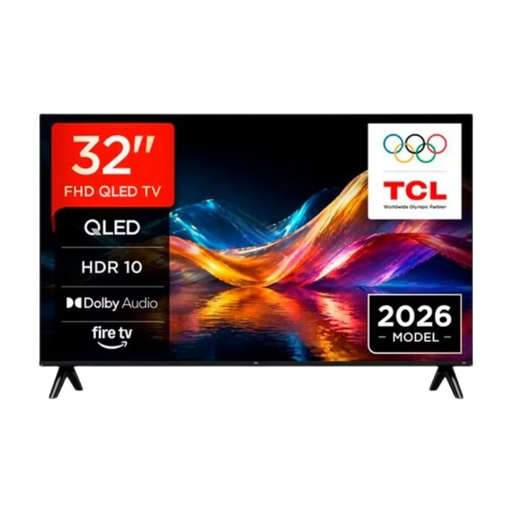 No image available
The 32-inch screen size is a smaller option if shelf space limits your choice; measure the full TV and stand before deciding.
The product title specifies QLED Smart TV. The resolution wording in the title doesn’t make it clear which resolution variant this is.
 No image available
The 32-inch screen size makes this a smaller option to consider if shelf space is limited; check that the stand will fit on your shelf.
The product title specifies HD, HDR10 and Googlecast.
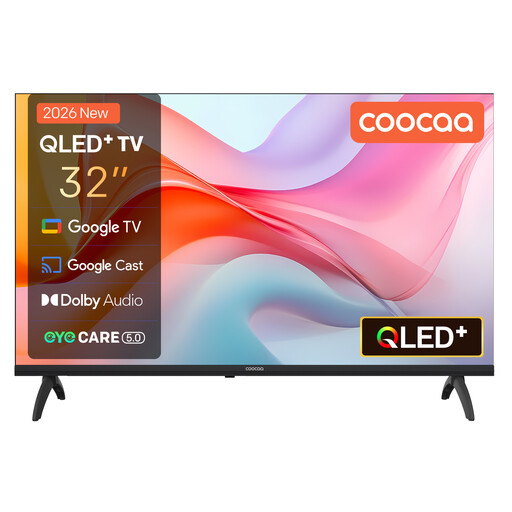 No image available
The 32-inch screen size is a smaller option for a shelf with limited space; the exact stand dimensions still matter.
The product title specifies Google TV, HDR10 and energy rating E.
 No image available
Consider this 42-inch model if you want a larger screen and your shelf can support the full TV set-up; it needs more space than the 32-inch options.
The product title specifies 4K Ultra HD OLED, Dolby Vision, HDR10 and HDMI 2.1.
First measure the available shelf space and compare it with the full dimensions of the specific TV, including its stand. Then measure the distance to your viewers. The Dutch Consumers’ Association suggests around 2.4 times the screen diagonal as a starting point for a comfortable viewing distance, not as a set requirement or a guarantee that the TV will fit.
Yes. According to the Dutch Consumers’ Association, you can connect a laptop or computer to a TV via HDMI to display the picture. Before your presentation, test your own laptop, connection, cable, animation showreel and sound.
No. A panel label on its own doesn’t confirm how accurately the colours in your showreel will be displayed. The Dutch Consumers’ Association assesses colour reproduction, viewing angle, reflections and picture settings separately, so compare the actual TV with your own file and viewing conditions.
Compare the TV’s energy label and the additional information for HDR use. The European Commission describes the label scale from A to G. If a fault occurs after normal use, ACM ConsuWijzer says you have statutory rights against the seller; these aren’t simply limited to a fixed manufacturer’s guarantee period.
Online purchases generally come with a statutory 14-day cooling-off period, starting from delivery according to ACM ConsuWijzer. Check the applicable terms and, ideally, measure before you order.