What should you look for when choosing?
OLED
Best for visitors who regularly watch from an angle, or need to see dark details in the showreel.
Consider the Consumers’ Association generally describes OLED as offering a wider viewing angle and deeper blacks. Check reflections and brightness in the intended location.
QLED or Mini-LED LCD
Best for a room where daylight or kitchen lighting is hard to avoid and brightness is a priority.
Consider QLED TVs can often get brighter, according to the Consumers’ Association; Mini-LED uses dimming zones for its backlight. Also compare reflections, viewing angle and dark scenes on the specific model.
Standard LED LCD
Best for anyone mainly looking for a TV with a suitable size and picture settings for their showreel.
Consider the technology name doesn’t predict how the chosen model will display colours, reflections or viewing angles. Assess these points in your own location.
| What to consider |
What to look for when buying |
Who is this important for? |
| Faithful playback |
Test your own showreel in the room’s usual lighting; compare picture modes and check the aspect ratio and any post-processing. |
When I show my animation showreel, I don’t want the colours, proportions or movement to change unintentionally; around 33% of consumers put faithful picture quality first. |
| Lighting and viewing angle |
View the screen from the planned seating positions and in the lighting that will be on during the screening. |
I want visitors to be able to assess details even in bright conditions and from angled seats; around 25% of consumers give visibility and viewing angle top priority. |
| Source and playback |
Check the connection you need and test the entire video file, including sound, on your chosen TV beforehand. |
I want to show my own file without interruption and know in advance which playback method works; around 25% of consumers prioritise reliable playback. |
| Positioning and use |
Measure the viewing distance and available space; check the installation guidance and compare the models’ energy labels. |
I want to find a suitable spot beside the kitchen and understand what regular use means; around 17% of consumers give positioning and running costs top priority. |
The European Commission provides energy labels for electronic displays, including televisions. Compare the label information for the models you’re considering.
TVs for this viewing setup
This selection of Joybuy products includes Mini-LED, QLED and LED TVs to compare for showing an animation showreel. Check the screen size, connections and picture quality in the intended location before choosing a model.
 No image available
LG QNED85B6B QNED Evo Mini LED 4K Smart TV
An option to compare if you’re looking for a 4K Mini-LED TV for a screening; assess the picture and viewing angle using your own showreel.
4K Smart TV; Mini LED.
Joybuy
 No image available
TCL 50Q6C QD-Mini LED 4K TV
A QD-Mini-LED model to compare if you’re looking for a 4K TV; check reflections, viewing angle and how dark scenes look in your location.
4K; QD-Mini LED; the product title lists HDR Premium 1000 Nits and Motion Clarity Pro 144 Hz.
Joybuy
 No image available
METZ 86MQE8000Z 86-inch QLED Google TV
A large QLED model to compare if your available setup space and viewing distance are suitable for the screen size.
86 inches; 4K; HDR10+; HDMI 2.1.
Joybuy
 No image available
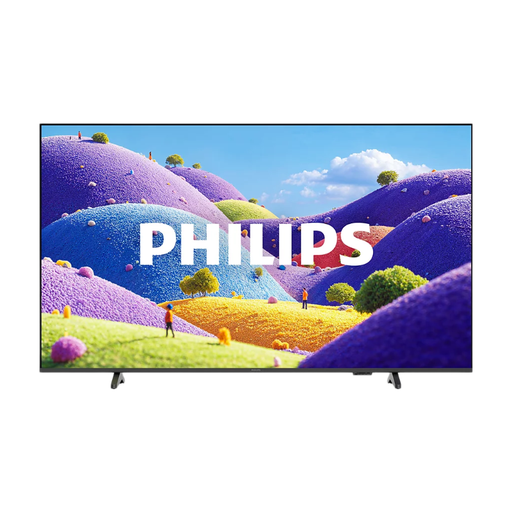
Philips 55PUS7061/12 LED 4K TV
An LED TV to compare if you’re looking for a 55-inch 4K screen for your screening; test your file and picture settings beforehand.
55 inches; 4K; LED.
Joybuy
 No image available
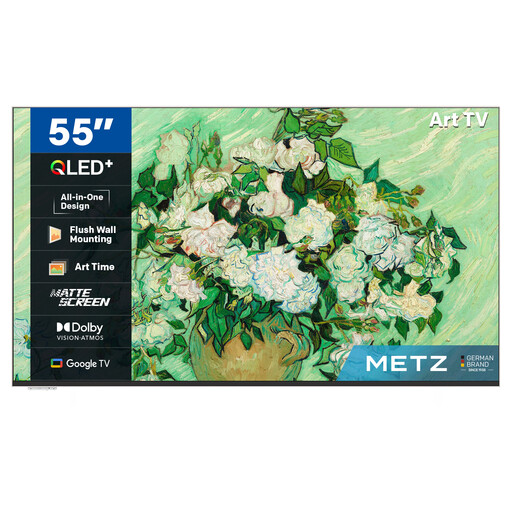
METZ 55MUE7800Z 55-inch QLED UHD Smart TV
A 55-inch QLED model to compare if reflections in your viewing location are a concern; assess the screen in your usual lighting conditions.
55 inches; UHD; QLED; the product title lists a matte screen. According to the product title, the frame is sold separately.
Joybuy
Frequently asked questions
Which picture setting should I use to assess my showreel?
Test the showreel in a film-focused or other restrained mode, using your own file and the lighting you’ll use during the presentation. Filmmaker Mode is designed to switch off features such as motion interpolation and preserve the original aspect ratio and frame rate. Check how this mode works with your TV and source.
Is wireless playback enough for my own video file?
You’ll only know once you’ve tested your chosen file on the TV. Supported apps and ways to play local files vary, so try the entire showreel beforehand. If you’re using a laptop or media player, check the connection you need too.
How can I keep the screen clean beside the kitchen?
LG recommends unplugging the TV and gently wiping the screen with a soft microfibre cloth. Check the manual for your chosen model for further care instructions.
What does the EU energy label tell me when buying a TV in the Netherlands?
According to the European Commission, televisions are covered by the EU energy labels for electronic displays. The label uses a scale from A to G and shows energy consumption in kWh per 1,000 hours. Compare the information for the models you’re considering.
Do I lose my right to a guarantee after two years?
No, not automatically. According to ACM ConsuWijzer, statutory guarantees in the Netherlands depend on what you could reasonably expect from the product with normal use. If a product is faulty, the retailer is your point of contact; a separate manufacturer’s guarantee doesn’t change your statutory rights.


