
Creator with a showreel on USB
You want to present without a laptop, so you’ll need to check in advance whether the TV plays your video file and audio. LG warns that support depends, among other things, on the file extension and codec.


First, decide whether to play your showreel from USB or use a laptop or other suitable source via HDMI. A USB port does not guarantee that the TV supports your video and audio codecs. Then choose a screen to suit the room and audience. The Dutch Consumers’ Association describes OLED as an option for deep blacks and wide viewing angles. QLED TVs can often be brighter, but the specific model and lighting in the room still make a difference.
You want to present without a laptop, so you’ll need to check in advance whether the TV plays your video file and audio. LG warns that support depends, among other things, on the file extension and codec.
Look at blacks, colour and a picture mode that won’t make your animation look unintentionally over-bright or over-saturated. The Dutch Consumers’ Association notes that shop settings are often extra bright.
You’ll need to take screen size, viewing distance, viewing angles and reflections into account. The Dutch Consumers’ Association suggests around 2.4 times the screen diagonal as a guide to a comfortable viewing distance.
Choose this option: if you want to present without a laptop and the manual for the exact model confirms support for your storage format and video and audio codecs.
Trade-off: you’ll need less equipment, but a file that works on a computer may not play on the TV. LG and Sony refer to model-dependent file support.
Choose this option: if you want to use playback software on a suitable external source, or you’re unsure whether the TV supports your USB file.
Trade-off: you’ll need an extra device, cable and possibly an adapter. The Dutch Consumers’ Association describes HDMI as a common connection for external devices; also check video and audio output.
| What to consider | What should you check? | Who should prioritise this? |
|---|---|---|
| Playing files from USB | For the exact model, check the storage format, file extension and video and audio codecs. LG lists codec and extension requirements; Sony refers to the manual for supported file types. | If I want to present without a laptop, my entire showreel, including sound, needs to play; around 36% of consumers put reliable file playback first. |
| Animation picture quality | Compare specific models in the room’s lighting and view familiar scenes in a suitable picture mode. The Dutch Consumers’ Association describes deep blacks and wide viewing angles as possible OLED characteristics, and notes that QLED TVs can often be brighter. | If I want to assess colour and dark scenes, I want to avoid letting a shop setting dictate how the picture looks; around 29% of consumers give picture quality top priority. |
| Visibility for the group | Measure the viewing distance and available space, and check viewing angles and reflections. The Dutch Consumers’ Association suggests around 2.4 times the screen diagonal as a guide to a comfortable viewing distance; it doesn’t guarantee that every detail will be readable from every seat. | If viewers need to follow the showreel from different positions, I’ll choose the screen size and viewing lines to suit the room; around 21% of consumers put visibility for the audience first. |
| Set-up and running costs | Make a list of your source, cables and preferred audio connection. Compare the EU energy label for the exact model; the European Commission describes the scale from A to G. | If I want to keep the complete presentation set-up simple while also considering power consumption, I’ll check what equipment and connections I need; around 14% of consumers prioritise set-up and running costs. |
A codec may not be supported, even if the file works on a computer. The file extension or USB connection alone doesn’t confirm that the TV will play your showreel with sound.
Check the manual for the exact model and test the final showreel, including sound, in advance.
If the file won’t play, you may need to export it again or use a suitable external playback source.
Panel technology alone doesn’t explain every difference in picture quality, viewing angle or brightness. The picture mode and room lighting also affect how your animation looks.
Compare specific models in the conditions you’ll be presenting in, and assess a familiar scene in a suitable picture mode.
The Joybuy product page for the Philips 55PUS7800/12 contains conflicting information about its operating system. Don’t rely on the description as confirmation of a feature you need.
Check the full model number and the features you need in the manufacturer’s documentation.
The OLED C5 range, including the OLED55C54LA, is worth considering if deep blacks and viewing angle matter to you.
Philips lists the 55PUS7800/12 as a 55-inch 4K QLED model; according to Philips, the 55PUS8500/12 has Ambilight.
Sony directs you to the manual for the specific product for information about USB playback.
The 55-inch S95F is an OLED model worth comparing if reflections are a particular concern.
The 55T8C is a QLED model to consider alongside other screen options.
These TVs are options to consider when weighing up screen choice and how to present animation files stored locally. For each exact model, check whether your file works via USB or prepare a suitable external source.
 No image available
An option to compare with an OLED screen; check the codecs supported by the exact model for USB video and audio before relying on direct playback.
 No image available
For anyone comparing 55-inch 4K OLED models; check file compatibility separately if you want to play your showreel directly from USB.
Features listed in the product name: 55-inch, 4K OLED, Dolby Vision and Dolby Atmos.
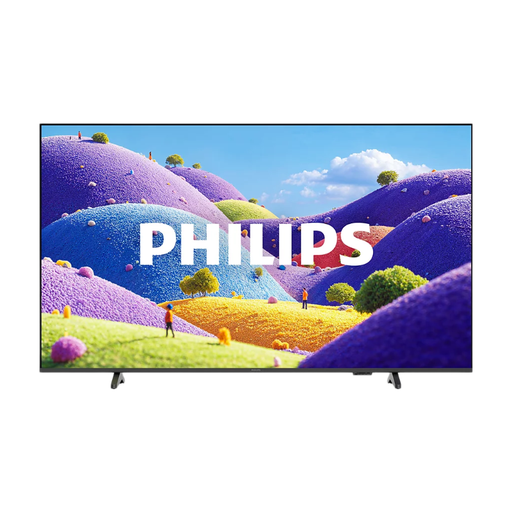 No image available
An option if you want to explore USB playback; test the whole showreel, including sound, and check the manual for this exact model.
Features listed in the product name: LED and 4K.
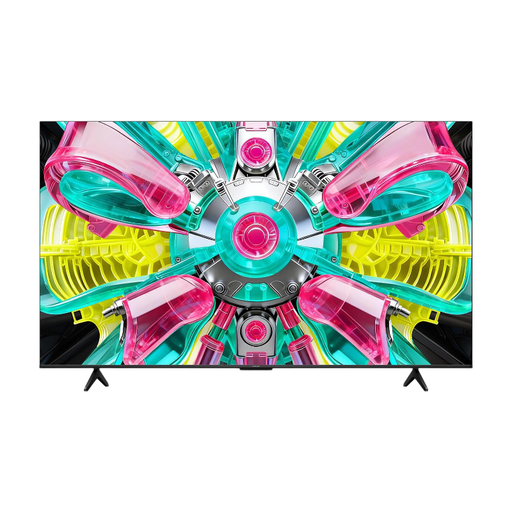 No image available
For anyone comparing a QLED screen option; choose a size to suit the room and check which connections your playback source needs.
Features listed in the product name: 4K, QLED and 144Hz.
 No image available
An option if you’re considering a large screen for a group; measure the viewing distance and check which connections your external source requires.
Features listed in the product name: 75-inch, 4K Mini-LED and 144 Hz.
No. You can’t tell from the file extension or USB port alone. For the exact model, also check the video and audio codecs and test the file in advance; LG lists codec and extension requirements for USB video.
Test the same source, cable, TV and audio set-up in advance that you’ll use during the presentation. Watch a familiar scene with light and dark areas in the room’s usual lighting; according to the Dutch Consumers’ Association, shop settings are often extra bright.
An extended warranty doesn’t replace your statutory rights in the Netherlands. The Dutch government states that there is no fixed statutory warranty period. When buying online from a business, you generally have a 14-day cooling-off period; check the applicable terms and exceptions.
Compare the EU energy label for the exact TV model. The European Commission describes the scale for televisions and monitors as running from A to G; EPREL provides information about model specifications. The energy label gives you information about energy consumption; it doesn’t mean you have to choose a particular class.