
People who listen together with an audio system
You want to play live albums through the speakers in your lounge. So check that the turntable’s output is compatible with the input available on your amplifier or active speakers.


Start with the speakers and inputs already in your lounge. A turntable with a switchable phono preamp can connect to a line input or, with the preamp switched off, to a suitable phono input. Automatic operation is handy when several people will be starting records; a manual model is a better fit if you want to control the tonearm and settings yourself. An all-in-one turntable means less separate equipment, but the Consumentenbond notes that these models often sound less good than conventional turntables in general. This is not a test result for every individual model.
You want to play live albums through the speakers in your lounge. So check that the turntable’s output is compatible with the input available on your amplifier or active speakers.
Several people will use the turntable, and you want as few steps as possible to start and finish a record. Sony and Denon describe models with automatic functions; check which actions are automatic on each model.
You’re looking for a self-contained set-up and want to know what built-in speakers offer, and whether you can connect external speakers later. Lenco lists both options for the LS-50WD.
A good fit when: several people want to start records without positioning the tonearm themselves, and suitable speakers or an amplifier are available.
The trade-off: speakers remain a separate component; check your system’s connections.
A good fit when: the person putting on a record wants to control the tonearm and settings themselves.
The trade-off: manual operation takes more attention, especially when several people use the turntable.
A good fit when: separate speakers aren’t available and a self-contained set-up is the priority.
The trade-off: the Consumentenbond describes the sound quality of all-in-one turntables as often being less good than that of conventional turntables in general; this is not a measurement of a specific model.
First decide how the turntable will connect to your existing audio system. Then choose between automatic convenience, manual operation or built-in speakers.
| What to consider | What should you check? | Who is this important for? |
|---|---|---|
| Connection to your lounge audio | Check whether your system has a line or phono input and whether the turntable has a switchable phono preamp. A Bluetooth transmitter only works with equipment that can receive Bluetooth audio. | If I want to play live albums through the existing lounge speakers, I want to make sure the connections are compatible. Around 33% of consumers prioritise connections and playback for a group. |
| Use by several people | Check whether the turntable starts fully automatically and whether the arm returns automatically; a manual cueing lever is not the same as fully automatic operation. | When several people use the turntable, I value easy starting and stopping more than controlling the tonearm myself. Around 27% of consumers prioritise ease of shared use. |
| Set-up and maintenance | Check which stylus or cartridge options and tonearm adjustments are available for each model. Follow the instructions from the manufacturer of the exact cartridge and cleaning product when cleaning a stylus. | If I want to adjust the settings myself and take care of the stylus, I look for model-specific options and maintenance instructions. Around 27% of consumers prioritise adjustability and maintenance. |
| Listening without separate speakers | Check whether speakers are built in and whether there’s an output for external speakers if you want to expand your set-up later. | If I don’t have separate speakers in the lounge, a self-contained set-up matters more to me than adding separate equipment. Around 13% of consumers prioritise this option. |
A conventional turntable doesn’t automatically make a complete listening set-up. You’ll need suitable speakers and possibly an amplifier or phono preamp.
Before buying, note which speakers and inputs are already available in your lounge and compare them with the connections on the exact model.
A conventional turntable may require extra equipment, such as speakers, an amplifier or a phono preamp.
Bluetooth can send audio to a compatible receiver; built-in speakers play sound from the turntable itself. One feature doesn’t automatically mean the other is included.
Check separately whether the model has speakers, can transmit Bluetooth audio and has a suitable wired output.
If there are no built-in speakers, you may still need external speakers for a self-contained listening set-up.
According to Sony, the Sony PS-LX3BT supports 33⅓ and 45 rpm, but not 78 rpm. Playback speeds vary by model.
Check the speed of your records and compare it with the specifications of your chosen turntable.
The AT-LP70XBT and AT-LP120XUSB offer different approaches to operation: automatic and fully manual.
The PS-LX3BT combines fully automatic operation with Bluetooth and a built-in, switchable phono preamp.
The DP-300F is a fully automatic, belt-drive turntable with a switchable phono preamp and manual cueing lever.
The LS-50WD offers a self-contained set-up with two built-in speakers and an RCA line output.
These models are for anyone who wants to play live albums in a shared lounge with automatic operation and existing or suitable audio equipment.
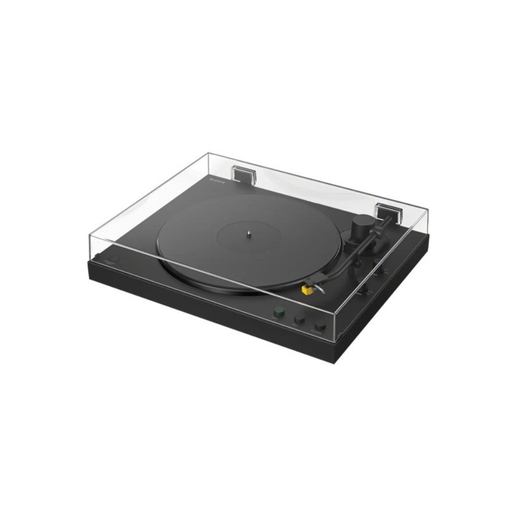 No image available
Worth considering if you’re looking for a Bluetooth turntable; check that your speakers or headphones can receive Bluetooth audio.
Bluetooth is listed in the product name. Before buying, check that its connections and controls meet your needs for the lounge.
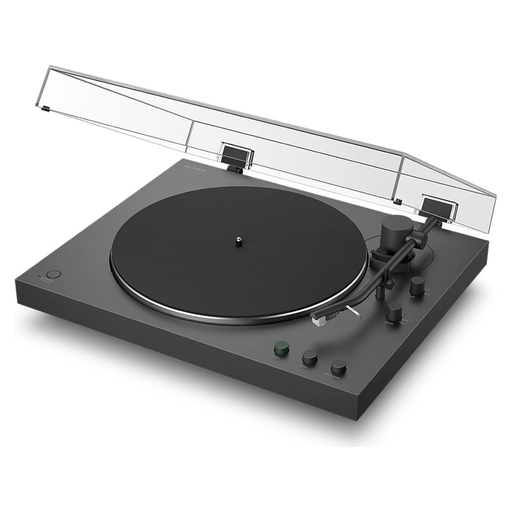 No image available
A good fit if you’re looking for automatic operation and a switchable phono preamp for an existing audio set-up.
Sony lists Bluetooth, automatic arm return and 33⅓ and 45 rpm playback. The model doesn’t support 78 rpm records and has a non-removable headshell.
It depends on the type of speakers and the inputs available. Check whether you’re using active speakers or an amplifier, and whether they have a line or phono input. The Consumentenbond points out that a line input requires a phono preamp; with a suitable phono input, you can switch off a switchable preamp.
Automatic functions can make it easier to start a record and return the arm when several people use the turntable. Check which actions are automatic on each model; a manual cueing lever, such as the one Denon lists for the DP-300F, is a separate feature.
Not if you choose a model with built-in speakers, such as the Lenco LS-50WD. A conventional turntable requires suitable speakers and possibly an amplifier; the Consumentenbond notes that all-in-one turntables often sound less good in general, without assessing any individual model.
No. Sony lists support for 33⅓ and 45 rpm for the PS-LX3BT, and states that it doesn’t support 78 rpm records. Check the supported speeds separately for other models.
Follow the maintenance instructions for the exact cartridge and cleaning product. When using its liquid stylus cleaner, Audio-Technica advises brushing gently from back to front, not from side to side. Don’t apply this advice to other cleaning products without checking their instructions.