First, decide how the turntable will connect to your speakers and amplifier: the turntable alone won’t determine how well your sound fills a large living room. A switchable phono preamp can make connecting everything easier if you don’t have a phono input. Then choose between automatic operation and a manual model, and check the condition and speed of your records, as well as whether the stylus is suitable.
Who is this choice relevant to?
Listeners who want to fill their living room with sound
If you want to play records in a large room, you’ll need to match your turntable to your speakers, amplifier and phono connection. The Consumers’ Association of the Netherlands (Consumentenbond) highlights the preamp as something to consider, while Klipsch explains that passive speakers need a separate amplifier.
Collectors of second-hand records
If you play second-hand records with different speed requirements or in varying condition, it’s worth checking both the available speed settings and whether the stylus is suitable. Audio-Technica and Sony highlight the importance of cleaning and supported speeds respectively.
Listeners who value convenience
If you’d rather not position the tonearm yourself every time, compare fully automatic models with manual turntables. Also check which wired or wireless connections will work with your existing audio setup.
What should you look for when buying?
Start by checking the connection between your turntable, amplifier and speakers. Then choose how you want to operate it, and check that the turntable and stylus are suitable for the records you want to play.
| What to consider |
What should you check? |
Who is this most relevant to? |
| Audio setup |
Check whether the turntable has a phono preamp or phono/line switch, and whether you use active speakers or an amplifier for passive speakers. |
If I listen in a large living room, I want to know what I’ll need besides the turntable to connect my speakers. Around 31% of consumers put a complete audio setup at the top of their list. |
| Second-hand records and stylus |
Compare the supported speeds with your records and check which stylus is suitable for the cartridge and any 78 rpm records. |
When buying second-hand records, I want to avoid needing a speed setting or stylus that isn’t compatible with the turntable. Around 25% of consumers give the condition and compatibility of their records top priority. |
| Ease of use |
Check which actions the specific model automates and whether you’d rather position the tonearm yourself. |
If I want to start playing a record without positioning the tonearm myself, I’ll compare fully automatic operation with a manual model. Around 25% of consumers say ease of use is their main consideration. |
| Connections and settings |
Check whether each model has Bluetooth, USB recording or adjustable anti-skating, and whether these features suit the way you’ll use it. |
If you want to record records on a computer, listen wirelessly or adjust the settings yourself, you’ll need different features. Around 19% of consumers prioritise connections and adjustment options. |
Common buying mistakes
-
Assuming a turntable is a complete solution for a large living room
A turntable doesn’t automatically replace the amplification or speakers your setup needs.
Make a note of the connections on your amplifier and speakers, then check the phono or line output on the specific turntable model.
Depending on your current setup, you may need additional speakers, amplification or a phono preamp.
-
Assuming a 78 rpm setting makes every 78 rpm record suitable to play
The speed setting and stylus compatibility are two separate things to check. A 78 rpm setting alone doesn’t confirm that the fitted stylus is suitable.
Check the required speed and stylus for the record in question before playing it.
A different record format may require a different compatible stylus.
-
Playing second-hand records without checking the record and stylus
Dust or dirt can collect on the stylus. Audio-Technica warns that a build-up of dirt can affect playback and may damage the stylus assembly.
Check the record and stylus, and follow the cleaning instructions for your chosen cartridge.
Cleaning second-hand records may require suitable cleaning supplies.
Brands to compare
Audio-Technica
The AT-LP70XBT is fully automatic and features Bluetooth and a switchable phono preamp. The AT-LP120XUSB is a manual model with USB.
- According to Audio-Technica, the AT-LP70XBT uses a stylus from the VM95 series, which can be replaced with other styluses from the same series.
- The AT-LP120XUSB offers more hands-on control; check which connections and settings you need on each model.
Sony
The PS-LX3BT and PS-LX5BT are fully automatic models with Bluetooth. The PS-LX3BT also has a phono/line switch.
- According to Sony, the PS-LX3BT offers wired and wireless connection options.
- Sony lists only 33⅓ and 45 rpm for the PS-LX3BT and PS-LX5BT. If you want to play 78 rpm records, check a different turntable and stylus.
Denon
The DP-300F is a fully automatic belt-drive turntable with a switchable phono preamp.
- According to Denon, the tonearm returns after playback; the built-in preamp can be switched off when using a phono input.
- The DP-300F supports 33⅓ and 45 rpm; check the speeds your records require.
Pro-Ject
The manual Debut EVO 2 is an option for a setup with phono preamplification; the Automat A1 is a separate automatic model.
- Pro-Ject lists RCA connections and a replaceable phono cable for the Debut EVO 2.
- The Debut EVO 2 needs phono preamplification elsewhere in your audio setup.
Rega
The Planar 1 is a manual model with a pre-set tonearm and fitted cartridge. The Planar 1 Plus is a different version.
- According to Rega, the Planar 1’s pre-set tonearm and fitted cartridge reduce the amount of setup needed when you first use it.
- The built-in MM phono preamp is a feature of the Planar 1 Plus; don’t assume it’s included with the standard Planar 1.
Turntables at Joybuy
This Joybuy selection includes all-in-one turntables with built-in speakers and fully automatic Sony models. For a large living room, check whether the built-in speakers or the connections to your existing audio setup are suitable for the space.
 No image available
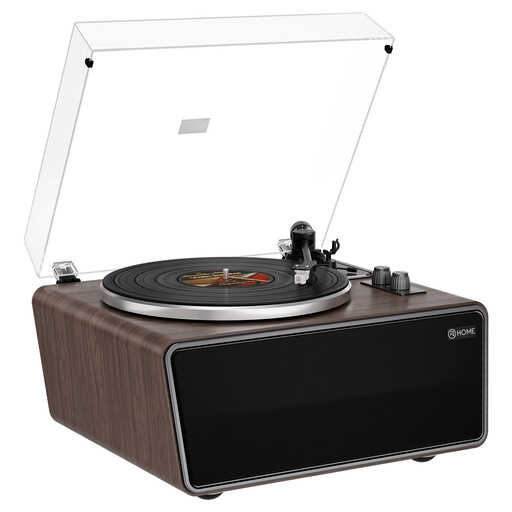
XJ-HOME XJ-H01 All-in-One turntable
An all-in-one model with built-in speakers is an option if you want a turntable with speakers in the same unit. Don’t assume it will fill a large living room without checking first.
The product information lists four built-in speakers, a phono preamp, Bluetooth, USB recording and RCA phono/line outputs. The turntable supports 33⅓ and 45 rpm and has an AT-3600L cartridge.
View at Joybuy
 No image available
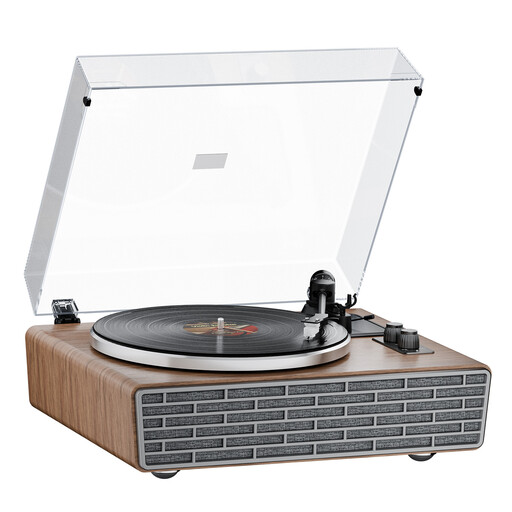
XJ-HOME XJ-H02 Retro Walnut Bluetooth turntable
This model combines built-in speakers with connections for external audio equipment. Check which setup is best suited to your large living room.
The product information lists Bluetooth, four built-in speakers, belt drive, an AT-3600L cartridge, RCA phono/line outputs and support for 33⅓ and 45 rpm. A transparent dust cover is also listed.
View at Joybuy
 No image available
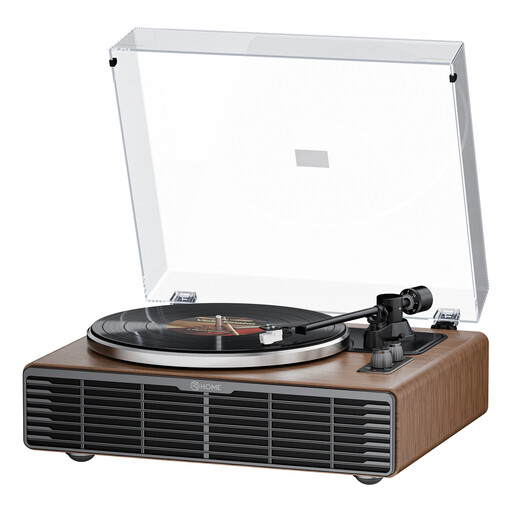
XJ-HOME XJ-H03 Walnut Bluetooth turntable
The built-in speakers give you an integrated listening setup. Check whether you want to use them or connect external audio equipment.
The product information lists Bluetooth, four speakers, belt drive, an AT3600L cartridge and RCA phono/line outputs. The turntable supports 33⅓ and 45 rpm and has a transparent dust cover.
View at Joybuy
 No image available
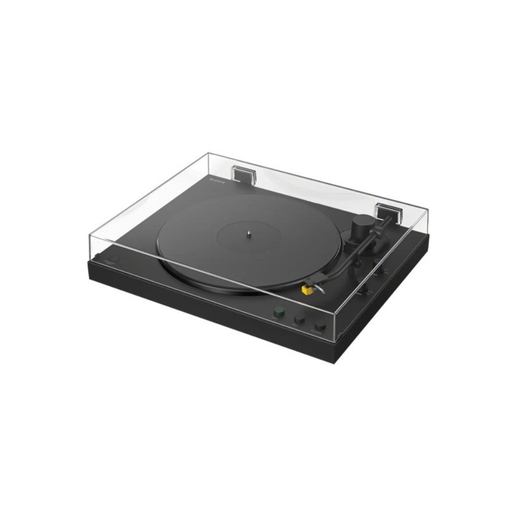
Sony PS-LX5BT Premium Bluetooth turntable
Fully automatic operation suits anyone who’d rather not position the tonearm themselves each time. Check whether Bluetooth or the PHONO/LINE connection works with your audio setup.
This model supports 33⅓ and 45 rpm. Sony states that the PS-LX5BT does not play 78 rpm records.
View at Joybuy
 No image available
Sony PS-LX3BT Bluetooth turntable
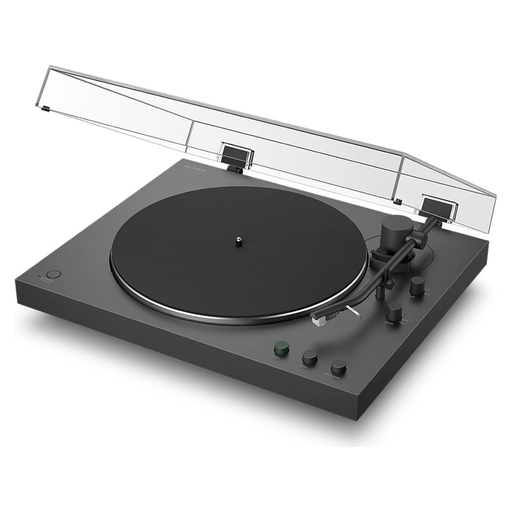
The fully automatic tonearm suits anyone who’d rather not start and stop a record entirely by hand. Check whether Bluetooth or the PHONO/LINE switch works with your existing equipment.
The PS-LX3BT supports 33⅓ and 45 rpm. Sony states that this model does not play 78 rpm records.
View at Joybuy
Frequently asked questions
Can I connect a turntable directly to my speakers?
That depends on the connections available on your speakers and turntable. Klipsch explains that active speakers have their own amplification, while passive speakers need a separate amplifier. Also check whether there’s a suitable phono preamp somewhere in the chain.
How should I handle dusty second-hand records and the stylus?
Check and clean a dusty record using a suitable method before playing it. Audio-Technica warns that a build-up of dirt on the stylus can affect playback and may damage the stylus assembly. Follow the cleaning and replacement instructions for your chosen cartridge.
Can any turntable play old 78 rpm records?
No. Check both the speed setting and the compatible stylus for each model. Sony, for example, states that the PS-LX3BT and PS-LX5BT support only 33⅓ and 45 rpm.
What are my rights in the Netherlands when buying online or if an item is faulty?
When you buy from a business online, you’ll often have 14 days to change your mind; the Dutch Government states that this can also apply to second-hand or vintage products. Online purchases from private sellers aren’t covered by the distance-selling rules. When you buy as a consumer, you’re entitled to a product that’s fit for purpose. There’s no fixed statutory guarantee period in the Netherlands, and the seller is your point of contact if something is faulty.


