
Listener with speakers near the wall
If you want to listen to second-hand vinyl, you’ll need a level surface for your turntable, away from speaker vibrations. Audio-Technica gives this advice in the setup instructions for the AT-LP70XBT.


First, choose a level surface for your turntable where it won’t pick up vibrations from your speakers. Then check that your existing equipment has the right phono and line connections, as well as the necessary amplification. A separate turntable gives you more freedom to position the turntable and speakers independently, while Bluetooth can connect it wirelessly to compatible speakers. Built-in speakers, on the other hand, can’t be separated from the turntable. When playing second-hand records, it’s important to inspect and carefully maintain both the record and the stylus, whatever type of controls you choose.
If you want to listen to second-hand vinyl, you’ll need a level surface for your turntable, away from speaker vibrations. Audio-Technica gives this advice in the setup instructions for the AT-LP70XBT.
If you play records in varying condition, pay attention to inspection, cleaning and careful stylus maintenance. Audio-Technica provides guidance on caring for vinyl and styli.
If you want to keep using your current speakers, check in advance which inputs and amplification your setup requires. The Consumers’ Association points out that a standard turntable needs to be connected to speakers and an amplifier.
First, find a spot where the turntable won’t be affected by vibrations, then make sure its connections match your existing equipment. Next, consider how important automatic operation is to you, and whether you want to position your speakers separately or have them built in.
| Consideration | What to look for | Who should pay particular attention? |
|---|---|---|
| Vibrations and placement | Place the turntable on a level surface and away from speakers that cause vibrations, as Audio-Technica advises for the AT-LP70XBT. Follow the instructions for your specific speaker model when deciding how far to position it from the wall. | If the speakers are close to the turntable or on the same piece of furniture, I want to be able to position both devices appropriately. For around 33% of consumers, a vibration-free setup is the main priority. |
| Record and stylus care | Check that a suitable replacement stylus is available for the exact model. Clean the record and stylus according to the relevant instructions; Audio-Technica recommends thorough cleaning for old or second-hand vinyl. | If you play records in varying condition, you’ll want to deal with dirt carefully without expecting cleaning to repair damage. For around 27% of consumers, caring for second-hand records comes first. |
| Connecting to existing equipment | Make a note of whether your speakers are active or passive, which inputs are available, and whether the turntable has a phono preamp or a switchable PHONO/LINE output. Passive speakers also need an amplifier. | If I want to keep my current speakers or amplifier, all the components in the audio chain need to work together. For around 20% of consumers, compatibility with existing equipment is the main concern. |
| Operation | Check the exact model to see whether playback starts and stops automatically, and whether the turntable supports the speeds of the records you use. | If you’d rather not operate the tonearm by hand each time, automatic features may be worth considering. For around 20% of consumers, ease of use comes first. |
You need to consider the position of your speakers and your turntable separately: vibrations from speakers can affect a turntable placed next to them.
Position your speakers according to their model’s instructions, then place the turntable separately on a level surface where it won’t be affected by vibrations.
The connection you need depends on the turntable’s preamp, the inputs on your setup and whether your speakers are active or passive.
Make a note of the connections you have and check which PHONO/LINE setting and amplification your setup requires before buying.
Automatic operation won’t change the condition of a record. Dust needs careful attention, while cleaning won’t undo damage.
Inspect and clean your records and stylus according to the instructions, and check which replacement stylus is suitable for the exact model.
A relevant option if you’re looking for a separate turntable with clear setup and maintenance instructions.
A relevant option if you’re looking for automatic operation and flexible connections in the DP-300F.
A relevant option if you’re considering an automatic turntable with Bluetooth and a wired connection, such as the PS-LX310BT and PS-LX3BT models reviewed here.
This selection includes Bluetooth turntables that may be connected to separate speakers, as well as models with built-in speakers. Built-in speakers can’t be positioned separately from the turntable, which limits your options for arranging your setup.
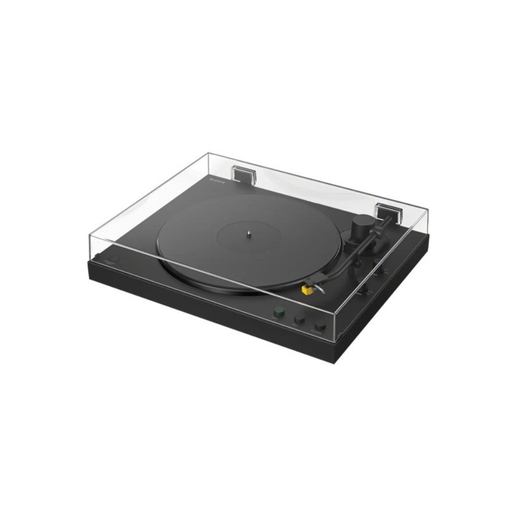 No image available
Bluetooth may be a good option if you want to connect compatible speakers wirelessly and position them further away from the turntable; check that your equipment is compatible first.
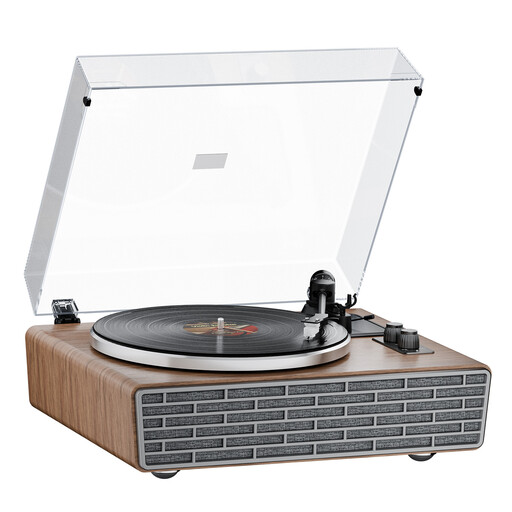 No image available
The four built-in speakers are part of an integrated setup; they can’t be positioned separately from the turntable.
The product name lists belt drive, an AT cartridge and a transparent dust cover.
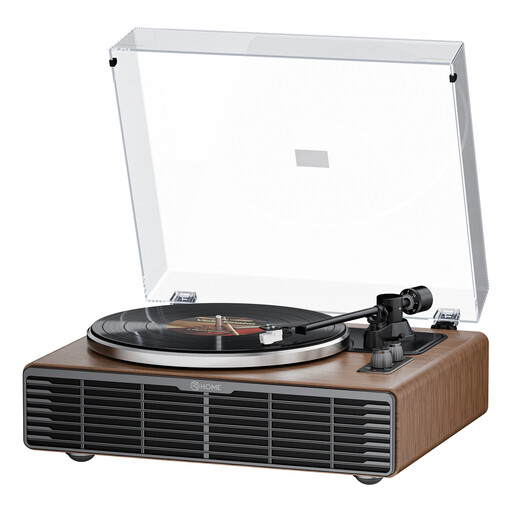 No image available
The four built-in speakers can’t be positioned separately from the turntable; bear this in mind if you want to minimise vibrations.
The product name lists belt drive, an AT3600L cartridge and an RCA phono/line output.
Ideally, place the turntable on a level surface and away from speakers that cause vibrations; this is Audio-Technica’s setup advice for the AT-LP70XBT. Check the guidance for your own speakers separately: a clearance requirement for a speaker with a rear-facing bass reflex port doesn’t automatically apply to every speaker.
First, check whether your speakers are active or passive and which inputs your setup has. For the AT-LP70XBT, Audio-Technica specifies PHONO for a receiver input labelled PHONO; for other connections, follow the instructions for the devices concerned.
Inspect the record and use a suitable product to remove dust, following the instructions. Audio-Technica recommends more thorough cleaning for old or second-hand vinyl and warns that incorrect cleaning can damage the stylus.
According to the Dutch government, when you buy online from a business, you’ll often have a 14-day cooling-off period, including for second-hand or vintage products. The Dutch government distinguishes this from buying from a private seller; your statutory rights if a product is faulty are separate from any manufacturer’s warranty offered.