
Jazz singles listener
You want a turntable that can play your singles in the right size and at the right speed. Also check whether you need an adapter for a large centre hole.


Start with your jazz singles: check their size, playback speed and whether you need a centre adapter. Then choose a turntable that works with your speakers or headphones. Fully automatic controls can make short listening sessions easier, while replaceable styluses and adjustment options matter most if you play records regularly.
You want a turntable that can play your singles in the right size and at the right speed. Also check whether you need an adapter for a large centre hole.
You want to connect your turntable to active speakers, a stereo system or Bluetooth headphones. Check which inputs and receivers you already have.
If you change records often, ease of use, a suitable place to set up your turntable, and options for replacing or adjusting the stylus may all be worth considering.
First, check that your singles can be played correctly. Then work out how the turntable will connect to your existing audio equipment, and compare its controls and maintenance requirements.
| What to consider | What should you check? | Who is this important for? |
|---|---|---|
| Playing singles | Check the playback speed and supported record size for the exact model. Also see whether you need an adapter for a large centre hole, and whether one is included. | If you mainly want to play your own jazz singles, make sure the record size, speed and centre hole are all compatible. Around 36% of consumers put compatibility first. |
| Connecting to audio equipment | Check which inputs your speakers or stereo system have, and whether the turntable offers a phono/line switch or Bluetooth. | If you want to use existing speakers or headphones, look for a suitable wired or wireless connection. Around 29% of consumers prioritise connectivity. |
| Ease of use | Check separately whether the model starts and stops automatically and returns the tonearm; these are different functions. | Less hands-on operation can be handy for short listening sessions, especially if you often put on a different single. Around 21% of consumers prioritise ease of use. |
| Setup and stylus | Measure the space available, consider vibrations from speakers, and check which type of stylus can be replaced. | If you use your turntable often, you’ll want a suitable place for it and to know what stylus replacement or adjustment options the model offers. Around 14% of consumers prioritise setup and maintenance. |
Record diameter and playback speed are separate characteristics. On an automatic turntable, the size setting can also determine where the tonearm lands.
Check the speed printed on the record and, before you start, check the size setting, supported speeds and whether you need an adapter for the centre hole.
A phono preamp and speakers serve different purposes. Bluetooth will only work if there’s a compatible wireless receiver, too.
Check which equipment and inputs you already have before choosing how to connect your turntable.
Depending on your current setup, you may need additional audio equipment or a suitable connection.
The Dutch Consumers’ Association generally reports lower sound quality and less careful handling of delicate records with all-in-one suitcase models than with standard turntables. A standard turntable, in turn, requires more attention to its connections.
Weigh the convenience of a simple setup against ease of use and how you want to handle delicate singles.
The AT-LP70XBT is a fully automatic turntable for 33⅓ and 45 rpm records, with Bluetooth and a switchable phono preamp.
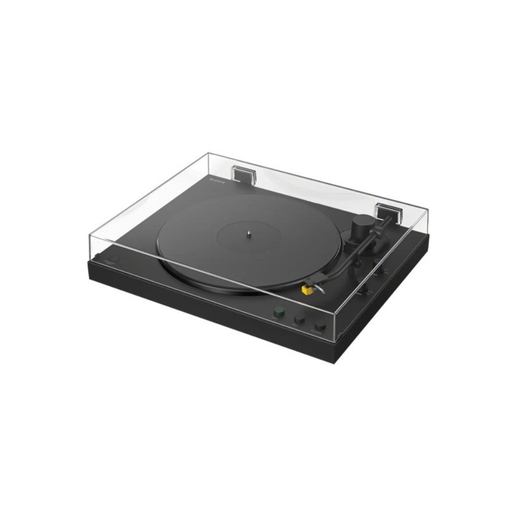
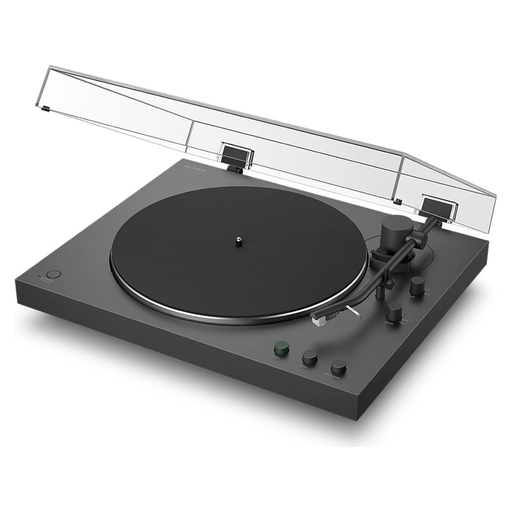
Sony describes the PS-LX3BT as a fully automatic Bluetooth turntable for 7- and 12-inch records at 33⅓ and 45 rpm, with a phono/line switch.
Lenco describes the L-85 as a semi-automatic turntable with 33 and 45 rpm settings, a built-in preamp and USB encoding.
Denon describes the DP-300F as a fully automatic turntable for 33⅓ and 45 rpm records, with a switchable phono preamp.
These Joybuy products are suited to playing jazz singles, with fully automatic controls and wired or wireless connection options to consider.
 No image available
One to compare if you’re looking for fully automatic controls and wireless listening.
Check that the stated support for 7-inch singles and 33⅓/45 rpm suits your records. Also check that the Bluetooth or phono/line connection works with your audio equipment.
 No image available
One to compare if you want to play jazz singles with fully automatic controls.
Check that the stated 7-inch support and 33⅓/45 rpm suit your records. Also compare Bluetooth and the phono/line connection with your listening setup.
You can’t tell from the size alone: check the speed on your own record and set the turntable accordingly. Sony says the PS-LX3BT supports 7-inch records and 33⅓/45 rpm; check these specifications separately for other models, and use a suitable adapter for the centre hole if needed.
Yes, if the speakers have a suitable audio input and the signal is at the right level for it. With a turntable that has a switchable phono preamp, the line setting may work with a suitable line input. Check the connections and whether you’ll need an additional cable before buying.
For the AT-LP70XBT, Audio-Technica recommends a flat, level surface away from speakers that cause vibrations. Also check that you have enough room to change records and use the dust cover.
No. The Dutch Government says there’s no fixed statutory guarantee period in the Netherlands: you’re entitled to a product that works properly for as long as you can reasonably expect it to. A manufacturer’s guarantee is separate; if a product is faulty, the retailer is your point of contact.
The Dutch Government states that electronic devices placed on the market in the EU must have the applicable CE marking. Check the product information for the version being offered and the adapter included; general information about a brand alone doesn’t show that an individual product meets the requirements.