What should you look for?
Fully automatic standalone turntable
Choose this if: you don’t want to operate the tonearm yourself while working at your desk, and already have active speakers or an audio setup.
The trade-off: you’ll need external audio equipment; check that it has the right connections for your setup.
All-in-one turntable
Choose this if: a simple setup without separate speakers or an amplifier is your priority.
The trade-off: auto-stop doesn’t mean the tonearm returns automatically. The Consumentenbond also warns that all-in-one turntables often sound less good than standard turntables, without assessing every model individually.
Manual, upgradeable turntable
Choose this if: you want to position the stylus yourself or record your LPs to a computer via USB.
The trade-off: you operate the turntable yourself; USB is mainly useful if you actually want to digitise your records.
Start with the controls you’ll find convenient during a working day, then check that the turntable connects to your existing or planned audio setup.
| What to consider |
What should you check? |
Who is this important for? |
| Controls during a record side |
Check automatic start and automatic return separately; auto-stop is not the same as automatic return. |
If you don’t want to get up and go to the tonearm while working, it’s important to be able to operate the turntable from a distance. Around 36% of consumers prioritise automatic operation. |
| Connecting to your audio setup |
Check the inputs on your speakers or amplifier, and whether the turntable has a phono/line switch or a suitable phono preamp. |
If you already have speakers or an amplifier, you’ll want to know whether the turntable connects to them without a missing phono preamp. Around 29% of consumers give connection compatibility top priority. |
| Space and separate equipment |
Check whether the turntable has built-in speakers or can send Bluetooth audio to a compatible external speaker. |
If you’re short on space or don’t want to set up a separate audio system, a simple setup matters. Around 21% of consumers prioritise keeping separate equipment to a minimum. |
| Manual operation and upgrades |
Check that the exact model has USB, a replaceable cartridge or any other features you want. |
If you want to position the stylus yourself or digitise your records, control and connectivity are key. Around 14% of consumers prioritise manual operation or upgrade options. |
Turntables at Joybuy
This selection at Joybuy focuses on fully automatic Sony turntables with Bluetooth for listening in your home office.
 No image available
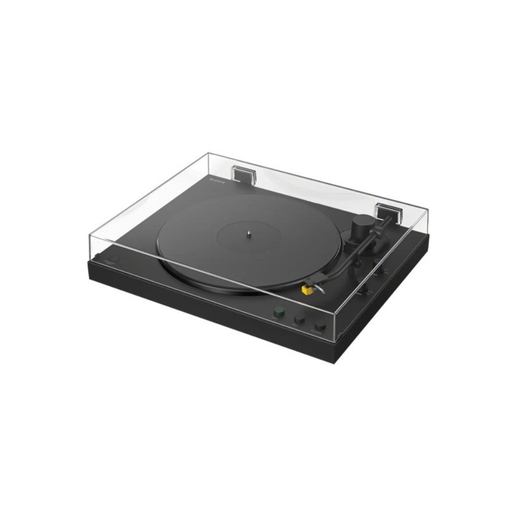
Sony PS-LX5BT
The stated fully automatic operation and Bluetooth may suit you if you want fewer things to do while working and prefer to listen wirelessly.
The product description lists speeds of 33 and 45 rpm and a phono/line switch.
Joybuy
 No image available
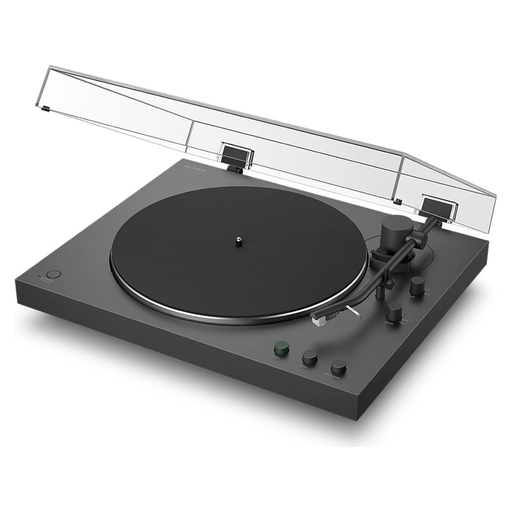
Sony PS-LX3BT
The stated fully automatic operation may suit you if you don’t want to operate the tonearm yourself while working and would like to use Bluetooth.
The product description lists automatic return, speeds of 33⅓ and 45 rpm, and a phono/line switch.
Joybuy
Frequently asked questions
Can I connect my turntable directly to my active speakers?
It depends on the inputs on your speakers and the turntable’s output. If your audio setup doesn’t have a phono input, you’ll need a phono preamp; this can be built into the turntable or provided by a separate device. If your turntable has a switch, use the correct phono/line setting.
Do I have to turn over a live LP myself?
Yes. Automatic start, stop or return won’t turn over or change the record for you. Also note the difference between auto-stop on the Lenco LS-15WD and automatic return on models including the Sony PS-LX310BT and Denon DP-300F.
How do I look after the stylus?
Check the stylus for dust and follow the cleaning instructions from its manufacturer. If you’re using a brush, Audio-Technica recommends brushing from back to front, not from side to side. Use cleaning products according to the instructions for the product.
Can I return a turntable bought online?
For distance purchases from a business, the Dutch government says you’ll often have a 14-day cooling-off period. Purchases from a private seller aren’t covered by the distance-selling rules. Check the terms that apply to your specific order.
Which product safety rules apply to a Bluetooth turntable?
Applicable European product safety requirements apply to electrical and electronic devices placed on the Dutch market. The Dutch government’s Ondernemersplein lists CE marking and an EU declaration of conformity as manufacturer obligations; devices with Bluetooth must also comply with rules for radio equipment. A brand name or a Bluetooth label alone doesn’t prove that a particular product meets the requirements.


