Start with the connections: choose Bluetooth if you want to listen wirelessly with a compatible pair of headphones, or check that the phono or line input on your existing audio setup is compatible with the turntable. Then decide how much you want to do while you’re working. Models from Sony, Audio-Technica and Denon offer fully automatic operation, while the Rega Planar 1 Plus is more hands-on: changing speed requires you to reposition the drive belt.
Who is this for?
The keep-working listener
You want to start a live album while you work without having to place the tonearm on the record yourself or return it to its rest afterwards. Sony and Denon describe automatic operation for their PS-LX3BT and DP-300F models.
The private listener
You want to listen through wireless headphones in your home office. Look for Bluetooth output and check that it works with your headphones. Audio-Technica and Sony specify Bluetooth output for the models discussed here.
The wired vinyl listener
You want to use your existing audio equipment. Check that the turntable and your setup are compatible in terms of phono or line input, pre-amplification and the controls you want.
What should you look for?
When choosing a turntable for live albums in a home office, your decision comes down to what matters most: keeping things hands-free, listening privately without wires, connecting to your existing audio equipment or choosing how much control you have.
| What to consider |
What should you check? |
Who is this important for? |
| Automatic operation |
Check whether playback starts and the tonearm returns automatically, and whether the turntable supports your records’ speeds. |
If you want to start an album while working without placing the tonearm yourself, automatic operation is likely to be your top priority. Around 40% of consumers put this first. |
| Bluetooth output |
Look for Bluetooth transmission to headphones or a speaker, and check compatibility with your device. |
If you want to listen privately in a shared home office without a cable running to your listening spot, check specifically for Bluetooth output. Around 30% of consumers prioritise wireless listening above all else. |
| Connecting to your existing audio equipment |
Check whether your setup has a phono or suitable line input, and whether you need active speakers or amplification. |
If you want to keep using your existing speakers or amplifier, the turntable’s output needs to match the input on that equipment. Around 20% of consumers put this connection first. |
| Manual operation and stylus choice |
Check how to switch between 33⅓ and 45 rpm and which stylus options are specified for the exact model. |
If you prefer to operate the turntable yourself or a particular stylus option matters to you, consider the steps involved and the options available. Around 10% of consumers make this their top priority. |
Common pitfalls
-
Assuming a built-in preamp makes it a complete playback system
A phono preamp handles the connection to compatible audio equipment, but it doesn’t mean the turntable has speakers built in.
Make a note of the inputs and speakers you already have, then compare them with the output and connection settings of the exact model.
You may still need suitable active speakers or an amplifier with speakers.
-
Seeing Bluetooth listed without checking which way it works
To listen with wireless headphones, the turntable needs to be able to transmit audio. Bluetooth on a device doesn’t, by itself, tell you what kind of connection it offers.
Check whether the model supports Bluetooth output to your headphones or speaker, and whether the devices are compatible.
-
Overlooking the manual speed change
According to the manual, switching between 33⅓ and 45 rpm on the Rega Planar 1 Plus requires you to reposition the drive belt.
If you often switch between LPs and singles, check in advance whether this extra step suits the way you listen.
-
Confusing a manufacturer’s warranty with all your statutory rights
A commercial warranty is not the same as your statutory rights if a product is faulty. The Dutch Government says there is no fixed statutory warranty period in the Netherlands, and that you should contact the seller if there’s a problem with a product.
Read the details of any additional warranty to see exactly what it covers, and contact the seller if there’s a problem.
An additional warranty may come at an extra cost; compare the price with the cover it provides.
Brands to consider
Audio-Technica
According to Audio-Technica Netherlands, the AT-LP70XBT combines fully automatic operation with Bluetooth output and a switchable phono preamp.
- The AT-VM95C cartridge and other VM95 series styli mentioned by the manufacturer may be worth considering if stylus choice matters to you.
- Check that the Bluetooth or wired connection works with your equipment. The manufacturer’s sound quality claims are not independent comparison results.
Sony
According to Sony Netherlands, the PS-LX3BT is a fully automatic turntable with Bluetooth output and a phono/line selector.
- The model specifications list 33⅓ and 45 rpm, as well as automatic return.
- Check the connection and compatibility with your own audio equipment. These features apply to the PS-LX3BT, not automatically to every Sony turntable.
Denon
The Denon DP-300F is a fully automatic wired turntable with a switchable phono preamp.
- Denon describes automatic return and a manual lift mechanism for placing the stylus where you want it.
- Check whether your audio system has a suitable input. The model specifications cited here do not describe a Bluetooth connection.
Rega
According to Rega, the Planar 1 Plus has a built-in MM phono stage for connection to a suitable line input.
- Its wired connection may suit you if you prefer to operate the tonearm and playback manually.
- According to the Rega manual, you need to reposition the drive belt to switch between 33⅓ and 45 rpm. The manufacturer’s performance claims are not comparative test results.
Turntables on Joybuy
This selection focuses on fully automatic Sony turntables with Bluetooth, for enjoying live albums in a home office. Check for each model whether the wireless or PHONO/LINE connection suits your listening setup.
 No image available
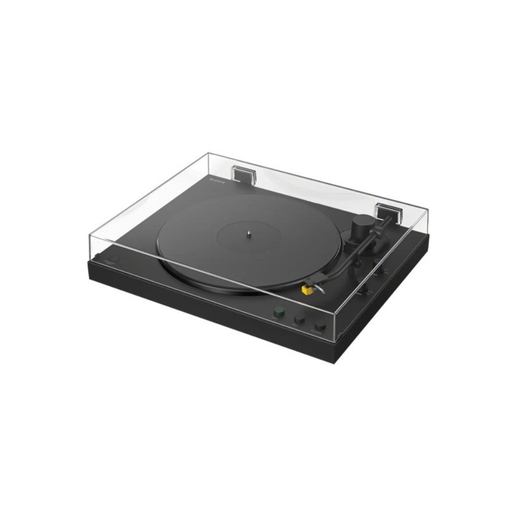
Sony PS-LX5BT
Ideal if you want automatic playback while you work and wireless listening with compatible headphones or a speaker.
The product description lists Bluetooth, fully automatic operation and support for 33⅓ and 45 rpm.
A PHONO/LINE switch is listed for a suitable wired connection.
Joybuy
 No image available
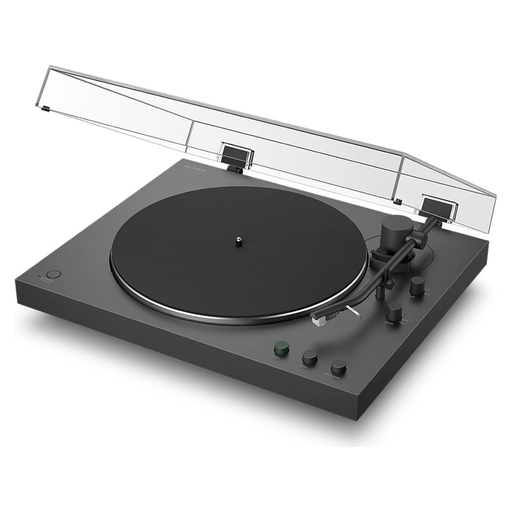
Sony PS-LX3BT
Ideal if you want to start a live album without placing the tonearm yourself, and listen wirelessly or through a suitable wired connection.
The product description lists fully automatic operation, automatic return, Bluetooth and support for 33⅓ and 45 rpm.
A built-in phono equaliser with a PHONO/LINE switch offers a wired connection option. Check which setting is right for your audio equipment.
Joybuy
Frequently asked questions
Can I connect a turntable directly to my existing speakers?
That depends on the inputs and amplification in your audio setup. Audio-Technica describes connecting the AT-LP70XBT to suitable active speakers through its switchable phono preamp. If you have an amplifier with a phono input, the setting needs to match that input, as explained in the setup instructions. Check the manuals for both devices.
Where should I put a turntable in my home office?
Choose a flat, level spot and keep the turntable away from speakers that cause vibrations. Audio-Technica gives this advice for the AT-LP70XBT. Also check that your desk has enough room for the dust cover and connected cables.
What should I do if there’s dust on the stylus?
Follow the stylus cleaning instructions for your turntable. Audio-Technica’s cleaning instructions warn, among other things, against brushing the delicate cantilever from side to side.
What are my rights in the Netherlands when buying online or if a product is faulty?
For an eligible online consumer purchase, the Dutch Government says you will usually have 14 days to change your mind, although there may be exceptions. There is no fixed statutory warranty period in the Netherlands for products that must meet legal standards. Contact the seller if there’s a problem; an additional commercial warranty does not replace your statutory rights.


