What should you look for when buying?
Start with the connections on your existing setup, then decide whether ease of use, caring for your collection or finding a stable spot matters most to you.
| What to consider |
What should you check? |
Who is this important to? |
| Connection to your audio setup |
Check whether your amplifier has a PHONO input or whether you need a phono preamp. Also check whether you use active speakers or speakers connected to an amplifier. |
If I want to keep using my existing speakers, the connection needs to suit my amplifier and speakers; around 36% of consumers prioritise compatibility with their existing audio setup. |
| Starting and stopping while you work |
Check whether operation is fully automatic or manual, and whether the model is described as offering automatic start and tonearm return. |
While I’m working, I want to listen without having to operate the tonearm every time; around 29% of consumers give ease of use top priority. |
| Care and replacement stylus |
Check which replacement stylus is compatible with the exact model, and follow the instructions for cleaning the stylus and records. |
If I play my collection regularly, I want to know how to care for my records and stylus, and which replacement stylus is compatible; around 21% of consumers prioritise maintenance and stylus choice. |
| A stable spot |
Measure the available width and depth, allow room for the dust cover and choose a flat surface that won’t pick up unnecessary vibrations. |
With a crowded desk, I want to know in advance where the turntable can sit securely; around 14% of consumers give placement top priority. |
Turntables at Joybuy
This selection focuses on fully automatic turntables for listening while you work, with Bluetooth and a wired connection as key considerations.
 No image available
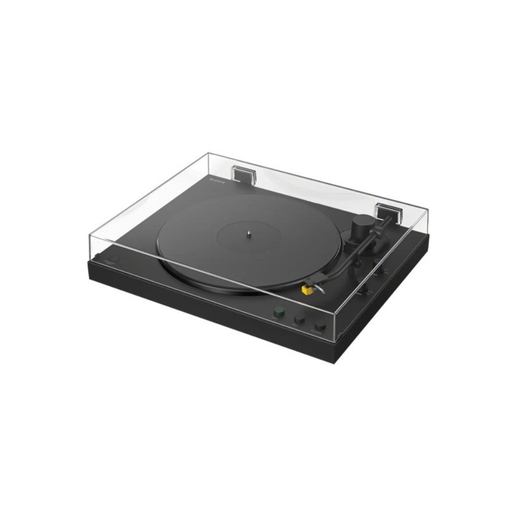
Sony PS-LX5BT
An option to compare if you want to listen automatically while you work. Check that the connection suits your amplifier, speakers or headphones.
View at Joybuy
 No image available
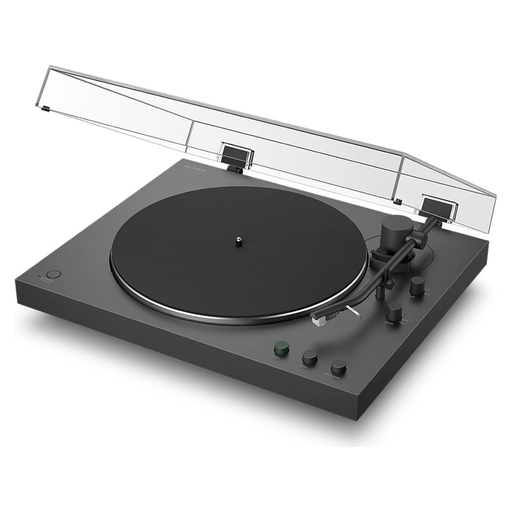
Sony PS-LX3BT
Sony describes this model as fully automatic, with Bluetooth and a PHONO/LINE switch. Check which setting suits the input on your audio system.
View at Joybuy
Frequently asked questions
Can I connect a turntable directly to my current speakers?
It depends on the inputs and amplification in your audio setup. Check whether you have a PHONO input. For a suitable LINE input, you’ll need a turntable with its phono preamp switched on, or a separate phono stage. Also check whether your speakers are active or work through an amplifier.
Where should I put the turntable, and how should I care for the stylus and records?
Choose a flat, stable surface that won’t pick up unnecessary vibrations. The Pro-Ject manual stresses the importance of a level setup, and Pro-Ject warns against furniture that is prone to vibrations. Use suitable cleaning tools for the stylus and records, and follow the instructions for your particular model.
What are my rights if I buy online or receive a faulty product?
For online purchases from a business, consumers generally have a 14-day cooling-off period, with some exceptions, according to the Dutch government. If a product is faulty, you can contact the seller. In the Netherlands, the statutory guarantee is your right to a product that works as it should, and there is no fixed statutory guarantee period. A manufacturer’s guarantee doesn’t replace this right.
What product safety rules apply to a new turntable in the Netherlands?
Electrical or electronic devices placed on the market in the Netherlands must meet the applicable European product requirements. The manufacturer must apply the required CE marking and draw up an EU Declaration of Conformity. Bluetooth versions are also subject to the applicable radio equipment rules, according to Ondernemersplein, the Dutch government’s business information portal. Check the product information for the specific item; being mentioned in this guide doesn’t confirm that an individual item meets these requirements.


