
Vandaag of morgen in huis

Kwaliteit gegarandeerd

Welkomstaanbiedingen ontgrendelen: GRATIS bezorging | Tot 80% korting | Gratis 30 dagen JoyPlus-proefperiode
Download de app
A wireless keyboard and mouse set can help keep your desk tidy, but not every model is suited to long hours of work. People working from home and office workers often encounter the same problems: keys that are noisier than expected, a layout that doesn’t suit Dutch typing habits, and a mouse that feels less comfortable after a few hours.
The Trust Trezo Comfort wireless keyboard and mouse is designed for quiet, comfortable working. Even so, it’s worth looking beyond terms such as “ergonomic”, “quiet” and “long battery life” before you buy. Below, you’ll find the key things to check, along with a few product options for different needs.
“Quiet” usually refers to a dampened membrane mechanism or a soft mouse click. It doesn’t mean you won’t hear anything at all. According to Trust’s product information, the Trezo Comfort keys and mouse buttons have a soft, almost silent action. This makes the set suitable for shared workspaces, video calls and home offices, but how loud it sounds is a matter of personal preference.
If you’re looking for a mechanical feel, clear feedback or programmable switches, this set may not be the right choice. It’s designed for office use, rather than as a mechanical or gaming keyboard.
The Trust Trezo Comfort uses a 2.4GHz nano receiver with USB-A. This is handy if your desktop or laptop has a spare USB-A port. If your laptop only has USB-C ports, you may need an adapter or docking station.
According to the product information, the receiver is stored in the mouse’s battery compartment. When you unpack the set, make sure you remove the receiver before using the mouse. The stated range is up to 10 metres, but walls, metal objects and other wireless devices can affect the range in practice.
The Trezo Comfort has a US/QWERTY layout. This means it has an American key layout, with some punctuation marks in different places from those on a Dutch QWERTY or ISO keyboard. This won’t be a problem for word processing if you’re used to it, but check the layout before you order.
The numeric keypad is a useful feature for admin tasks. It’s handy for spreadsheets, invoices and entering figures, but it does make the keyboard wider than a compact model.
The Trezo Comfort uses a quiet, low-profile membrane mechanism. It’s a good fit if you want fewer distractions while typing. If you prefer the short, firm action of mechanical switches, it’s worth looking at another type of keyboard.
Remember to check the mouse, too. A quiet keyboard and mouse set is only really useful in a shared space if the mouse buttons are quiet as well. The product information for this model specifically mentions its soft-click mouse.
The keyboard has an integrated wrist rest. This is a specific design feature, but it doesn’t mean the set will suit every hand or working posture. Check whether the 440 × 140 × 25 mm dimensions fit your desk, and whether the wrist rest is at a comfortable height for your desktop.
Position the keyboard directly in front of you, with the mouse at the same height. A wrist rest isn’t a substitute for good posture or regular breaks, but it can provide extra support while you type.
According to the product information, the keyboard has a battery life of up to 48 months and the mouse up to 12 months, depending on how they’re used. Duracell batteries are included. The set is compatible with Windows, macOS and Chrome OS.
In particular, check:

Why it suits this profile: This complete set combines a wireless QWERTY keyboard with numeric keypad, a mouse and an integrated wrist rest in one purchase.
According to the product information, the keys and mouse buttons are dampened. Be sure to check in advance that the US/QWERTY layout suits your preferences.
2.4GHz connection, integrated wrist rest, full-size design and a stated battery life of up to 48 months for the keyboard.
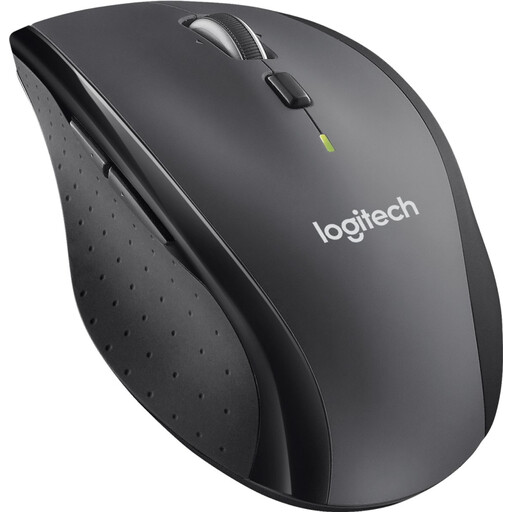
Why it suits this profile: A standalone mouse for anyone who already has a keyboard and is looking for a long-lasting wireless option for office work.
The product specifications state a wireless range of up to 10 metres and a design made for long hours of office work. Please note: this isn’t a Bluetooth mouse.
Ambidextrous design, multiple buttons, scroll function and a wireless connection via USB receiver.

Why it suits this profile: Designed for users seeking a lightweight, programmable gaming mouse with high sensor resolution for specific applications.
The specifications make it clear that this is a gaming-focused mouse. So you won’t pay for an office combo when what you need is programmable features and high sensitivity.
Optical sensor up to 30,000 DPI, wireless connection, five buttons and a stated weight of around 64 grams.
We’ve put together a complete, up-to-date list of products that meet these strict selection criteria and the applicable European safety regulations.
It can be, especially if you like a full-size keyboard, numeric keypad, wrist rest and dampened keys. Do check the US/QWERTY layout and make sure you have a USB-A port available. Quiet keys may help reduce background noise during video calls, but the set doesn’t include a microphone or headset.
Insert the batteries, take the nano receiver out of the mouse compartment and plug it into a USB-A port. According to the product information, the set is plug-and-play. Your operating system will automatically install the basic functionality you need.
The set uses separate batteries. Trust states a battery life of up to 48 months for the keyboard and up to 12 months for the mouse; actual battery life depends on usage and settings. The included batteries mean you can use the set straight away. If you’d rather avoid disposable batteries altogether, consider a rechargeable mouse or keyboard.
