
Vandaag of morgen in huis

Kwaliteit gegarandeerd

Welkomstaanbiedingen ontgrendelen: GRATIS bezorging | Tot 80% korting | Gratis 30 dagen JoyPlus-proefperiode
Download de app
A mouse may seem like a simple computer accessory until you switch between a laptop, PC and tablet every day. That is when you quickly notice the difference between a model with just a USB receiver and a true multi-device mouse. Wide spreadsheets, lengthy documents and timelines also place different demands on a mouse than occasional internet browsing.
The Trust Ozaa+ wireless mouse is designed for office and home workers who want to combine comfort, quiet operation and multiple connection options. Before you place your order, there are a few common pitfalls to avoid.
A high DPI value may sound appealing, but it does not tell you everything about the user experience. For office work, the shape, sensor performance and ability to adjust the speed are at least as important. A mouse with 3200 DPI offers different speed settings, but you will not always need the highest one.
For word processing and spreadsheets, a lower speed can give you more control. On a large screen or across multiple monitors, a higher setting can save time.
Not every Bluetooth mouse can be paired with multiple devices at the same time. So check how many devices are supported and how switching works. With the Trust Ozaa+, the connection is provided through a 2.4GHz USB receiver and two Bluetooth channels. According to the product information, you can connect up to three devices, such as a laptop, desktop computer and tablet.
Also check which ports you have available. A laptop with USB-C ports only may need an adapter for a traditional USB receiver.
Quiet buttons are useful in a shared workspace, but a compact mouse may be less suitable for users who want to support their whole hand. So check the dimensions and hand orientation. The Trust Ozaa+ measures 120 × 75 × 45 millimetres, weighs 110 grams and, according to the product specifications, is designed for right-handed use.
An ergonomic right-handed mouse is not automatically a vertical mouse. The Ozaa+ has a traditional shape. If you specifically want a vertical hand position, you could consider the Trust Bayo II or Logitech MX Vertical, for example. These models have a different design and therefore cannot be compared directly with the Ozaa+.
For a wireless mouse for laptop and PC use, two types of connection are practical:
The Trust Ozaa+ supports up to three devices and has a switch for moving between connections. Before buying, check that your operating system is covered by the stated compatibility: Windows, macOS and Chrome OS are listed.
The Ozaa+ is a spacious, right-handed mouse with rubber elements for improved grip. It is well suited to people who like to rest their whole hand on the mouse. If you are looking for a compact mouse for travelling, a smaller model such as the Trust Zaya may be a better choice.
An ergonomic right-handed mouse is not automatically a vertical mouse. The Ozaa+ has a traditional shape. If you specifically want a vertical position, you could consider the Trust Bayo II or Logitech MX Vertical, for example. These models have a different design and therefore are not directly comparable with the Ozaa+.
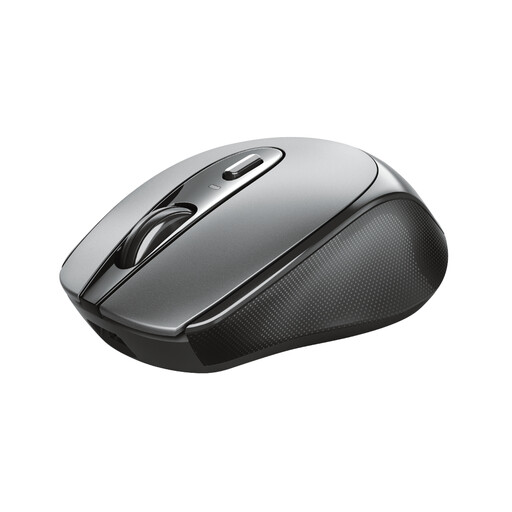
A standard scroll wheel usually only moves vertically. For wide documents, a mouse with a horizontal scroll wheel is more practical. The Trust Ozaa+ has an additional side scroll wheel which, according to the product description, lets you move horizontally through spreadsheets, timelines and wide images.
The built-in battery can be recharged using the supplied cable. An LED indicator shows the remaining battery status. According to the product information, you can continue working while the mouse is charging. This means you will not unexpectedly have to search for loose batteries.
Why it suits this profile: This compact, rechargeable mouse is suitable for basic tasks, hot-desking and users who alternate between left- and right-handed use.
The built-in battery means there is no need to buy loose batteries. The DPI settings are limited to 800, 1200 and 1600, keeping things straightforward for everyday office work.
USB receiver, rechargeable battery, ambidextrous design and compact size.

Why it suits this profile: This model is designed for intensive office work, with Bluetooth, a USB receiver, support for multiple devices and additional controls.
The specifications mention both horizontal scrolling and quiet clicks. This makes the model better suited to wide spreadsheets and shared workspaces than a simple three-button mouse.
Right-handed design, rechargeable battery, 8000 DPI, horizontal scrolling and support for three devices.

Why it suits this profile: The spacious, right-handed shape and side scroll wheel are well suited to long working days involving large documents, timelines and spreadsheets.
The mouse combines multiple connections, quiet buttons and a rechargeable battery. You do not have to choose between switching devices, working quietly and using disposable batteries.
Up to three devices, horizontal and vertical scrolling, six buttons, adjustable up to 3200 DPI and 60% recycled plastic according to the product specification.
We have put together a complete, up-to-date list of products that fully meet these strict selection criteria and the applicable European safety regulations.
The Ozaa+ is particularly well suited to a right-handed user who:
This model is less suitable if you are looking for a very compact travel mouse, a vertical mouse or a gaming mouse with low latency. In those cases, a different design makes more sense than a large office mouse.
According to the product information, yes. One device connects via the 2.4GHz USB receiver and two additional devices connect via Bluetooth. You pair the devices separately and then switch between them using the switch button.
The product specification states that it has quiet buttons. This means the clicking sounds are reduced compared with standard buttons. The noise level may vary in practice depending on the surface and how the mouse is used, but the feature is intended for shared offices and quiet home workspaces.
No. The mouse has a built-in rechargeable battery and comes with a charging cable. The LED indicator helps you check the remaining charge. Use a suitable USB power supply for charging and do not open the mouse; the safety information warns against dismantling the battery yourself.
