
Vandaag of morgen in huis

Kwaliteit gegarandeerd

Welkomstaanbiedingen ontgrendelen: GRATIS bezorging | Tot 80% korting | Gratis 30 dagen JoyPlus-proefperiode
Download de app
A wireless gaming mouse needs to offer more than simply working without a cable. For fast-paced PC games, a stable connection, suitable sensitivity and a comfortable shape are all important. The Trust GXT 929 Helox wireless gaming mouse combines these qualities with a low weight, programmable buttons and RGB lighting.
However, when comparing gaming mice, it is easy to focus on marketing terms rather than verifiable specifications. This buying guide explains which features are relevant and which type of mouse best suits the way you use it.
A higher DPI figure does not automatically mean that a mouse is more accurate or more comfortable to play with. DPI mainly determines how quickly the cursor moves with the same hand movement. For many games, an adjustable range is more important than an extremely high maximum.
Also pay attention to the available steps. According to Trust’s product information, the Trust GXT 929 Helox offers settings from 800 to 4800 DPI. This means you can adjust the sensitivity for a shooter, strategy game or everyday use.
Claimed battery life usually depends on settings, usage and lighting. RGB lighting, for example, can affect power consumption. So check whether the mouse remains usable while it is charging.
Trust states that the Trust GXT 929 Helox offers up to 80 hours of battery life. The built-in battery is charged via USB-C, while the product description says you can continue using the mouse with the charging cable connected. This prevents a flat battery from bringing your gaming session to a complete halt.
An ultra-light gaming mouse can support fast movements, but not every shape suits every hand or grip. Pay attention to the dimensions, weight and hand orientation. The Helox is a right-handed model weighing approximately 73 to 75 grams, depending on the product specification provided.
The honeycomb structure allows RGB light to shine through and helps keep the weight low. If you prefer a fully enclosed shell, a left-handed model or a heavier mouse, a different design may be a better choice.
Many PC gamers choose an ultra-light gaming mouse for fast movements. The Trust GXT 929 Helox has a honeycomb shell and weighs approximately 73 grams, according to the product details. Its dimensions are approximately 125 × 64 × 38 mm.
Also consider whether you mainly play using your palm, fingers or fingertips. A right-handed mouse will not automatically suit every hand size. When buying, also check the position of the two side buttons and the DPI button.
According to Trust, the Helox’s optical sensor supports up to 4800 DPI. The mouse uses a 2.4GHz connection with a USB-A micro receiver. For gaming, it is useful that the receiver can be stored in the base of the mouse when you are carrying it around.
The stated polling rate is 1000 Hz. This means that, theoretically, the mouse position is sent to the computer up to one thousand times per second. In practice, the experience and latency also depend on the computer, game settings and wireless environment.
The Helox has six buttons, including two side buttons and a DPI button. According to the product description, you can programme the buttons using the downloadable software. Check compatibility with your computer beforehand: the stated support covers Windows 10 and Windows 11.
A gaming mouse with programmable buttons is particularly useful when you want to trigger actions, shortcuts or functions quickly. For basic office work, additional buttons are often less essential.

Why it suits this profile: This Trust gaming mouse combines wireless freedom, adjustable DPI, six buttons and USB-C charging without moving straight to a more advanced multi-device model.
The relevant figures are clearly stated: approximately 73 grams, 800–4800 DPI, 2.4GHz and up to 80 hours of battery life according to Trust.
75-gram class, six programmable buttons, 1000 Hz polling rate, RGB lighting and gaming while charging via USB-C.
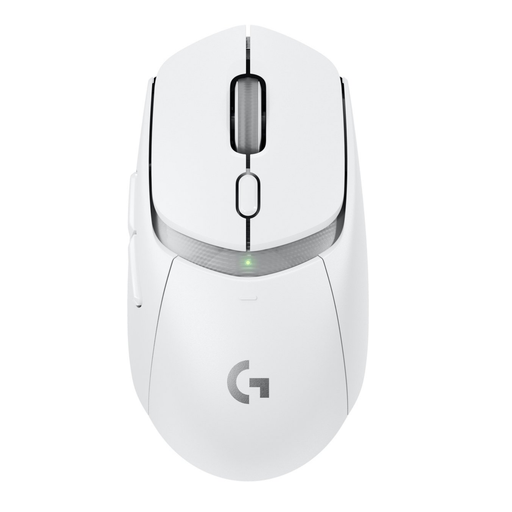
Why it suits this profile: This mouse is designed for gamers who value a lightweight wireless design and multiple connection options.
The product information lists both LIGHTSPEED and Bluetooth. This lets you choose the connection method that suits your PC or laptop rather than relying on a single receiver.
Up to 300 hours of use with an AA battery according to the product information, six programmable buttons and a stated weight of 68 grams without the battery.

Why it suits this profile: This model is aimed at users who want to switch between 2.4GHz, Bluetooth and wired USB-C use.
The specifications list the three connection modes and state that the programming software only works on Windows and in wired mode. This is relevant information to have before buying.
Up to 10,000 DPI according to the product information, eight programmable buttons, RGB effects and a USB-C charging cable.
We have put together a complete, up-to-date list of products that fully meet these strict selection criteria and the applicable European safety regulations.
The mouse works wirelessly via a 2.4GHz USB-A receiver. It is charged via USB-C. According to the product description, you can continue using the mouse with the cable connected while it is charging.
The DPI button is located behind the scroll wheel. According to Trust, you can switch between sensitivity levels from 800 to 4800 DPI. For precise movements, a lower setting is generally preferable; for fast cursor movements, a higher setting may be more practical.
Trust states that the mouse offers up to 80 hours per charge. This is a stated maximum and may vary depending on usage, connection and RGB lighting. As the mouse remains usable while charging, you do not necessarily need to wait for a full charge.
