
Evening viewer with a home cinema
You mainly watch with the lights dimmed and want to make out landscapes and dark scenes clearly. Compare the contrast and viewing angles of specific TVs.


First, choose a screen size that suits your viewing distance, then assess the picture in the lighting conditions you’ll be watching in. OLED is worth considering if you mainly watch in a darkened room and value contrast and deep blacks. If there’s plenty of daylight, compare suitable LCD or Mini LED TVs, but remember to check how they handle reflections. Also check whether the programmes you watch are actually available in 4K and whether the TV works with your audio set-up.
You mainly watch with the lights dimmed and want to make out landscapes and dark scenes clearly. Compare the contrast and viewing angles of specific TVs.
You also watch when light from windows or lamps might reflect off the screen. Compare brightness and reflection handling in lighting conditions similar to those in your room.
Your sofa, TV stand or soundbar is already in place. Measure your viewing distance and check the audio connections before choosing a size or model.
Start with your viewing distance and the light in the room, then check that the picture and sound suit the way you use your TV.
| What to consider | What should you check? | Who is this important for? |
|---|---|---|
| Contrast in a dark room | Compare the black levels of specific models and view them from your usual seats. OLED can deliver deep blacks and wide viewing angles; check the performance of the particular model. | If I mainly watch with the lights dimmed, I want to see dark landscapes and scenes clearly. Around 28% of consumers prioritise contrast. |
| Daylight and reflections | Assess brightness and reflection handling together in similar lighting conditions. The screen technology alone doesn’t tell you how a specific model performs. | When I watch during the day, I want to follow the picture without windows or lamps becoming too distracting. Around 22% of consumers prioritise visibility in daylight and reflection handling. |
| Screen size and viewing distance | Measure the distance from your eyes to the screen and the space available on your stand. The Consumentenbond suggests a viewing distance of around 2.4 times the screen diagonal, which people in its own research found most comfortable. Use this as a guide, not a hard-and-fast rule. | With my sofa in a fixed position, I want to choose a screen that suits my viewing distance and available space. Around 22% of consumers focus mainly on screen size. |
| Sound and connections | Check that the TV’s connections are compatible with your soundbar or receiver. The Consumentenbond recommends HDMI-(e)ARC on both devices if you want to use that connection. | If I want to use existing or planned external audio equipment, I need to know whether it will connect to the TV. Around 17% of consumers prioritise their audio set-up. |
| Energy use and extra equipment | Compare the EU energy label for the exact model. The European Commission notes that the labels also provide information about efficiency when displaying HDR content. Factor in the audio equipment and mounting options you need. | When choosing a TV, I want to consider its energy use and any extra equipment I’ll need, as well as the TV itself. Around 11% of consumers prioritise running costs and additional requirements. |
A 4K screen won’t automatically show a programme in native 4K if it isn’t available as a 4K source.
Check the source quality offered by the broadcaster or streaming service for the travel programmes you watch.
Light from a window or lamp can still reflect off a bright screen. Models with the same screen technology can differ in viewing angles, black levels and reflection handling.
Compare specific models in lighting conditions similar to those in your room.
The right screen size depends partly on your viewing distance, and the TV also needs to fit in the available space.
Measure the distance from your eyes to the screen and the space for the TV before choosing a size.
According to ACM ConsuWijzer, your statutory guarantee remains in place alongside any manufacturer’s guarantee.
Check what additional cover provides and compare its terms with your existing rights as a customer.
Additional cover may involve extra costs and does not replace your statutory rights.
The Dutch-market OLED65C68LA is a 65-inch example from the C6 range, for anyone looking to compare OLED TVs for their viewing space.
The QE65QN90FATXXN is a Dutch-market 65-inch Neo QLED model with Mini LED technology, making it one to compare with OLED models.
The Dutch-market 65PML9009/12 combines QD Mini LED with Ambilight, making it worth considering if you want to factor in lighting around the screen.
The BRAVIA 7 is a Mini LED option with Google TV; Dutch product information lists a 75-inch version.
The C6K range offers QD Mini LED in several sizes, giving you options to compare by size and features.
This selection includes OLED TVs for those who value contrast, and QNED Mini LED TVs as an LCD option. Compare the screen size with your viewing distance and available space.
 No image available
An OLED option for anyone who values contrast when watching in a darkened room. Check that 77 inches suits your viewing distance and set-up.
The product information lists 4K, Dolby Vision, HDR10 and HLG.
 No image available
A 65-inch OLED option to compare if contrast is a priority. Remember to measure your viewing distance and available space too.
The product name lists an α11 AI Processor 4K Gen3, 120Hz and VRR up to 165Hz. The description lists Dolby Vision, HDR10, HLG and HDMI eARC.
 No image available
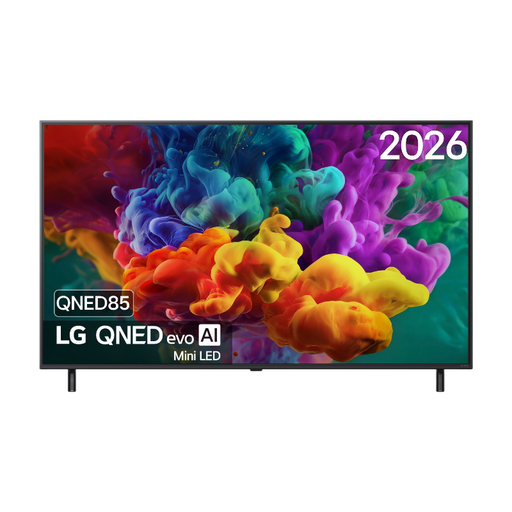
An LCD option with Mini LED to compare with OLED. The technology name alone won’t tell you how this model handles light and reflections.
The product name lists 144Hz VRR. The description lists Dolby Vision, HDR10, HLG and HDMI eARC.
No image available
A 55-inch OLED option if you want to factor in contrast. Check the screen size against the distance from your seat.
The product name lists native 120Hz and VRR up to 165Hz. The description lists Dolby Vision, HDR10, HLG and HDMI eARC.
 No image available
A 48-inch OLED option for anyone who values contrast and wants to compare a smaller screen with their viewing distance.
The product name lists native 120Hz and VRR up to 165Hz. The description lists Dolby Vision, HDR10, HLG and HDMI eARC.
No. The programme must also have been recorded and made available as a 4K source. Check the picture quality offered by the broadcaster or streaming service for your programme.
Check that both the TV and soundbar support HDMI-(e)ARC if you want to use that connection. An optical connection may be an alternative if both devices have one. Once connected, you may need to set the TV to use external speakers.
Check the EU energy label for the exact model. The European Commission notes that the label also provides information about efficiency when displaying HDR content.
If a product is faulty, the retailer is responsible for the statutory guarantee; a manufacturer’s guarantee doesn’t replace it. For a standard online purchase of a new TV, you’ll generally have a statutory cooling-off period of up to 14 days after delivery. Check the applicable returns terms.