
The writer who edits on the go
You take a separate keyboard with you and want to write and revise on a small workspace, too. Trust and CHERRY’s compact models offer examples you can compare by model.


Choose a keyboard with navigation and editing keys that feel comfortable for the way you review your work. As Microsoft Support explains for Word, Track Changes is a feature of your word processor, not your keyboard. Then weigh portability and device connectivity against the space and adjustment a larger or split design may require. Check the layout, connections and included accessories for the exact model.
You take a separate keyboard with you and want to write and revise on a small workspace, too. Trust and CHERRY’s compact models offer examples you can compare by model.
You review a lot of changes and want familiar navigation and editing keys. Microsoft Support explains how to review changes in Word using the word processor’s controls.
You mainly write in one place and want to consider your hand position and the layout of your entire workspace. Logitech describes the split design of the ERGO K860; Arboportaal also recommends varying your activities and taking short breaks when working with a screen.
| What to consider | What should you check? | Who should give this more weight? |
|---|---|---|
| Navigation and editing | Look at the physical layout, arrow keys and how easy the navigation keys are to reach. Also check how to review changes in your word processor. | If I want to review long passages carefully, I want to find the keys I need without having to reach for the mouse every time. Around 36% of consumers prioritise familiar revision controls. |
| Portability and space | Compare the dimensions, photos of the keys and what’s included in the box for the exact model; ‘mini’ doesn’t tell you how the keys are arranged. | When I write in different places, I want a keyboard that fits my workspace and is easy to carry. Around 29% of consumers prioritise portability and working in a limited space. |
| Hand position during long sessions | Consider whether the key position suits you and whether you can set up your screen and workspace comfortably. A split frame may take some getting used to. | If I write for long stretches, I want to consider my hand position as well as the keyboard itself. Around 21% of consumers prioritise hand position when writing for long periods. |
| Connecting and switching between devices | Check Bluetooth support, available ports and which receiver or cable is included with the exact model. | When I switch between a laptop and tablet, I want to know whether the connections will work with both devices. Suitable connections between devices are the main priority for around 14% of consumers. |
Your word processor manages tracked changes; a key on your keyboard won’t review or accept them for you.
First, choose a layout with keys you find comfortable to use. Then check the revision features in your own word processor.
Compact models can differ in layout, connections and included accessories. For example, a mini model may not have a numeric keypad.
Compare the exact model, the ports you need and what’s in the box before you choose.
If a model isn’t compatible with your device or preferred layout, you may need an extra receiver, adapter or a different keyboard.
Logitech describes the shape of the ERGO K860, but this doesn’t prove that it will reduce discomfort for every user. Arboportaal also highlights workspace set-up, varying your activities and taking breaks.
Consider the key position as part of your whole workspace, and allow yourself time to get used to it.
The Lyra is a compact option for writing across multiple devices.
The KW 9200 MINI is designed for portable use with several connection options; the KC 6000 SLIM has a full-size, wired Windows layout.
The K3 Max is a compact mechanical option for anyone who wants to customise key functions.
The ERGO K860 has a curved, split layout for a fixed writing space.
This selection focuses mainly on compact keyboards for writing and editing in different places, plus a full-size layout as an option for a fixed workspace.
 No image available
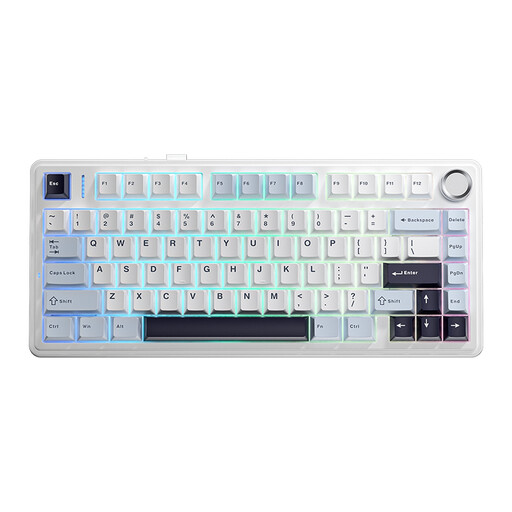
The 75% layout is a compact option for writing in a smaller workspace.
The product title lists three connection modes and a US QWERTY layout; check that the layout suits your needs.
 No image available
The compact layout is designed for anyone looking to save space while keeping navigation keys for editing.
The title lists wired, Bluetooth and 2.4 GHz connections; this model has a US QWERTY layout.
 No image available
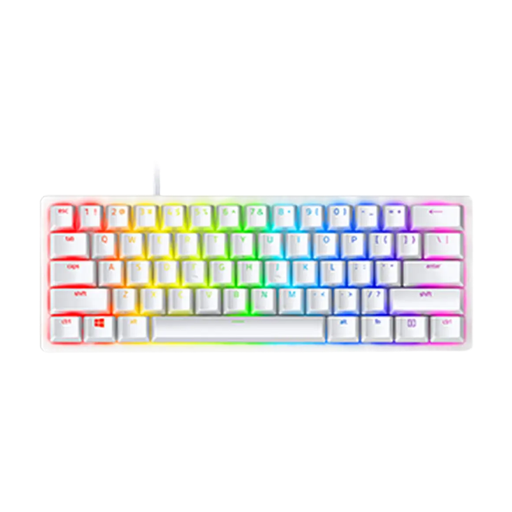
The wired 60% model is a compact option for a small workspace.
The product title lists a linear optical switch and US model; check the physical layout before choosing.
 No image available
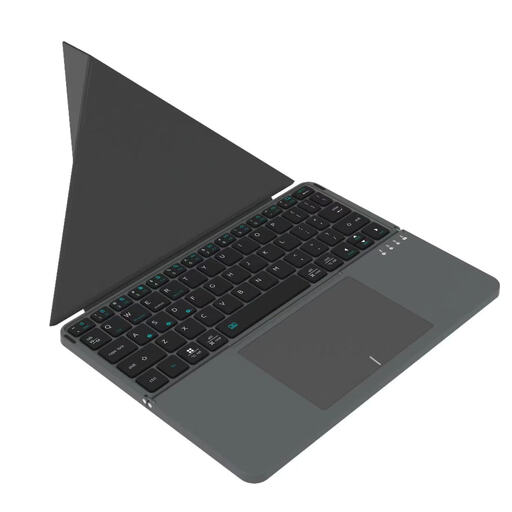
The foldable design with touchpad is an option for anyone who wants to type on the go and combine typing with device control.
Before buying, check that the layout and connection are compatible with your device.
 No image available
The full-size layout with numeric keypad is an option if you mainly type in one place and want a spacious layout.
This model has scissor keys and a US QWERTY layout; bear in mind that it takes up more desk space than a compact model.
No. In Word, you turn on Track Changes in the software; then you can review each change and accept or reject it. Check how to do this in your own word processor, as Microsoft Support also recommends.
Check whether the selected keyboard or input layout matches the physical layout. Microsoft Support explains how to view and change input layouts in Windows; check the regional model when you buy, too.
Check whether your device has Bluetooth or the USB connection you need, and which receiver or cable comes with the model you’ve chosen. For screen-based work, Arboportaal recommends varying your posture and taking short breaks; this is workspace advice, not a feature of a keyboard.
According to Arboportaal, for employees who work with a screen for more than 2 hours a day, the screen and keyboard must not be attached to each other; when using a laptop, it must therefore be possible to use a separate screen or keyboard. This workplace rule does not automatically apply to personal use while travelling.