
Editor with a narrow desk
Wants to leave room for a keyboard and mouse. So don’t just look at the screen size: check the footprint and adjustability of the exact model too.


Start by considering the space available on your desk, then choose between extra vertical room for documents, more pixels for side-by-side windows or a suitable USB-C connection. A 24-inch 16:10 monitor can be useful for working through a long transcript; QHD gives you more pixels for multiple windows, but you’ll need a text scaling setting that’s comfortable to read. Check the stand, adjustability and port functions for the exact model too: these all help determine whether the monitor will suit your workspace and laptop.
Wants to leave room for a keyboard and mouse. So don’t just look at the screen size: check the footprint and adjustability of the exact model too.
Mostly reads and edits a single long document. A 16:10 aspect ratio can give you extra vertical document space; Dell Netherlands lists a resolution of 1920 × 1200 pixels and adjustment options for the P2425.
Wants to see the transcript and, for example, source notes or recording controls at the same time. Dell Netherlands specifies a resolution of 2560 × 1440 pixels for the P2425DE; whether those extra pixels work well for you also depends on your chosen text scaling setting.
Choose this if: you usually read a single long transcript and want extra vertical document space.
Bear in mind: the QHD model mentioned has more pixels overall; also check the USB-C functions on the exact monitor.
Choose this if: you often want to view your transcript, recording controls and source notes at the same time. Dell specifies a resolution of 2560 × 1440 pixels and 90 W USB-C power delivery for the P2425DE.
Bear in mind: more pixels don’t guarantee comfortable reading without a suitable scaling setting; also check your laptop’s charging requirements.
Choose this if: you usually work in a single document and need a USB-C connection with power delivery. Philips lists this feature for the 24E1N1300AE/01.
Bear in mind: 1920 × 1080 pixels gives you fewer vertical pixels than 1920 × 1200; also check that the model number matches the version you’re looking for.
| What to consider | What should you check? | Who is this important for? |
|---|---|---|
| Screen and desk space | Measure the available width and depth, then compare them with the overall dimensions and footprint of the exact model. Check that the stand offers enough adjustment. | I want to be able to position my keyboard and mouse comfortably on a small desk, so I look beyond screen size alone. This is a top buying priority for around 36% of consumers concerned about fit. |
| Reading long text | Compare the aspect ratio and resolution of the exact models. Dell Netherlands lists a resolution of 1920 × 1200 pixels for the P2425; also check the text size with your own scaling setting. | If I mainly edit a single transcript, I look at the available document height and whether the screen position can be adjusted. Long text is a top buying priority for around 29% of consumers. |
| Side-by-side windows | Check that your computer supports QHD and try your preferred window layout with a readable text scaling setting. Dell Netherlands specifies a resolution of 2560 × 1440 pixels for the P2425DE. | I want to see my transcript and source notes at the same time without the text becoming too small. Multiple windows are a top buying priority for around 21% of consumers. |
| Connecting a laptop | Check video over USB-C, the stated power output, your laptop’s charging requirements and the cable. Dell lists a USB-C downstream data port of up to 15 W for the P2425; for the P2425DE, Dell specifies 90 W USB-C power delivery. | I want to keep separate connections to a minimum, but only if the monitor and laptop support video and sufficient power through the connection I plan to use. Connecting a laptop is a top buying priority for around 14% of consumers. |
Screen size doesn’t tell you how much room the stand and other equipment will take up together. Measure the usable desk space and compare it with the overall dimensions, footprint and adjustment range of the exact model.
If needed, rearrange the screen or other equipment before making your choice.
Dell says the USB-C port on the Dell P2425 is for downstream data and supports up to 15 W; that’s not the same as laptop power delivery. Check that the monitor, laptop and cable support video and the charging power you need.
If the connection doesn’t meet these requirements, you may still need a separate video connection or charger.
ACM ConsuWijzer explains that statutory rights in the Netherlands don’t have a fixed two-year period and that the retailer is responsible. Keep your proof of purchase and contact the retailer if something goes wrong, even if a commercial warranty period has expired.
Relevant models for transcription work include the 16:10 P2425 and the 23.8-inch QHD P2425DE. These are separate models.
According to Philips, the 24E1N1300AE/01 is a 23.8-inch Full HD model with USB-C power delivery.
The 24BA550-B is a compact Full HD model with several adjustment options that may be useful.
The Joybuy products below include 24-inch 16:10 WUXGA, QHD and Full HD options for transcription work. Check the stand, adjustment options and connections for each model to find what suits your workspace and laptop.
 No image available
A 16:10 screen with height adjustment may suit you if you mainly read a single long transcript and want to adjust the screen position.
1920 × 1200 pixels; USB-C and a USB hub. The product description lists up to 96 W Power Delivery. Check that USB-C video and the power output suit your laptop and cable.
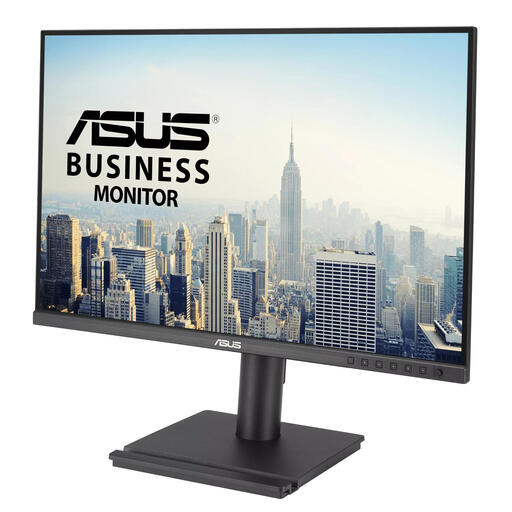 No image available
The listed 16:10 aspect ratio and adjustment options may suit work where you read a single long transcript and want to adjust your viewing position.
1920 × 1200 pixels; the product description lists height, tilt, swivel and pivot adjustment.
 No image available
QHD may be useful if you want to view your transcript and reference windows at the same time; choose a text scaling setting that keeps everything readable.
2560 × 1440 pixels; the product description lists a USB-C hub with 90 W Power Delivery and an adjustable stand. Check that your laptop and cable support USB-C video and that 90 W meets your charging needs.
 No image available
The product description lists USB-C docking and adjustment options, which may be useful if you’re looking for an adjustable workspace and a laptop connection.
Full HD 1920 × 1080; USB-C docking with a hub and up to 65 W power delivery according to the product description. Check USB-C video support and whether 65 W is enough for your laptop. Full HD has fewer vertical pixels than 1920 × 1200.
 No image available
A Full HD option if you mainly work in one document and don’t need a higher resolution for multiple windows.
24-inch; Full HD 1920 × 1080; 100 Hz; VA panel. Full HD has fewer vertical pixels than 1920 × 1200.
No, not if you mainly read a single long document. According to Dell, a 16:10 model such as the Dell P2425 offers a resolution of 1920 × 1200 pixels; QHD may be a better fit if you use the extra pixels for side-by-side windows and the text remains readable at your chosen scaling setting.
No, it depends on the functions supported by the port, laptop and cable. Dell describes the USB-C port on the P2425 as a downstream data port with a maximum output of 15 W, and specifies 90 W USB-C power delivery for the P2425DE. Check video support and your laptop’s charging requirements for the exact model too.
Set up your screen and input devices to suit your workspace, and break up long periods of screen work with other tasks or a rest. Arboportaal states that employers must ensure screen work is regularly alternated with other work; for employees who use a screen for more than two hours a day, the screen and keyboard must not be attached to one another. These rules for employees aren’t product specifications that apply to every private buyer.
According to ACM ConsuWijzer, online consumer purchases generally come with a statutory cancellation period of up to 14 days after delivery. If a product doesn’t meet reasonable expectations during normal use, the retailer is responsible under statutory rights; in the Netherlands, these don’t have a fixed two-year period. Also check the retailer’s returns information before placing your order.