Who is this choice for?

Player who looks for small details

You want to pick out objects in busy scenes clearly, so you compare screen size and resolution, even if the tablet takes up more room. The Consumers’ Association describes small tablets as compact and handy for travelling.

Player with limited space while travelling

You often hold your tablet or have little room on your lap, so a compact design matters more to you than a large screen. The Consumers’ Association lists compactness as an advantage of small tablets when travelling.

Player without a reliable connection

You want to keep playing during your journey without relying on train Wi-Fi, so you check whether your games work offline. NS reports Wi-Fi on almost all Intercity trains, although availability can vary from train to train.

What should you look for in a tablet for train journey puzzle games?

Compact tablet

Choose this if: you often hold your tablet or have little room on your lap.

Bear in mind: the 8.7-inch models reviewed offer less screen space than the tablets of around 11 inches reviewed.

Larger screen

Choose this if: you’d rather view small objects in hidden-object scenes on a larger screen.

Bear in mind: a larger device takes up more room. Also check whether your favourite games are available for Android or iPadOS.

What to consider What to look for when buying Who should give this extra thought?
On-screen detail Compare the screen size and resolution of the exact model; if possible, try your own game on a similar-sized screen. If I want to pick out small objects in busy scenes, screen space matters more to me than compactness. Around 33% of consumers name on-screen detail as their top buying priority.
Holding and storage Compare the dimensions and weight, and think about how you want to hold or position the tablet during your journey. If I have little room or play handheld for long periods, a manageable size matters most. Around 27% of consumers prioritise a tablet that is easy to hold and store.
Playing without Wi-Fi or power Install the game in advance and test that the features you want are available offline; charge the tablet before you leave. If I don’t want to rely on Wi-Fi or a power socket during my journey, I check my game’s offline features in advance. Around 20% of consumers say being able to play independently is their top priority.
Overall cost and how long you’ll use it Check the storage option, any in-app purchases and what’s included with the exact model. If I want to weigh up the cost of the tablet and games together, I also consider accessories and apps I’ve already bought. Around 20% of consumers prioritise overall cost and usability.

Common buying mistakes

  • Assuming every puzzle game works offline

    Offline support varies by game and sometimes by version. Train Wi-Fi is also not guaranteed on every journey.

    Install your chosen game before you leave and test without an internet connection that the levels and features you want are still available.

    A game that needs an internet connection while you’re travelling may use mobile data; without a connection, some features may not be available.

  • Taking the stated battery life as guaranteed playing time

    Lenovo’s stated battery life for the Tab One reviewed is based on YouTube streaming; it doesn’t tell you how long puzzle games will run.

    Only compare battery life when the test methods are the same, and charge your tablet before you leave.

  • Looking only at the tablet itself

    Game costs and accessories can also add up. The Dutch App Store lists in-app purchases for the puzzle games reviewed.

    Check the terms for your game and what’s included with the exact tablet model.

    You may need an accessory as well as paying for in-app purchases. Lenovo lists the charger for the Tab One reviewed as a separate accessory.

Brands to consider

Samsung

The Galaxy Tab A11 is a compact Android option for anyone short on space while travelling.

  • For the 8.7-inch Wi-Fi model reviewed, Samsung specifies a 1340 × 800 screen and a 3.5mm jack.
  • Its compact size means less screen space than the 11-inch tablets reviewed. The A11+ is a separate, larger product line.

Lenovo

The Tab One reviewed is a compact Android tablet for anyone who often holds their device.

  • For the 8.7-inch model reviewed with 4 GB RAM and 64 GB storage, Lenovo gives the weight as approximately 320 g.
  • The stated battery life is based on YouTube streaming and is not a guarantee of playing time for puzzle games.

Xiaomi

The Redmi Pad 2 is an Android option with a larger screen for anyone who wants more room to view hidden-object scenes.

  • Xiaomi specifies an 11-inch screen with a resolution of 2560 × 1600 for the Redmi Pad 2.
  • Xiaomi gives the weight as 510 g. These manufacturer specifications don’t show how easy a particular game is to read or how long you can play it for.

Apple

The Wi-Fi iPad (A16) could be a good fit if your games are available in the iPad app catalogue or you already use iPad apps.

  • For the Wi-Fi model, Apple specifies a weight of 477 g, a 2360 × 1640 screen and storage options starting at 128 GB.
  • For each game, check that your preferred language and offline features are available; the games reviewed differ in this respect.

Tablets on Joybuy for puzzle games on the go

These product picks focus on Android tablets for anyone who wants more screen space during a train journey. Check compatibility and offline features for each game individually.
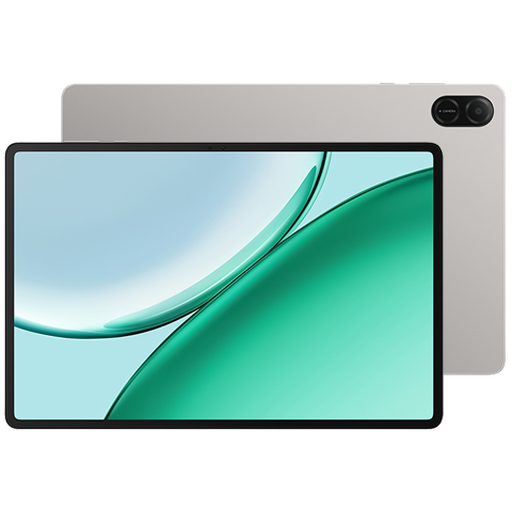
HONOR Pad X8b 128GB Tablet, Space Grey

HONOR Pad X8b 128GB, Space Grey

A good choice if you want more screen space for puzzle games than a compact tablet offers.

The product name lists 128 GB of storage.

View on Joybuy
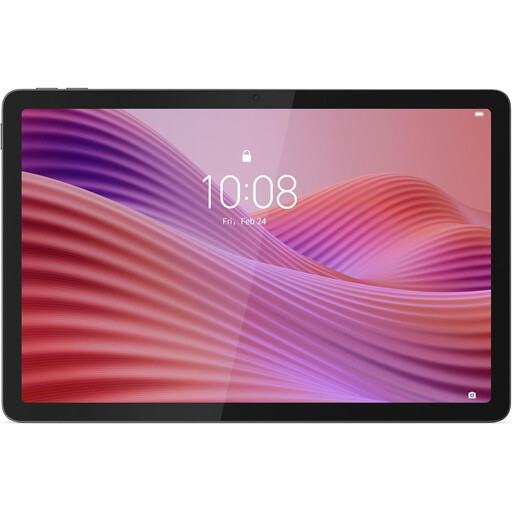
Lenovo Tab MediaTek, 128 GB, 10.1 inch, 4 GB, Android 14, Grey

Lenovo Tab MediaTek 128 GB, 10.1 inch, 4 GB, Android 14, Grey

This Android tablet is an option if you’d rather view hidden-object scenes on a larger screen.

The product name lists 10.1 inch, 128 GB storage, 4 GB RAM and Wi-Fi 5 (802.11ac).

View on Joybuy
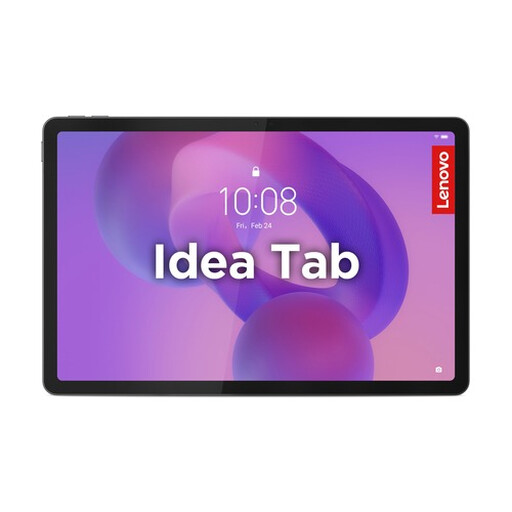
Lenovo Idea Tab MediaTek Dimensity, 256 GB, 11 inch, 8 GB, Android 15, Grey

Lenovo Idea Tab MediaTek Dimensity 256 GB, 11 inch, 8 GB, Android 15, Grey

An option for anyone who values a larger screen more than a compact design.

The product name lists 11 inch, 256 GB storage, 8 GB RAM and Wi-Fi 5 (802.11ac).

View on Joybuy
Lenovo Tab 4G MediaTek LTE, 128 GB, 10.1 inch, 4 GB, Android 14, Grey

Lenovo Tab 4G MediaTek LTE 128 GB, 10.1 inch, 4 GB, Android 14, Grey

This model could be a good fit if you want a tablet with a mobile connectivity option for games that need an internet connection.

The product name lists 10.1 inch, 128 GB storage, 4 GB RAM and Wi-Fi 5 (802.11ac). Check that your SIM card and plan are compatible.

View on Joybuy
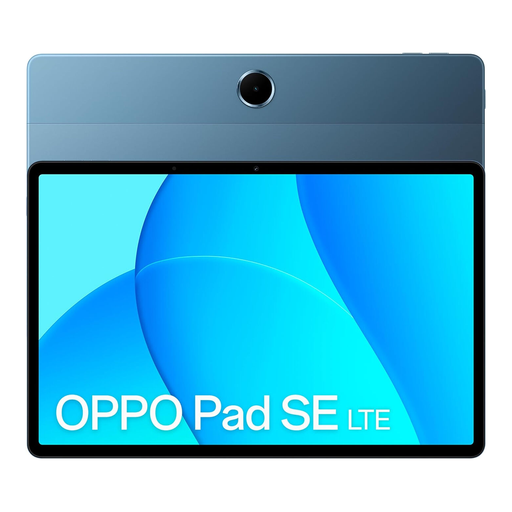
OPPO Pad SE, 128 GB, 6 GB, Twilight Blue, LTE

OPPO Pad SE 128 GB, 6 GB, Twilight Blue, LTE

An option if you’re looking for a tablet with LTE; check whether your chosen game needs an internet connection while you’re travelling.

The product name lists 128 GB storage and 6 GB RAM. According to the product information, the charger is not included.

View on Joybuy

Frequently asked questions

Can I download a puzzle game in advance and play it without an internet connection?

It depends on the game and device version. The Dutch App Store lists an offline mode for Hidden Objects: Puzzle Games and offline play for Hidden City. Install your chosen game in advance and test it without an internet connection; information about an iPad version doesn’t confirm that an Android version has the same features.

Can I rely on Wi-Fi or a power socket while travelling?

Don’t take it for granted. NS lists free Wi-Fi on almost all Intercity trains; Wi-Fi and power sockets on Sprinters vary by train type and route. Charge your tablet in advance and check the facilities available for your journey.

What if my favourite puzzle game isn’t available for the tablet?

Before you buy, check that the exact game is available for the tablet’s operating system. If you’re switching operating systems, also check whether you’ll need to buy your previously purchased apps again.

What can I do if my tablet turns out to be faulty after purchase?

When you buy as a consumer in the Netherlands, you’re entitled to a product that is fit for purpose, and you can contact the seller if there’s a problem. According to the Dutch government, the Netherlands has no fixed two-year statutory guarantee period; what you can reasonably expect from a product is also taken into account.

Can I return a tablet I bought online?

For eligible distance purchases from a business, you generally have a 14-day cooling-off period. Before ordering, check the information about the cooling-off period and the seller’s terms; purchases from private individuals aren’t automatically covered by the same rules.
